> For the complete documentation index, see [llms.txt](https://help.fastwork.vn/fastwork-help-center/llms.txt). Markdown versions of documentation pages are available by appending `.md` to page URLs; this page is available as [Markdown](https://help.fastwork.vn/fastwork-help-center/huong-dan-s-dung-chi-tiet/fastwork-work/fastwork-workflow/thiet-lap-quy-trinh/huong-dan-thiet-lap-che-do-nhan-thong-bao-trong-mot-quy-trinh-workflow.md).
# Hướng dẫn thiết lập chế độ nhận thông báo trong một quy trình Workflow
Với quy trình công việc workflow mỗi người dùng có thể chủ động thiết lập chế độ nhận thông báo. Anh/ chị có thể lựa chọn nhận thông báo trên phần mềm FastWork hay nhận thông báo qua email (Điều kiện nhận thông báo qua email là tài khoản đăng nhập phải được tích hợp email)
Để thiết lập chế độ nhận thông báo trong một quy trình thực hiện như sau:
**Bước 1:** Chọn **WORK** -> chọn **Quy trình công việc (Workflow)**
**Bước 2:** Chọn **Quy trình công việc** cần thiết lập chế độ nhận thông báo
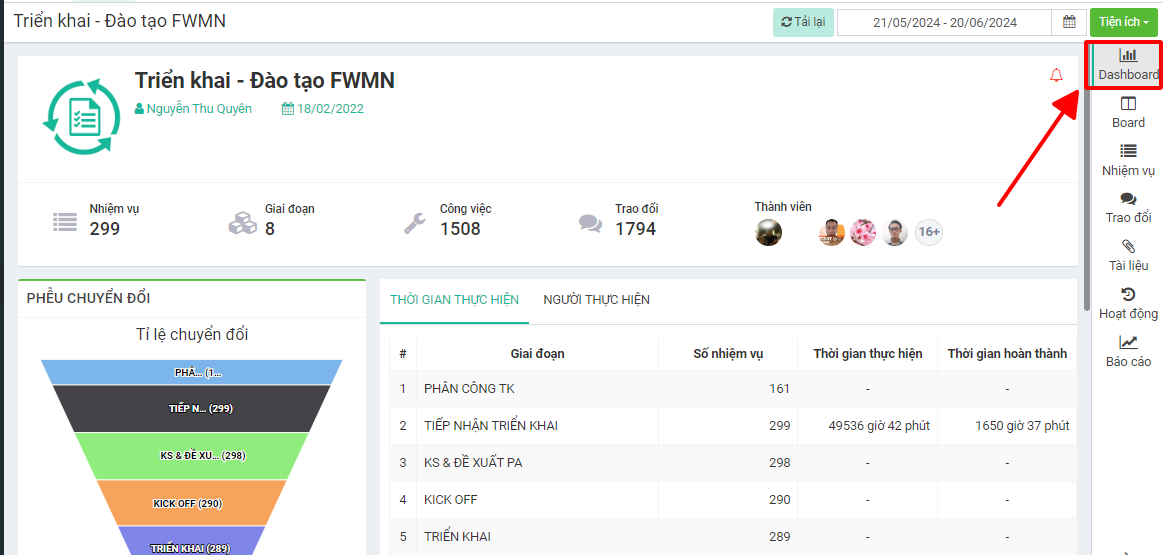
**Bước 3:** Chọn **Dashboard**
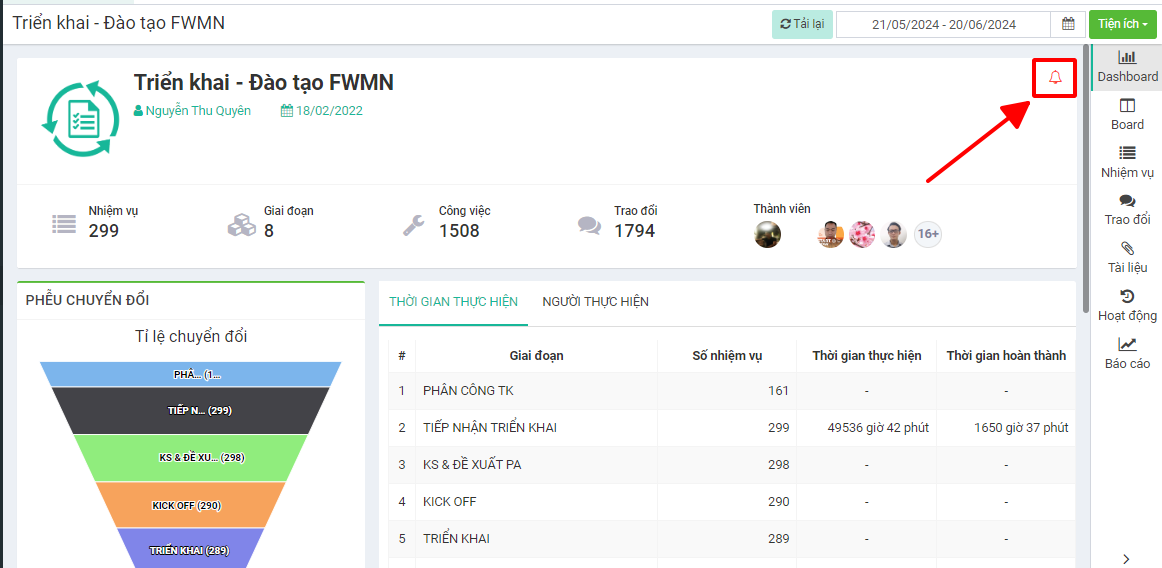
**Bước 4:** Ở giao diện **Dashboard** -> chọn **biểu tượng quả chuông**
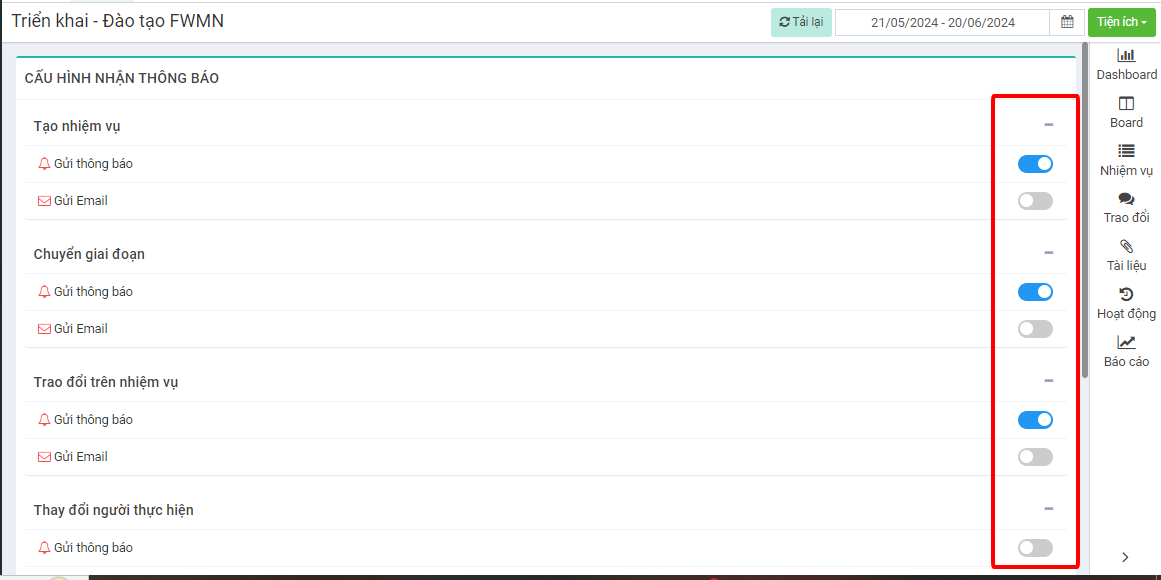
**Bước 5:** Với những tính năng nào anh/ chị muốn nhận thông báo, nhận thông báo trực tiếp trên phần mềm hay nhận thông báo qua email hay nhận theo cả 2 cách -> anh/ chị thực hiện bật tính năng nhận thông báo