> For the complete documentation index, see [llms.txt](https://help.fastwork.vn/fastwork-help-center/llms.txt). Markdown versions of documentation pages are available by appending `.md` to page URLs; this page is available as [Markdown](https://help.fastwork.vn/fastwork-help-center/huong-dan-s-dung-chi-tiet/fastwork-work/fastwork-request/thao-tac-nguoi-dung/huong-dan-tao-cong-viec-phat-sinh-tu-de-xuat.md).
# Hướng dẫn tạo công việc phát sinh từ đề xuất
**Bước 1:** Từ menu **WORK** -> chọn **Đề xuất và phê duyệt nội bộ.**
**Bước 2:** Chọn **Tất cả đề xuất** -> chọn vào đề xuất cần **tạo công việc**
**Bước 3:** Kéo xuống Dòng công việc chọn **Thêm công việc**
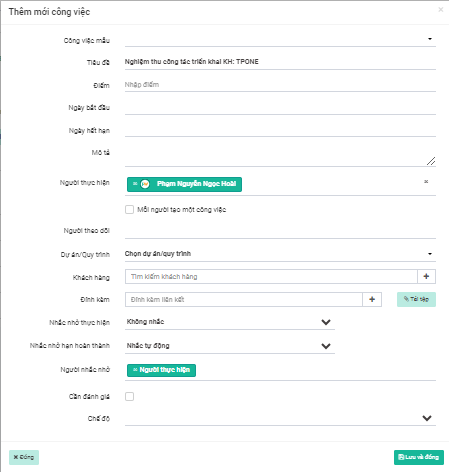
**Bước 4:** Nhập thông tin như thêm một công việc bình thường và nhấn **Lưu và đóng**
{% hint style="info" %}
Chi tiết các trường thông tin khi thêm mới công việc xem [tại đây](https://fastwork-2.gitbook.io/fastwork-help-center/~/changes/OaGXw8RF9MmW15Kp4ezp/huong-dan-s-dung-chi-tiet/fastwork-work+/fastwork-workplace/thao-tac-nguoi-dung/huong-dan-them-moi-cong-viec)
{% endhint %}