> For the complete documentation index, see [llms.txt](https://help.fastwork.vn/fastwork-help-center/llms.txt). Markdown versions of documentation pages are available by appending `.md` to page URLs; this page is available as [Markdown](https://help.fastwork.vn/fastwork-help-center/huong-dan-s-dung-chi-tiet/fastwork-work/fastwork-project/thao-tac-nguoi-dung/huong-dan-them-moi-mot-nhom-du-an.md).
# Hướng dẫn thêm mới một nhóm dự án
Nhóm dự án giúp quản lý được tiến độ và kiểm soát chặt chẽ những công việc mang tính chất lớn, nhiều hạng mục. Kiểm soát được thời gian thực hiện dự án để có thể ra những phương án tốt nhất.
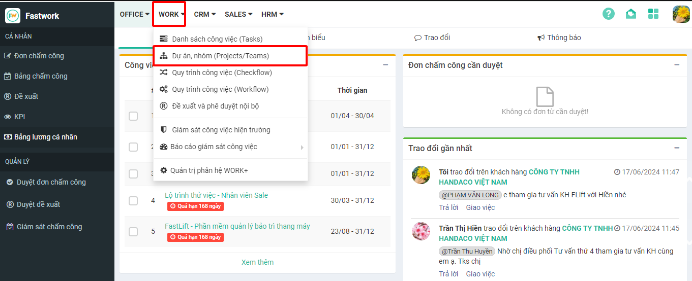
**Bước 1:** Chọn **Work** → chọn **Dự án, nhóm (Projects/Teams)**
**Bước 2:** Chọn dấu “**+**” dưới phần **Dự án** -> chọn **Quản lý Nhóm dự án**
**Bước 3:** Nhập tên nhóm dự án -> chọn **+Tạo nhóm dự án**
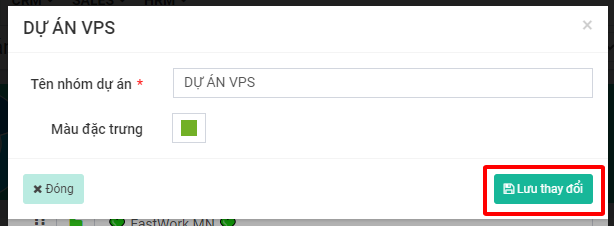
**Bước 4:** Sau khi tạo nhóm dự án, muốn điều chỉnh thay đổi màu nhóm thì click vào nhóm cụ thể rồi chọn thông tin màu sắc cần thay đổi -> chọn **Lưu thay đổi**