> For the complete documentation index, see [llms.txt](https://help.fastwork.vn/fastwork-help-center/llms.txt). Markdown versions of documentation pages are available by appending `.md` to page URLs; this page is available as [Markdown](https://help.fastwork.vn/fastwork-help-center/huong-dan-s-dung-chi-tiet/fastwork-work/fastwork-project/thao-tac-nguoi-dung/huong-dan-phan-quyen-cho-thanh-vien-tham-gia-du-an.md).
# Hướng dẫn phân quyền cho thành viên tham gia dự án
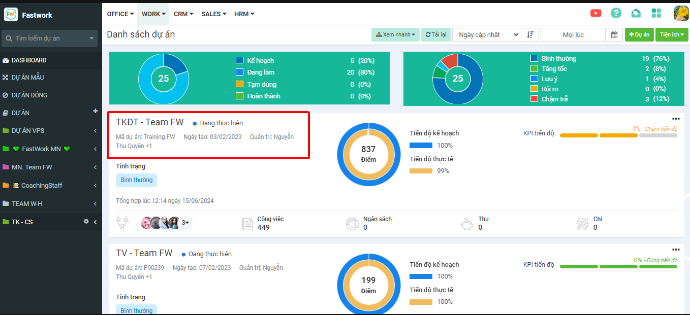
**Bước 1:** Từ menu **WORK** -> chọn **Dự án/Nhóm (Projects/Teams)** -> Chọn dự án muốn phân quyền cho thành viên tham gia
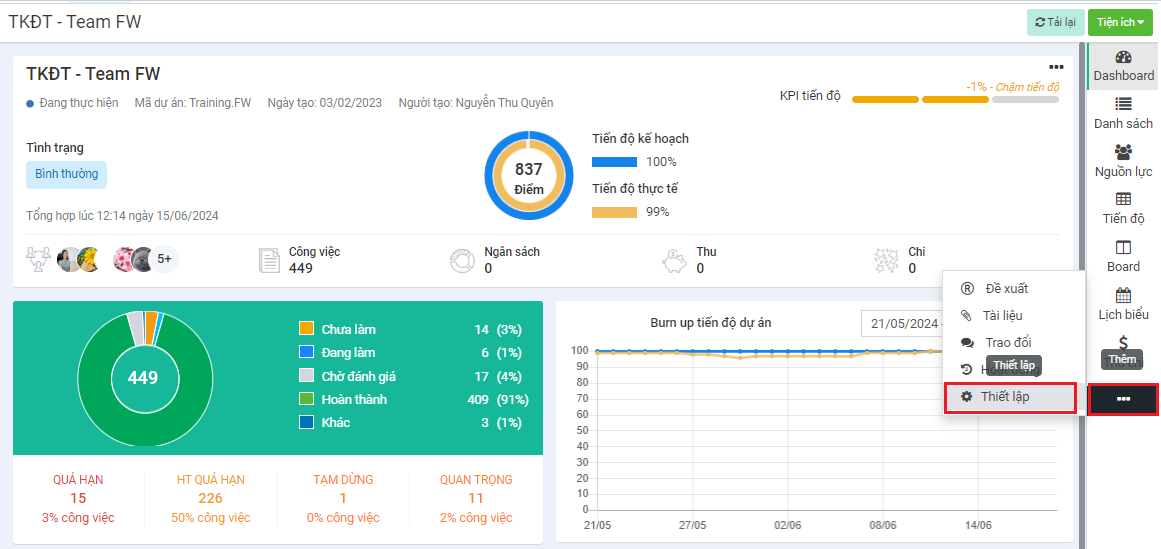
**Bước 2**: Chọn **3 gạch ngang** ở thanh menu bên phải → chọn **Thiết lập**
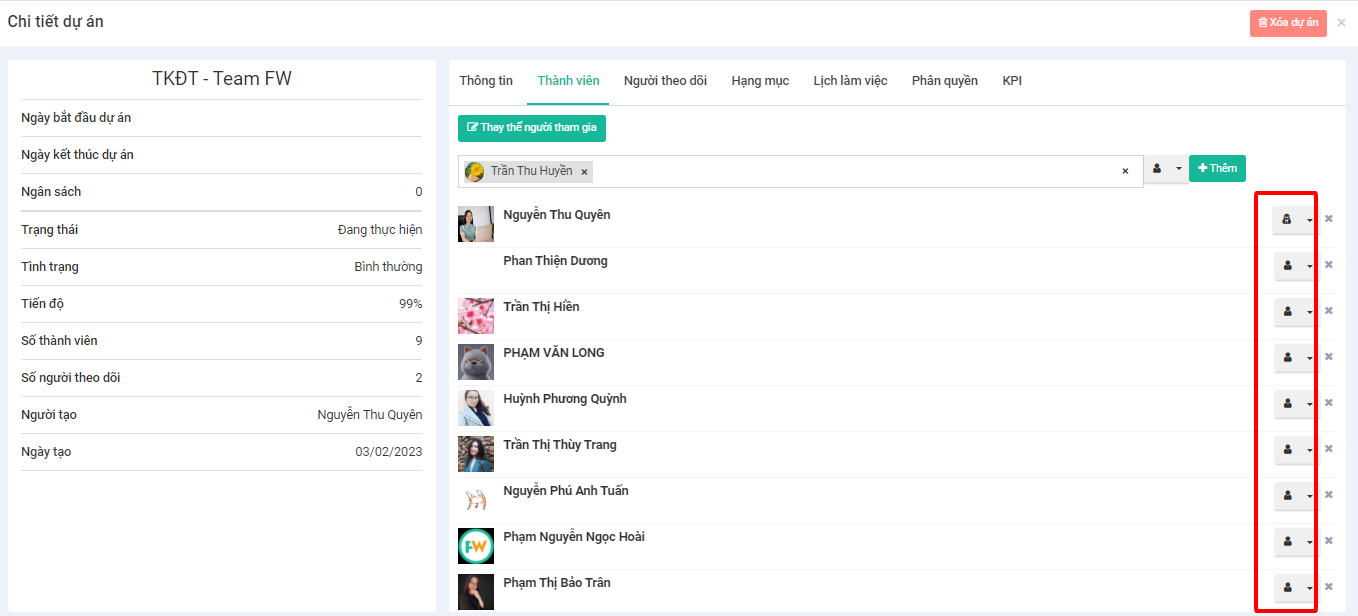
**Bước 3:** Chọn tab **Thành viên** -> chọn vào ô thêm thành viên và chọn các thành viên muốn thêm → chọn **Thêm**
**Bước 4:** Trong mỗi thành viên → chọn biểu tượng phía bên phải để chọn quyền **Thành viên** hoặc **Quản trị**
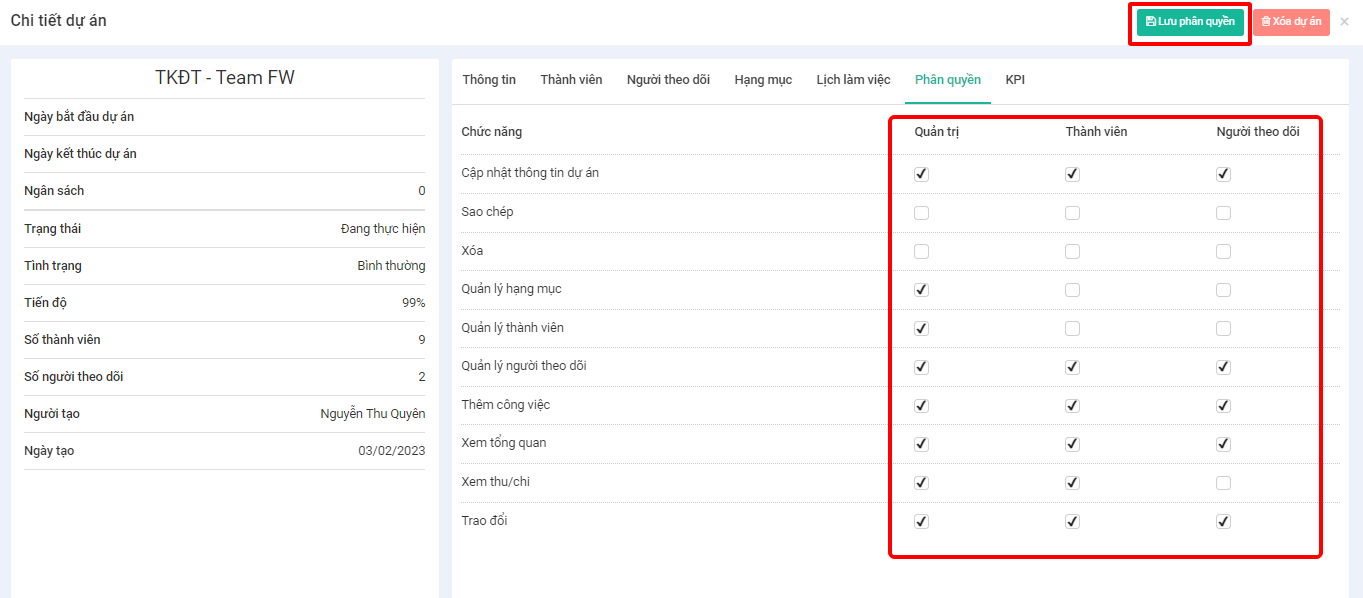
**Bước 5:** Chọn **Phân quyền** → chọn các chức năng tương ứng với từng quyền