> For the complete documentation index, see [llms.txt](https://help.fastwork.vn/fastwork-help-center/llms.txt). Markdown versions of documentation pages are available by appending `.md` to page URLs; this page is available as [Markdown](https://help.fastwork.vn/fastwork-help-center/huong-dan-s-dung-chi-tiet/fastwork-work/fastwork-project/thao-tac-nguoi-dung/huong-dan-cau-hinh-loai-quy-se-su-dung-trong-mot-du-an.md).
# Hướng dẫn cấu hình loại quỹ sẽ sử dụng trong một dự án
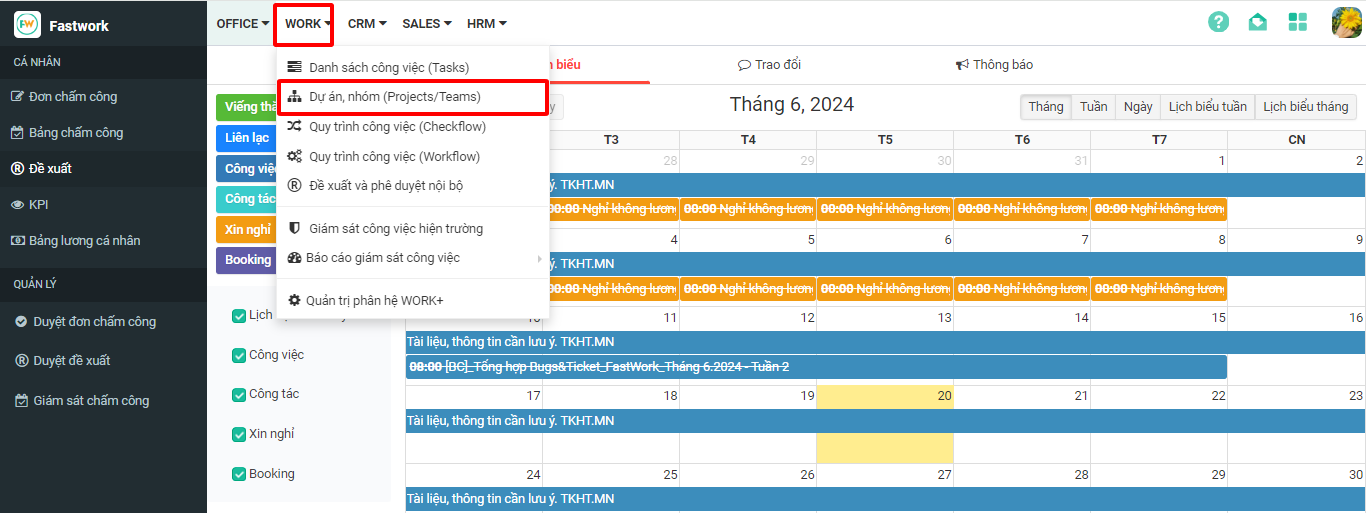
**Bước 1:** Chọn **WORK** -> chọn **Dự án/nhóm (Project/Team)**
**Bước 2:** Bấm vào dự án cụ thể -> chọn 3 gạch ngang ở thanh menu bên phải -> chọn **Thiết lập**
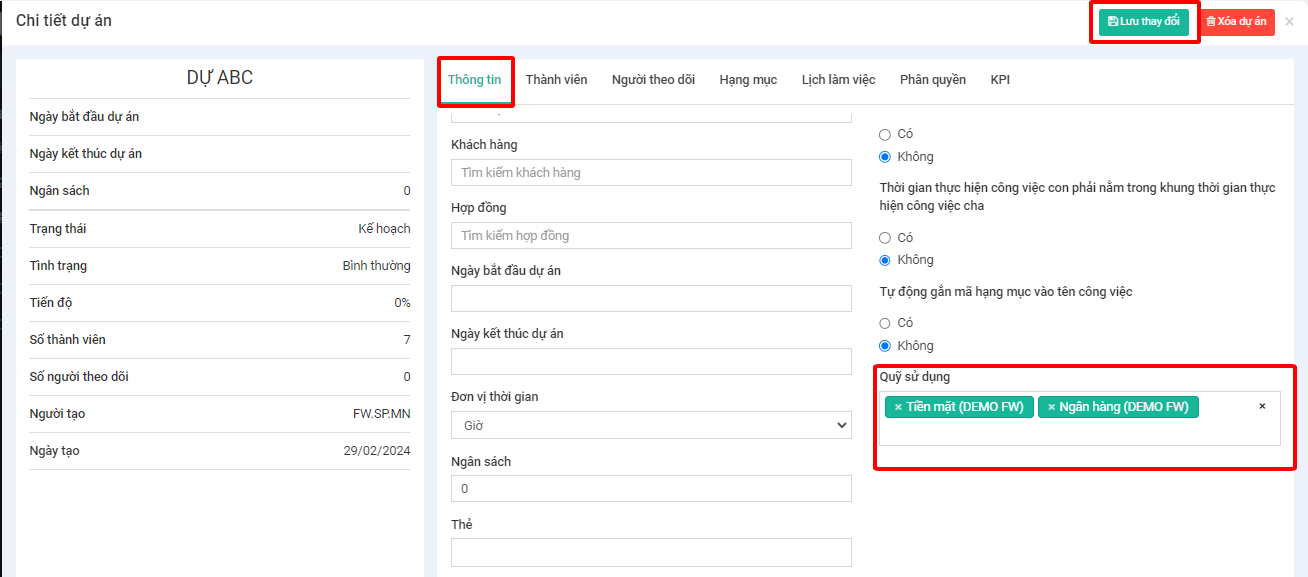
**Bước 3:** Ở phần Thông tin -> Chọn loại quỹ cần cấu hình vào **Quỹ sử dụng**
**Bước 4:** Chọn **Lưu thay đổi** để hoàn tất