> For the complete documentation index, see [llms.txt](https://help.fastwork.vn/fastwork-help-center/llms.txt). Markdown versions of documentation pages are available by appending `.md` to page URLs; this page is available as [Markdown](https://help.fastwork.vn/fastwork-help-center/huong-dan-s-dung-chi-tiet/fastwork-work/fastwork-checkflow/thao-tac-quan-tri/huong-dan-phan-quyen-nhanh-cho-mot-nhom-nguoi-dung-truy-cap-vao-quy-trinh-cong-viec-checkflow.md).
# Hướng dẫn phân quyền nhanh cho một nhóm người dùng truy cập vào quy trình công việc (checkflow)
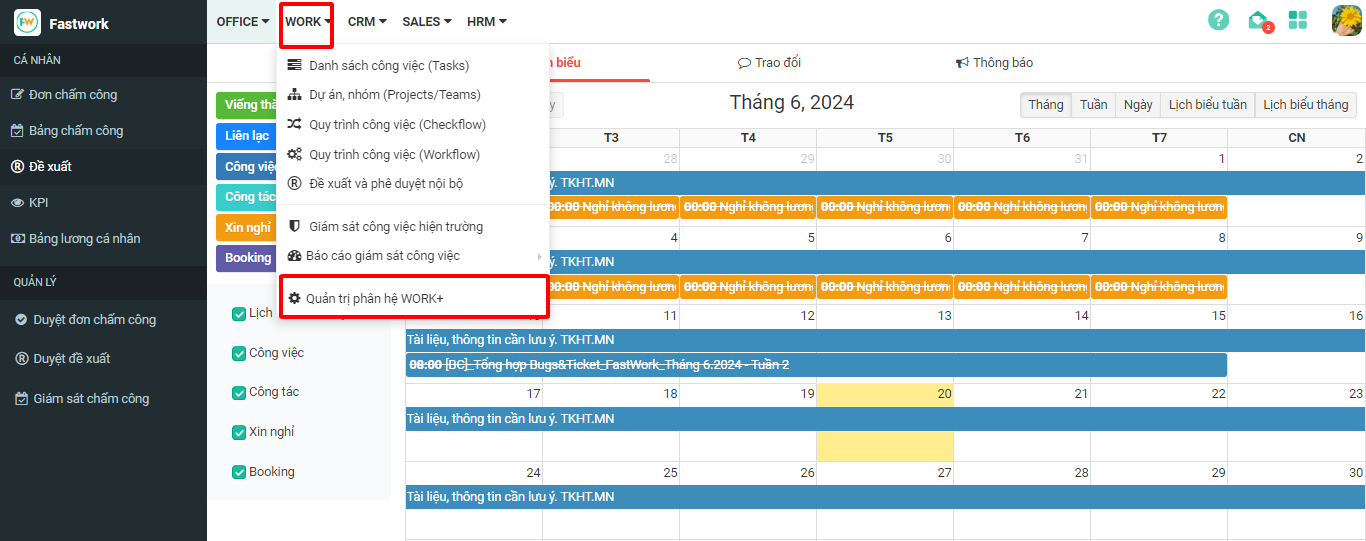
**Bước 1:** Chọn **WORK** -> Chọn **Quản trị phân hệ WORK+**
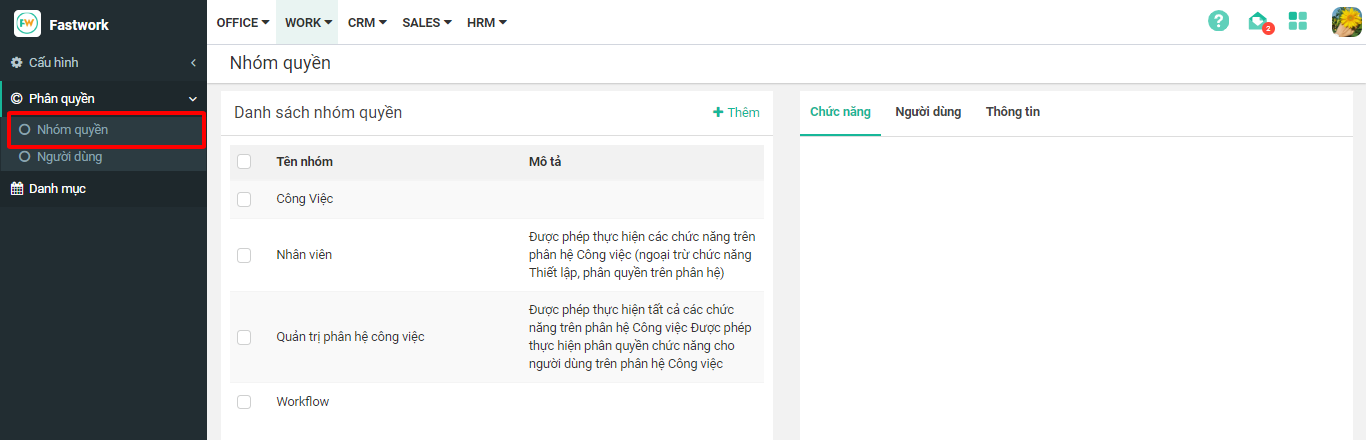
**Bước 2:** Ở mục **Phân quyền** -> chọn **Nhóm quyền**
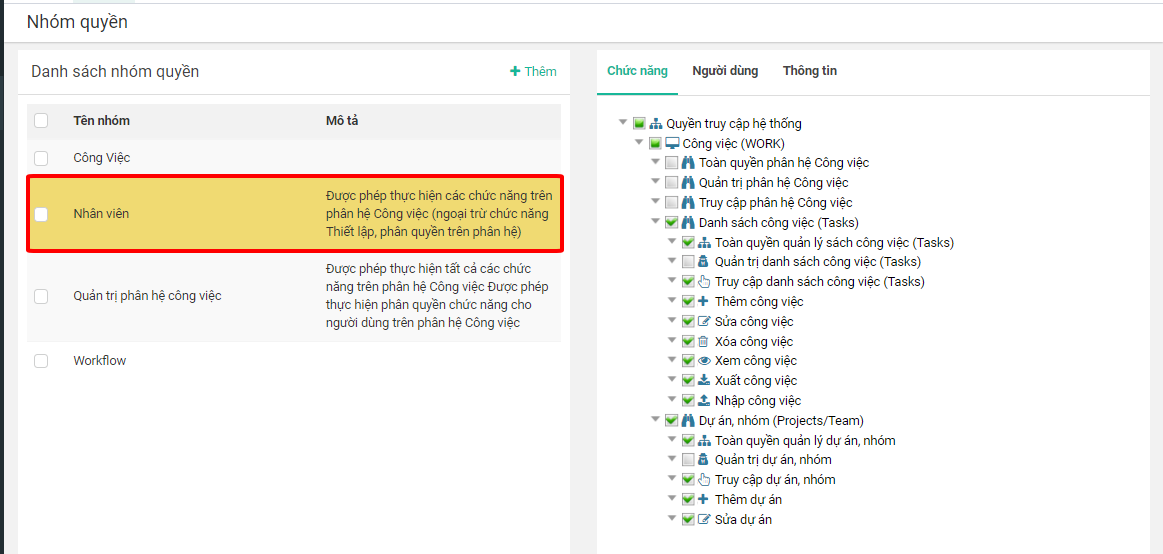
**Bước 3**: Chọn **Nhóm quyền** cần thêm người dùng
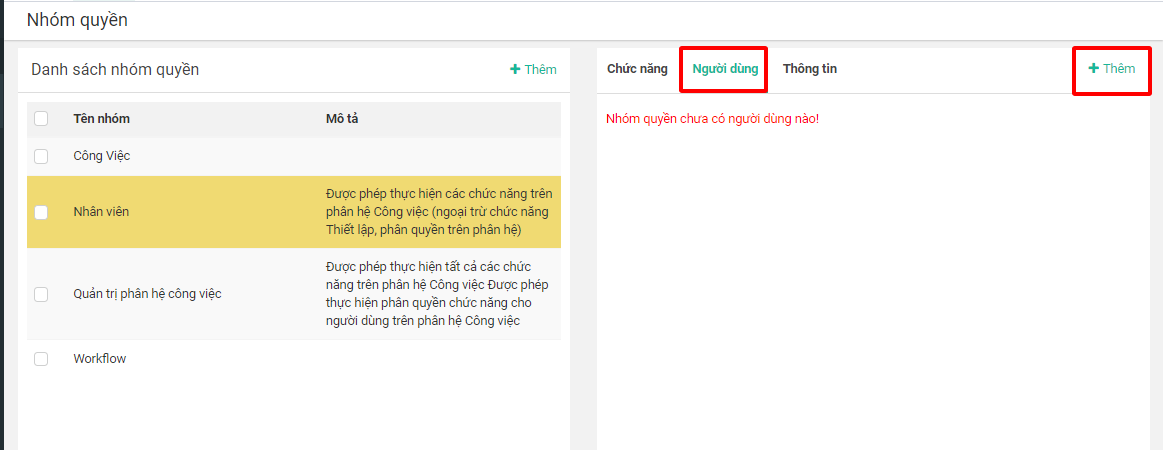
**Bước 4:** Chọn Tab **Người dùng** sau đó chọn **+Thêm**
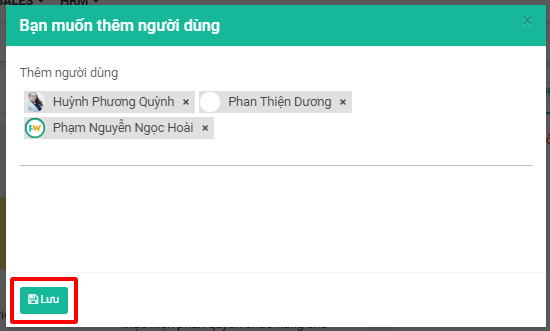
**Bước 5:** Thực hiện lựa chọn nhân viên cần phân quyền sau đó chọn **Lưu**