> For the complete documentation index, see [llms.txt](https://help.fastwork.vn/fastwork-help-center/llms.txt). Markdown versions of documentation pages are available by appending `.md` to page URLs; this page is available as [Markdown](https://help.fastwork.vn/fastwork-help-center/huong-dan-s-dung-chi-tiet/fastwork-work/fastwork-checkflow/thao-tac-nguoi-dung/huong-dan-them-moi-mot-nhom-quy-trinh-checkflow.md).
# Hướng dẫn thêm mới một nhóm quy trình (Checkflow)
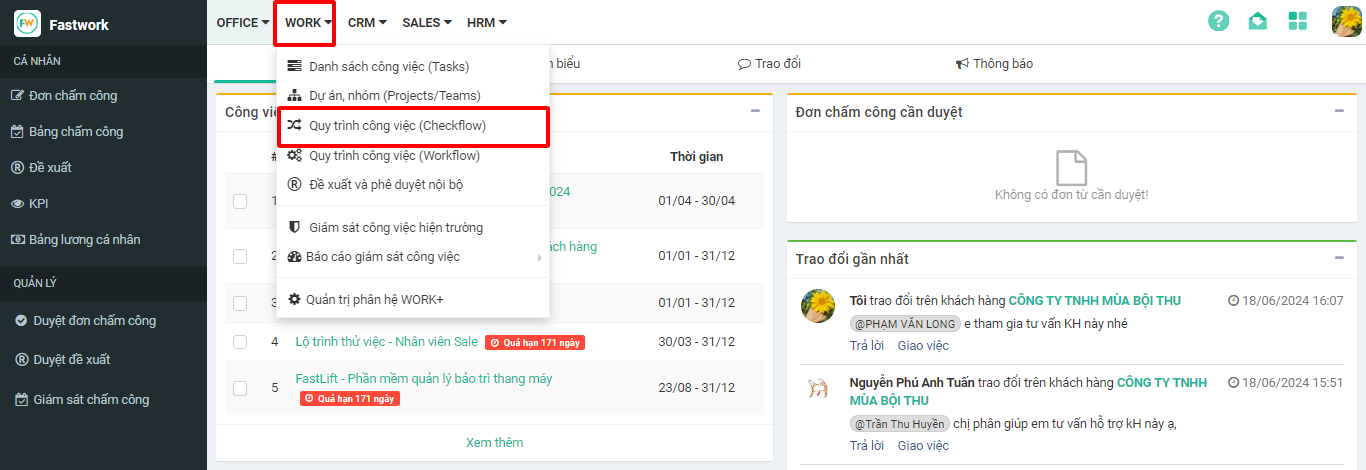
**Bước 1:** Chọn **WORK** -> chọn **Quy trình công việc (CheckFlow)**
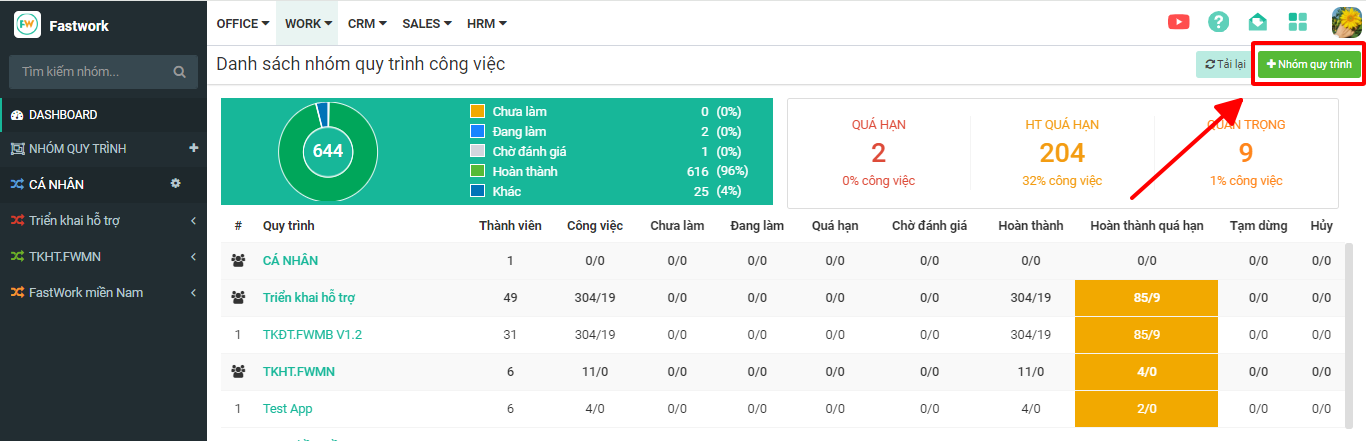
**Bước 2:** Có 2 cách để thêm mới 1 nhóm quy trình:
**Cách 1:** Từ giao diện Dashboard chọn **+Nhóm quy trình** ở góc trên bên phải
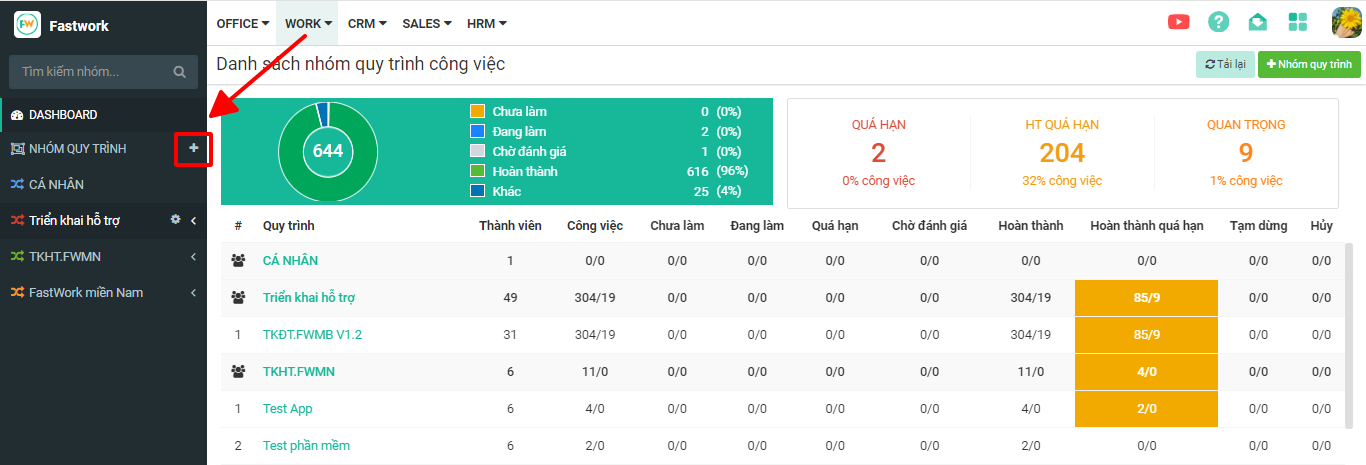
**Cách 2:**
* Ở cột bên trái -> Bấm vào dấu “**+**” tại mục **NHÓM QUY TRÌNH**
* Nhập thông tin nhóm quy trình:
* ***Thành viên:*** khi bấm vào mục thành viên sẽ xổ ra danh sách các thành viên trong bộ phận của mình. Nếu muốn thêm nhân viên khác bộ phận có thể **gõ tên thành viên** để tìm kiếm.
* ***Màu đặc trưng:*** có bảng màu để chọn để phân biệt các nhóm với nhau.
* Sau khi hoàn thành -> chọn **Thêm nhóm mới**.
Giao diện tạo nhóm mới
**Bước 3:** Hiện bảng thông báo **“Tạo nhóm mới thành công”** là hoàn thành.