> For the complete documentation index, see [llms.txt](https://help.fastwork.vn/fastwork-help-center/llms.txt). Markdown versions of documentation pages are available by appending `.md` to page URLs; this page is available as [Markdown](https://help.fastwork.vn/fastwork-help-center/huong-dan-s-dung-chi-tiet/fastwork-office/fastwork-meeting/thao-tac-nguoi-dung/cach-them-moi-dang-ky-tai-nguyen-tu-lich-hop.md).
# Cách thêm mới đăng ký tài nguyên từ lịch họp
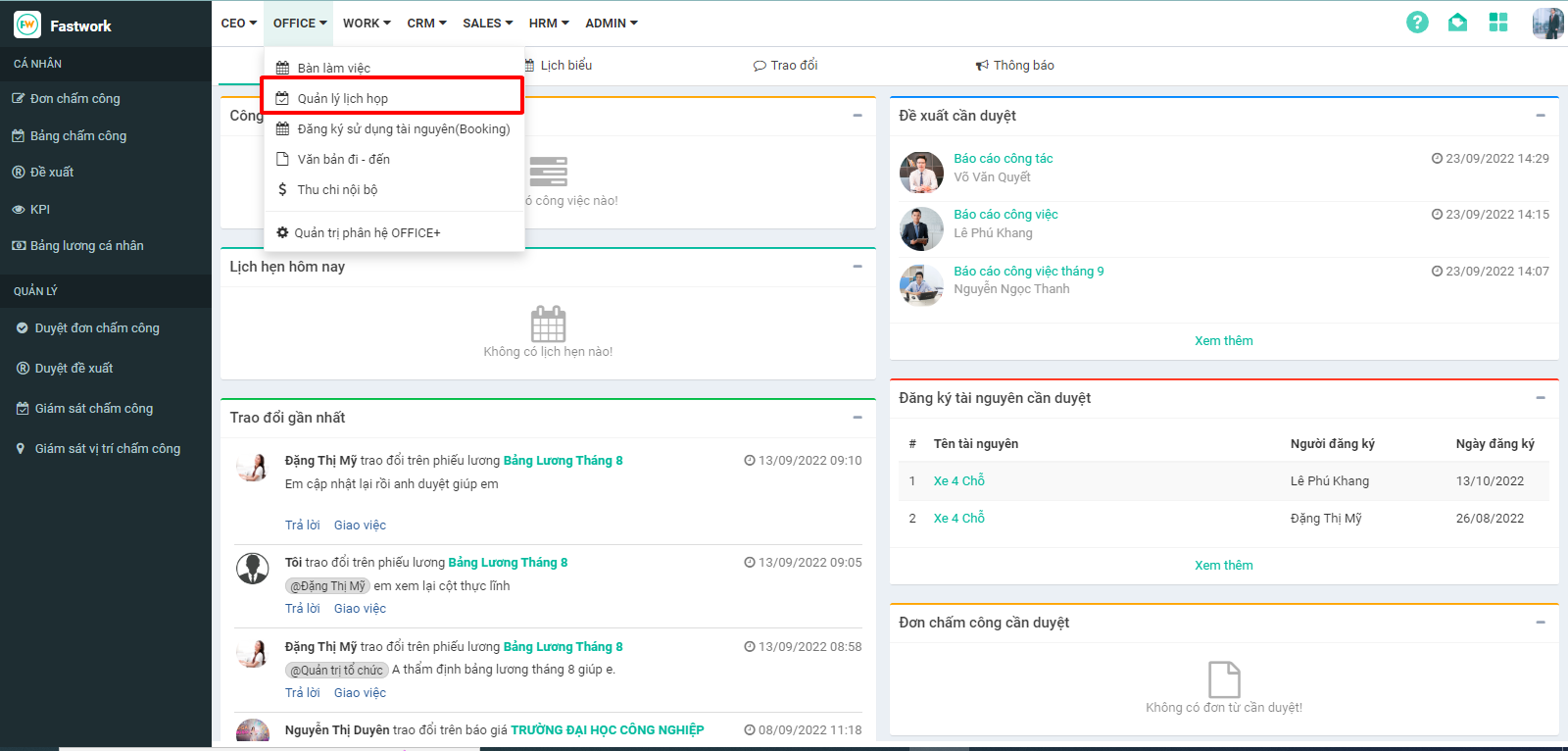
**Bước 1:** Từ Menu **OFFICE** chọn **Quản lý lịch họp**
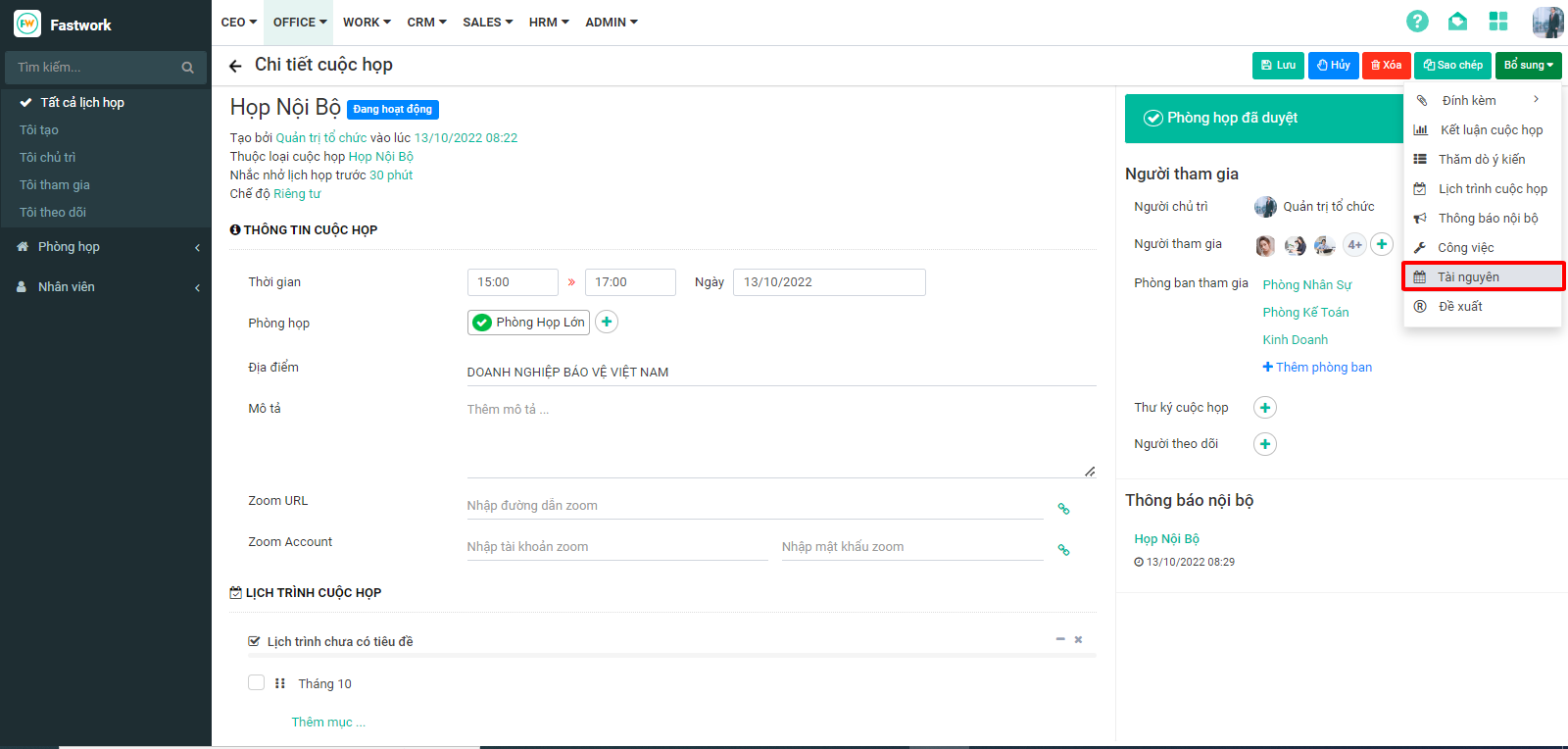
**Bước 2:** Chọn lịch họp cần **đăng ký tài nguyên**
**Bước 3:** Chọn **Bổ sung** => **Tài nguyên**.
**Bước 4:** Nhập nội dung đăng ký sau đó bấm **Gửi đăng ký**