# Cách thêm lịch trình cuộc họp

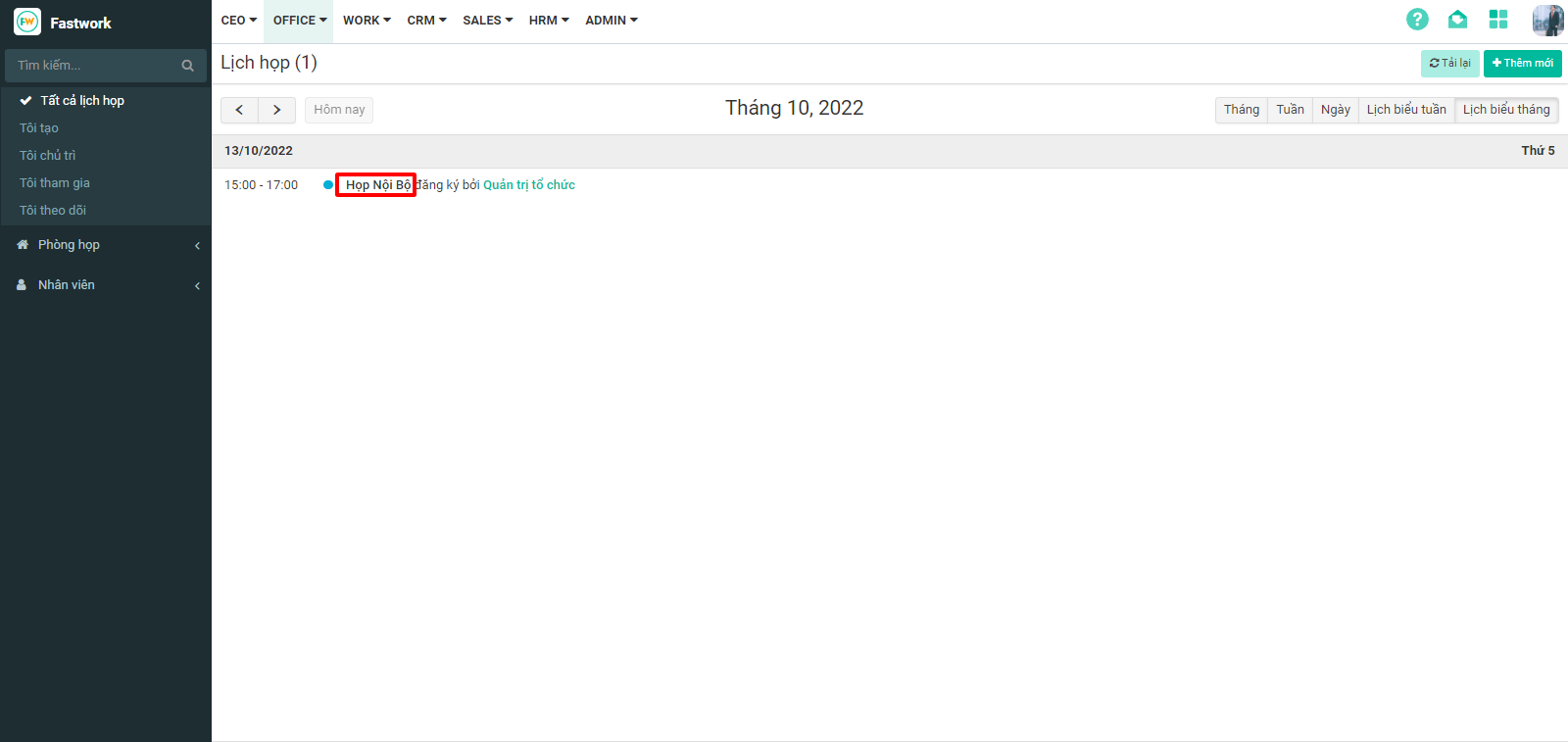
**Bước 1:** Từ Menu **OFFICE** chọn **Quản lý lịch họp**&#x20;

<figure><img src="https://1934075284-files.gitbook.io/~/files/v0/b/gitbook-x-prod.appspot.com/o/spaces%2FSgjp5pKuJrPSuYtLZvBs%2Fuploads%2F76UhSVDgWSY4MGAVXYQl%2Fimage.png?alt=media&#x26;token=240fe7a5-2d09-4925-8d8d-5a45886af61b" alt=""><figcaption></figcaption></figure>

**Bước 2:** Chọn lịch họp cần **thêm lịch trình**

<figure><img src="https://1934075284-files.gitbook.io/~/files/v0/b/gitbook-x-prod.appspot.com/o/spaces%2FSgjp5pKuJrPSuYtLZvBs%2Fuploads%2FuetOqcMMS1UxdwDTL9MD%2Fimage.png?alt=media&#x26;token=33ab78a8-2ccc-4b66-9e81-8a398b7bbc50" alt=""><figcaption></figcaption></figure>

**Bước 3:** Chọn **Bổ sung** => **Lịch trình cuộc họp**.&#x20;

<figure><img src="https://1934075284-files.gitbook.io/~/files/v0/b/gitbook-x-prod.appspot.com/o/spaces%2FSgjp5pKuJrPSuYtLZvBs%2Fuploads%2FWhi0T92PTKpWj9rGGebE%2Fimage.png?alt=media&#x26;token=d9825551-a168-4f07-9bdc-b0612f754a8b" alt=""><figcaption></figcaption></figure>

**Bước 4:** Nhập nội dung lịch trình sau đó bấm **Lưu**

<figure><img src="https://1934075284-files.gitbook.io/~/files/v0/b/gitbook-x-prod.appspot.com/o/spaces%2FSgjp5pKuJrPSuYtLZvBs%2Fuploads%2FOcsHKGqFRvnhgoIxEWlz%2Fimage.png?alt=media&#x26;token=b79bca2c-a0df-4fdf-8dab-315467112dd3" alt=""><figcaption></figcaption></figure>