> For the complete documentation index, see [llms.txt](https://help.fastwork.vn/fastwork-help-center/llms.txt). Markdown versions of documentation pages are available by appending `.md` to page URLs; this page is available as [Markdown](https://help.fastwork.vn/fastwork-help-center/huong-dan-s-dung-chi-tiet/fastwork-office/fastwork-expense/thao-tac-nguoi-dung/cach-theo-doi-phieu-thu-phieu-chi-trong-mot-quy-tren-web.md).
# Cách theo dõi phiếu thu,phiếu chi trong một quỹ trên web
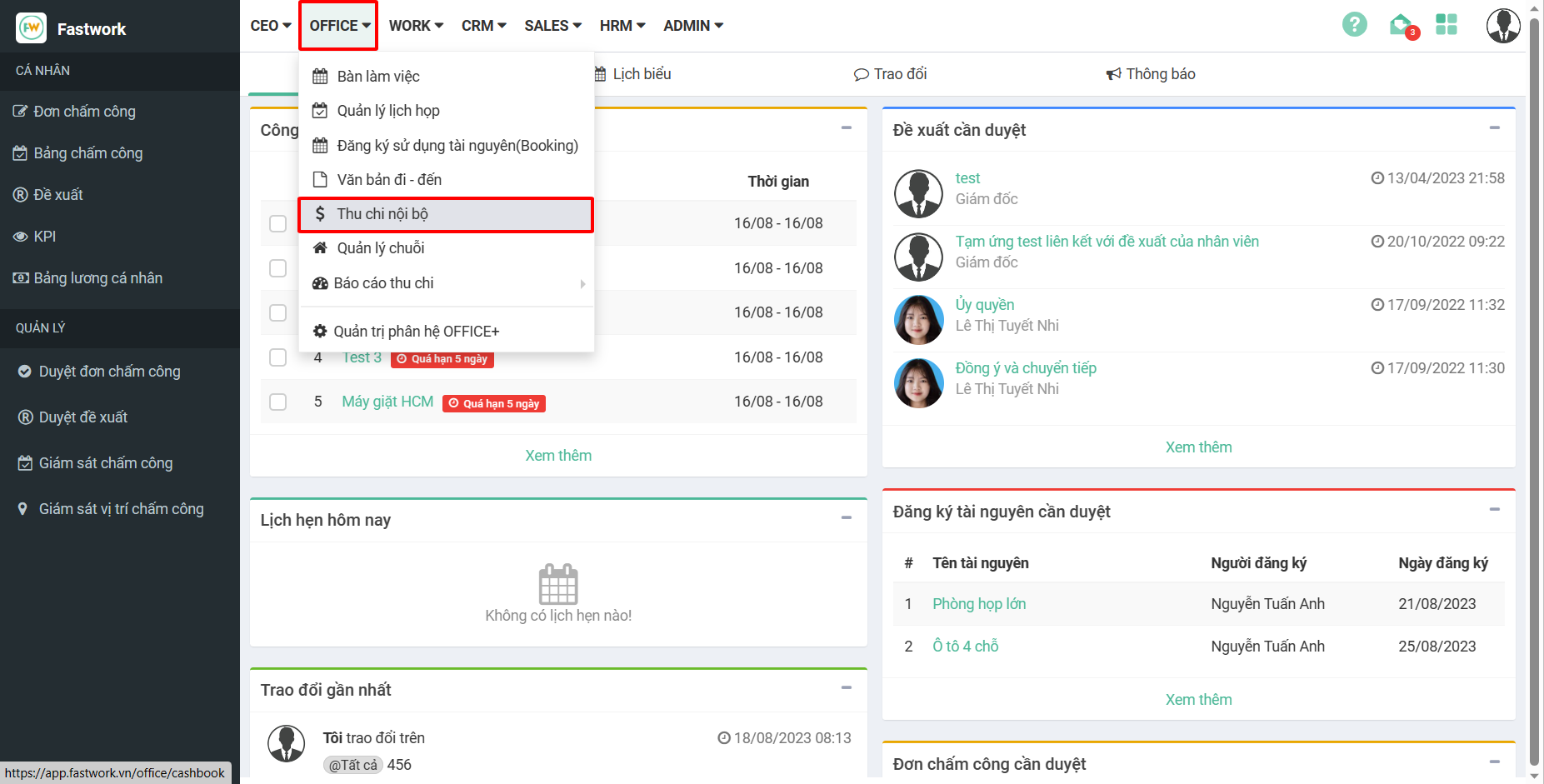
**Bước 1:** Từ menu **OFFICE** ⇒ chọn **Thu chi nội bộ**
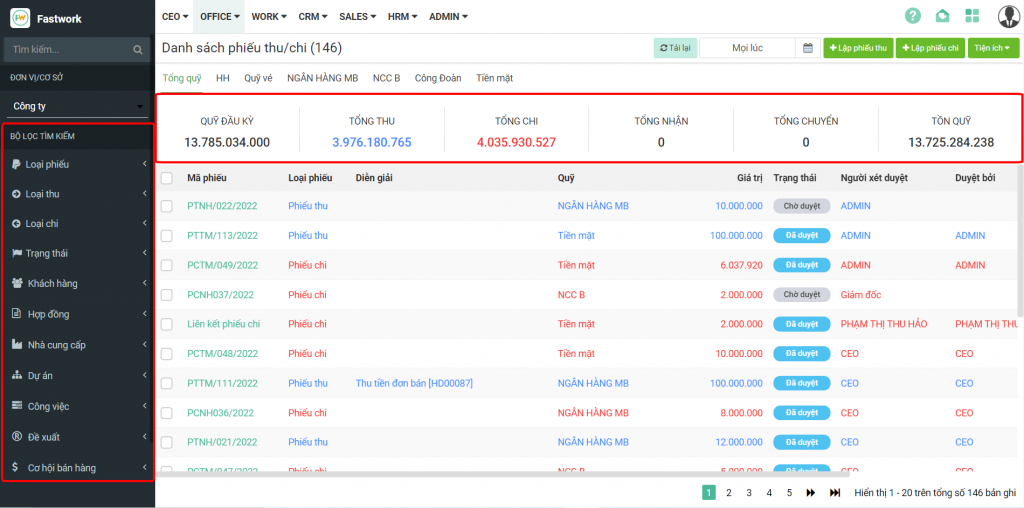
**Bước 2:** Bạn có thể xem được tổng quỹ, tổng thu/chi trong tháng hoặc trong khoảng thời gian nhất định của từng đơn vị cơ sở. Bạn cũng có thể lọc theo các bộ lọc bên trái để lọc theo các phiếu thu/chi mình muốn.