> For the complete documentation index, see [llms.txt](https://help.fastwork.vn/fastwork-help-center/llms.txt). Markdown versions of documentation pages are available by appending `.md` to page URLs; this page is available as [Markdown](https://help.fastwork.vn/fastwork-help-center/huong-dan-s-dung-chi-tiet/fastwork-office/fastwork-expense/thao-tac-nguoi-dung/cach-them-moi-phieu-thu-phieu-chi-truc-tiep-trong-mot-du-an.md).
# Cách thêm mới phiếu thu, phiếu chi trực tiếp trong một dự án
**Lưu ý: Để ghi nhận Thu/Chi từ trong Dự án, thì trong Cấu hình Dự án phải đưa Quỹ vào trong dự án trước (**[**Xem thêm ở Module Dự án/Nhóm**](https://help.fastwork.vn/kb/cach-cau-hinh-loai-quy-se-su-dung-trong-mot-du-an/)**)**
**Bước 1:** Từ menu **WORK** chọn **Dự án, nhóm (Projects/Teams)**
**Bước 2:** Chọn **Dự án** cần lập phiếu
**Bước 3:** Chọn Tab Thu chi >> Chọn **Lập phiếu thu/Lập phiếu chi** để thêm mới
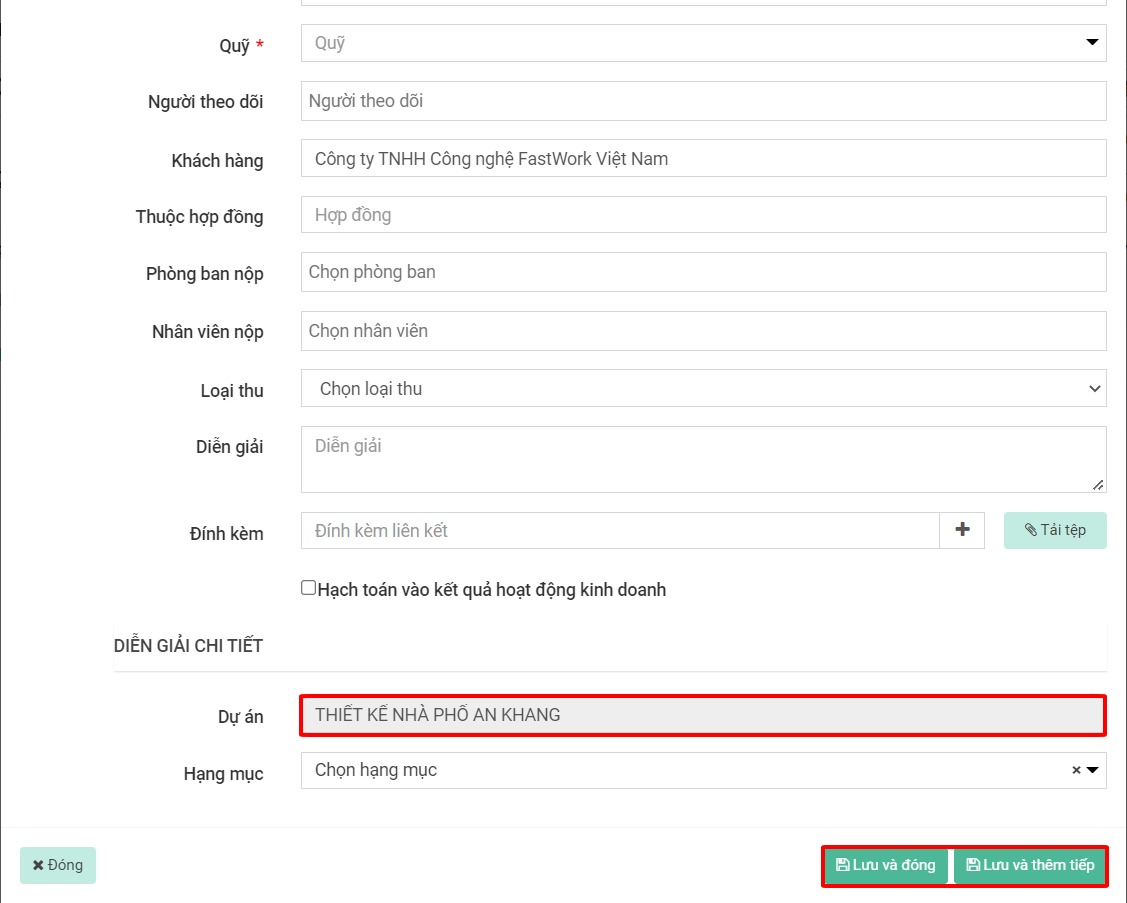
**Bước 4:** Điền các thông tin và **lưu và đóng(Để kết thúc việc tạo phiếu)** hoặc **lưu và thêm tiếp (Để tiếp tục thêm các phiếu khác).** Ở đây, thông tin dự án đã được lựa chọn và cố định