> For the complete documentation index, see [llms.txt](https://help.fastwork.vn/fastwork-help-center/llms.txt). Markdown versions of documentation pages are available by appending `.md` to page URLs; this page is available as [Markdown](https://help.fastwork.vn/fastwork-help-center/huong-dan-s-dung-chi-tiet/fastwork-office/fastwork-expense/thao-tac-nguoi-dung/cach-phe-duyet-mot-phieu-thu-phieu-chi.md).
# Cách phê duyệt một phiếu thu, phiếu chi
**TRÊN WEB**
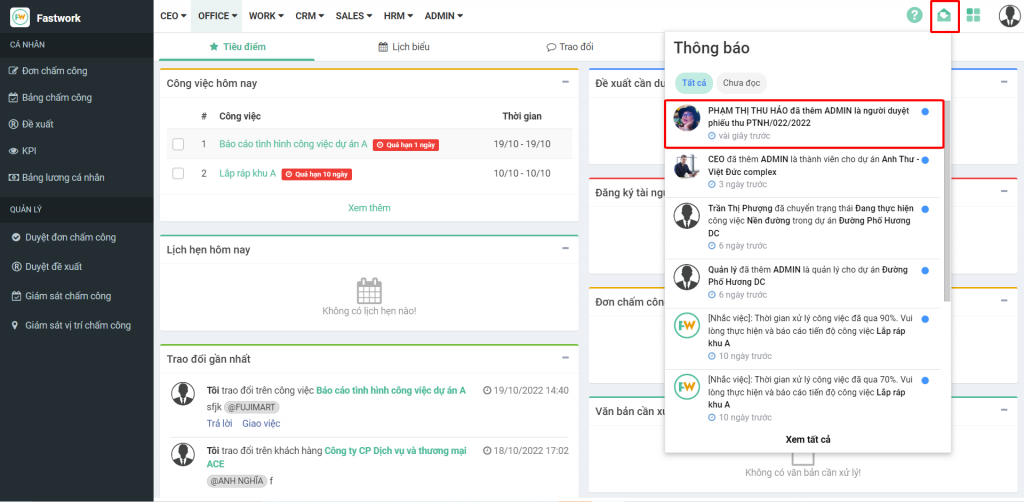
**Bước 1:** Từ Menu **OFFICE** chọn **Thu chi nội bộ** hoặc từ thông báo Click vào nội dung cần duyệt
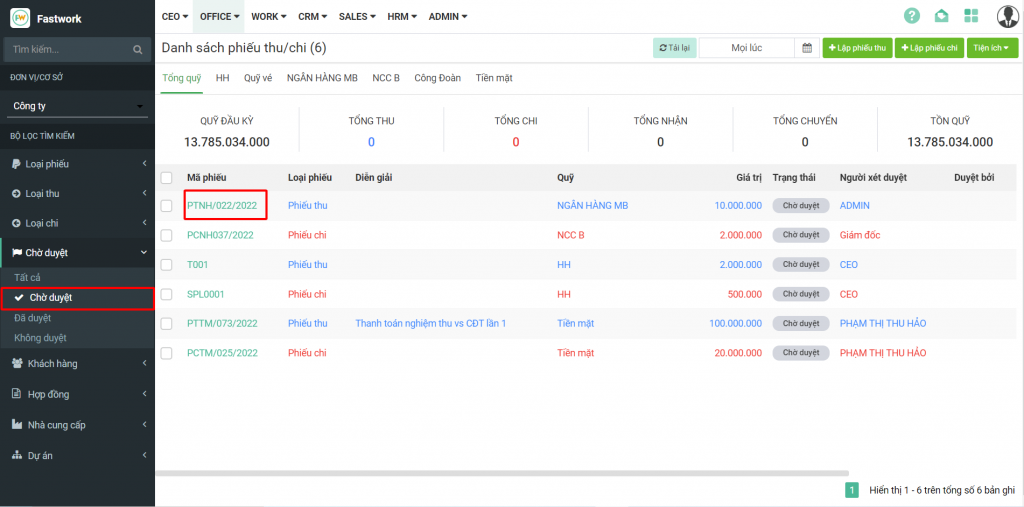
**Bước 2:** Chọn bộ lọc Chờ duyệt >> Chọn phiếu cần **duyệt**
**Bước 3:** Bấm vào **Duyệt phiếu >>** nhập lý do duyệt hoặc không duyệt và xác nhận lại lần nữa là mình có muốn duyệt hay không bằng cách bấm vào **Duyệt hoặc Không duyệt**
**TRÊN MOBILE:**
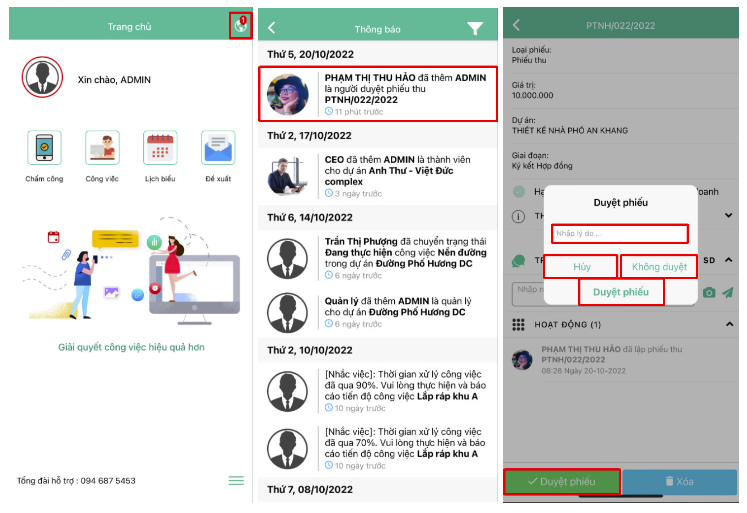
Từ giao diện chính của mobile >> Sẽ thấy thông báo trên quả địa cầu >> Tick vào nội dung được thông báo >> Tick **Duyệt phiếu**
Xác nhận lại bằng cách nhập lý do và bấm **Duyệt phiếu** hoặc **Hủy** hoặc **Không duyệt**