> For the complete documentation index, see [llms.txt](https://help.fastwork.vn/fastwork-help-center/llms.txt). Markdown versions of documentation pages are available by appending `.md` to page URLs; this page is available as [Markdown](https://help.fastwork.vn/fastwork-help-center/huong-dan-s-dung-chi-tiet/fastwork-office/fastwork-expense/thao-tac-nguoi-dung/cach-lua-chon-cac-truong-thong-tin-tuy-chinh-muon-hien-thi-de-xem-du-lieu.md).
# Cách lựa chọn các trường thông tin tùy chỉnh muốn hiển thị để xem dữ liệu
**FastWork hỗ trợ người dùng có thể tuỳ chỉnh Ẩn/Hiển các cột trường thông tin hiển thị bên ngoài giao diện Danh sách. Thao tác như sau:**
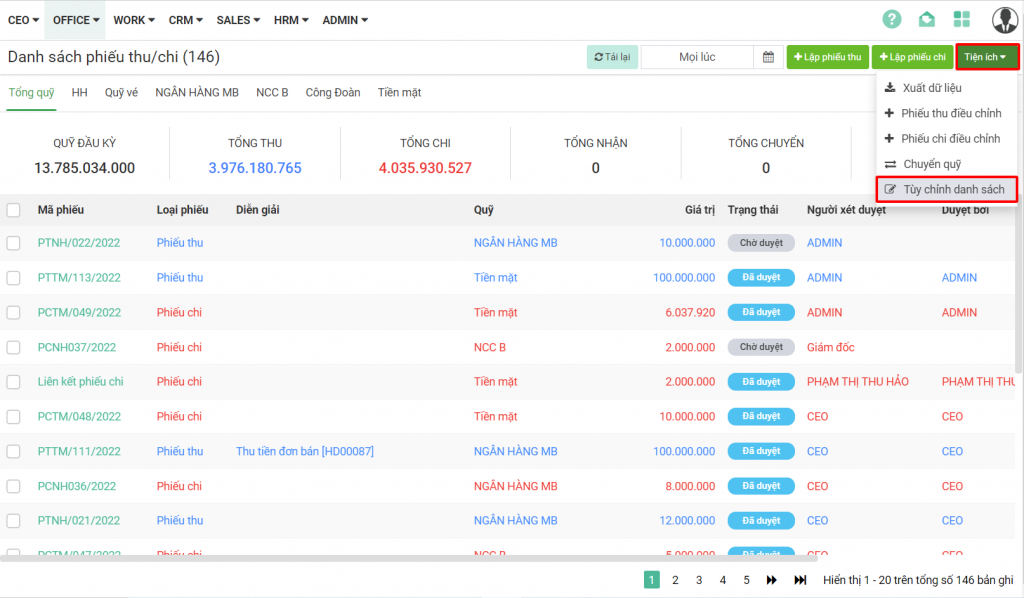
**Bước 1:** Từ Menu **OFFICE** chọn **Thu chi nội bộ**
**Bước 2:** Chọn **Tiện ích** =>> **Tùy chỉnh danh sách**
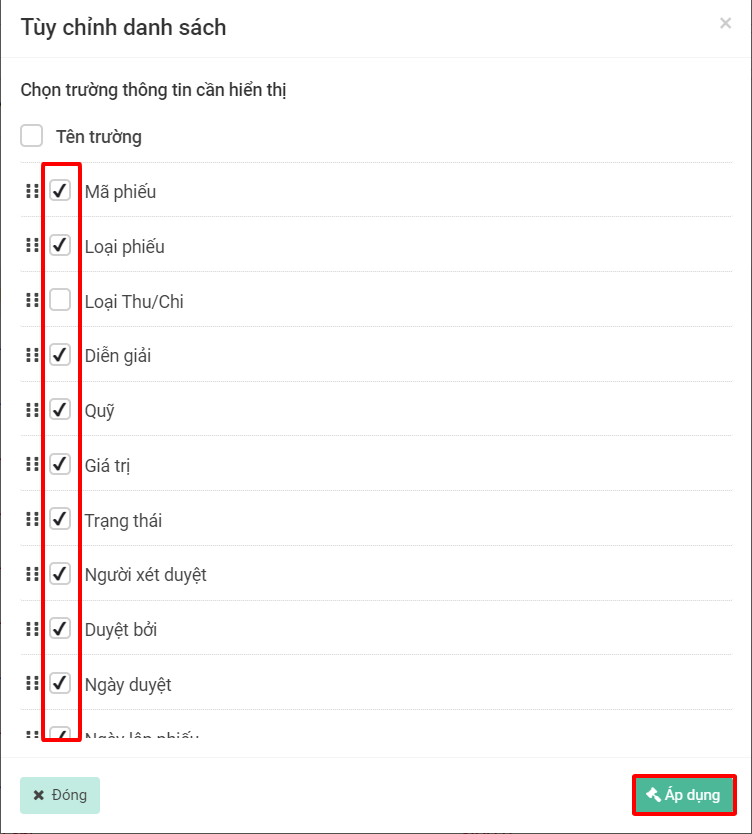
**Bước 3:** Chọn trường thông tin cần hiên thị =>> Bấm **Áp dụng**