> For the complete documentation index, see [llms.txt](https://help.fastwork.vn/fastwork-help-center/llms.txt). Markdown versions of documentation pages are available by appending `.md` to page URLs; this page is available as [Markdown](https://help.fastwork.vn/fastwork-help-center/huong-dan-s-dung-chi-tiet/fastwork-office/fastwork-dispatch/thao-tac-nguoi-dung/cach-theo-doi-quan-ly-cac-van-ban-di.md).
# Cách theo dõi, quản lý các văn bản đi
Để xem tất các các văn bản đi hiện đang có trên hệ thống thực hiện các bước sau:
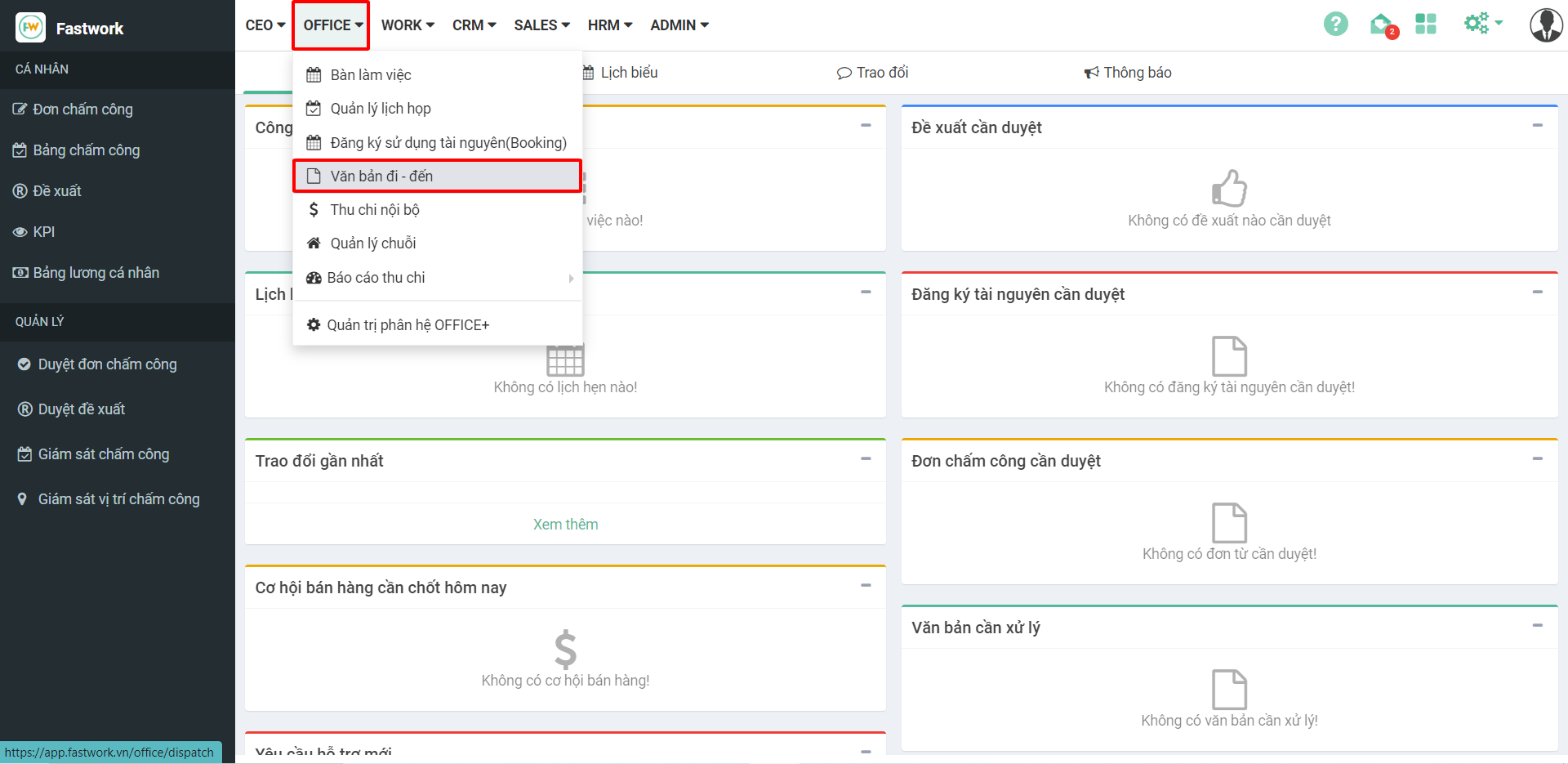
**Bước 1:** Từ menu **OFFICE** ⇒ Chọn **Văn bản đi – đến**
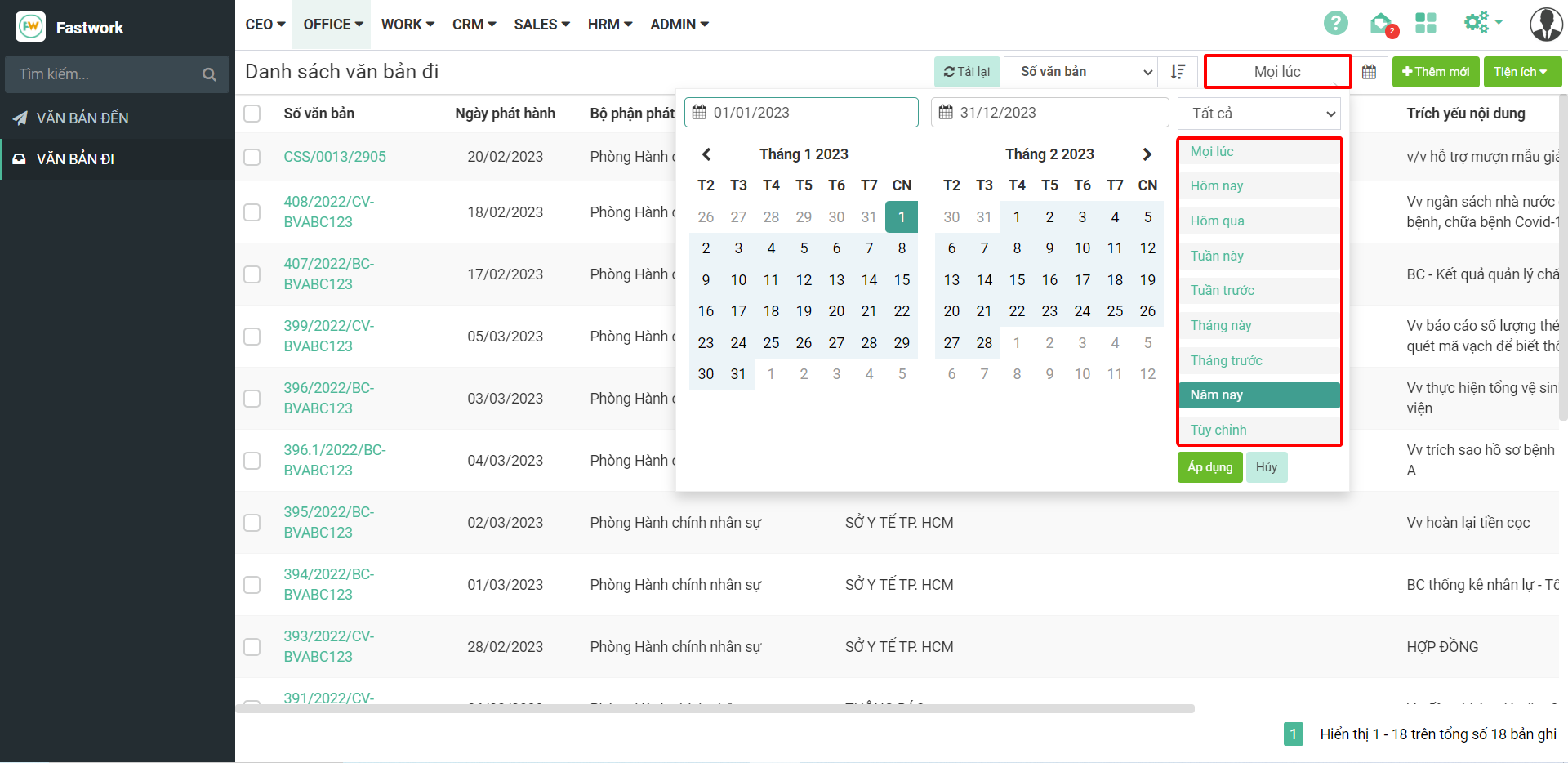
**Bước 2:** Chọn **Văn bản đi** – Để xem chi tiết nhấn vào chi tiết một văn bản để xem
Lọc theo thời gian: Mọi lúc, hôm qua, tháng trước, tuần trước
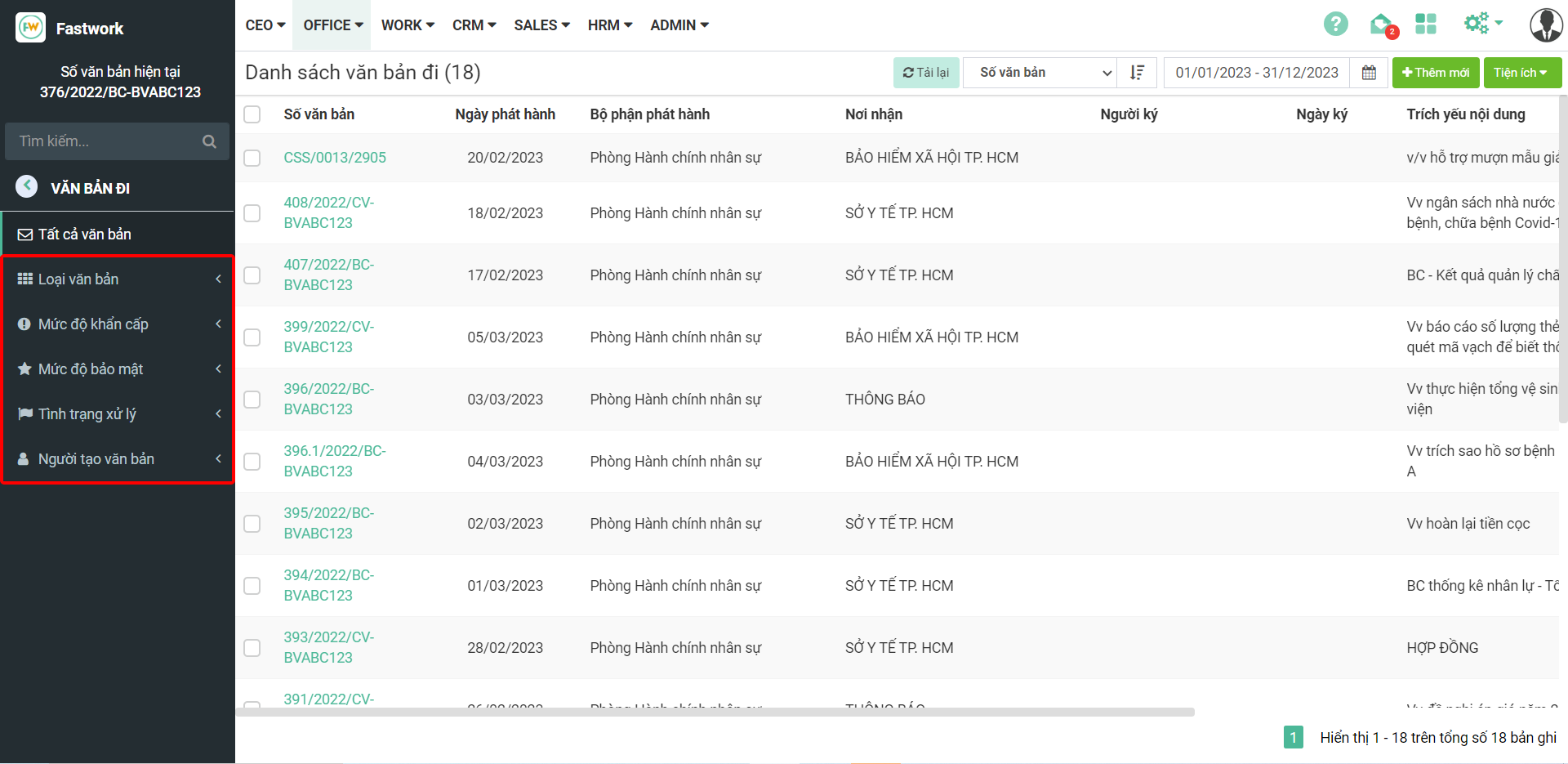
Ngoài ra, còn có thể lọc theo Loại văn bản, mức độ khẩn cấp, mức độ bảo mật hay tình trạng xử lý và người tạo văn bản.