> For the complete documentation index, see [llms.txt](https://help.fastwork.vn/fastwork-help-center/llms.txt). Markdown versions of documentation pages are available by appending `.md` to page URLs; this page is available as [Markdown](https://help.fastwork.vn/fastwork-help-center/huong-dan-s-dung-chi-tiet/fastwork-office/fastwork-dispatch/thao-tac-nguoi-dung/cach-them-moi-mot-van-ban-di-den.md).
# Cách thêm mới một văn bản đi – đến
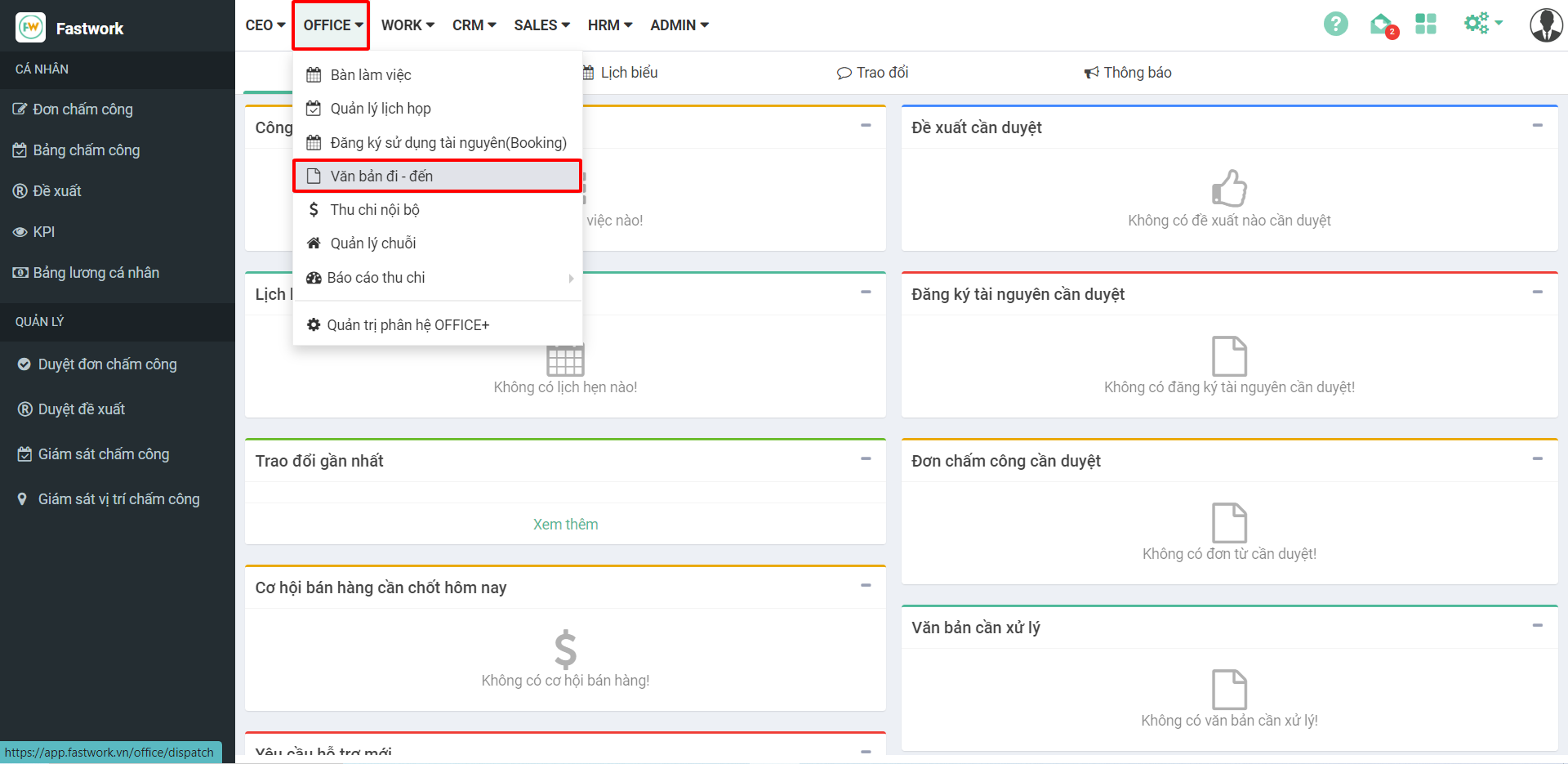
Bước 1: Từ menu **OFFICE** ⇒ chọn **Văn bản đi – đến**
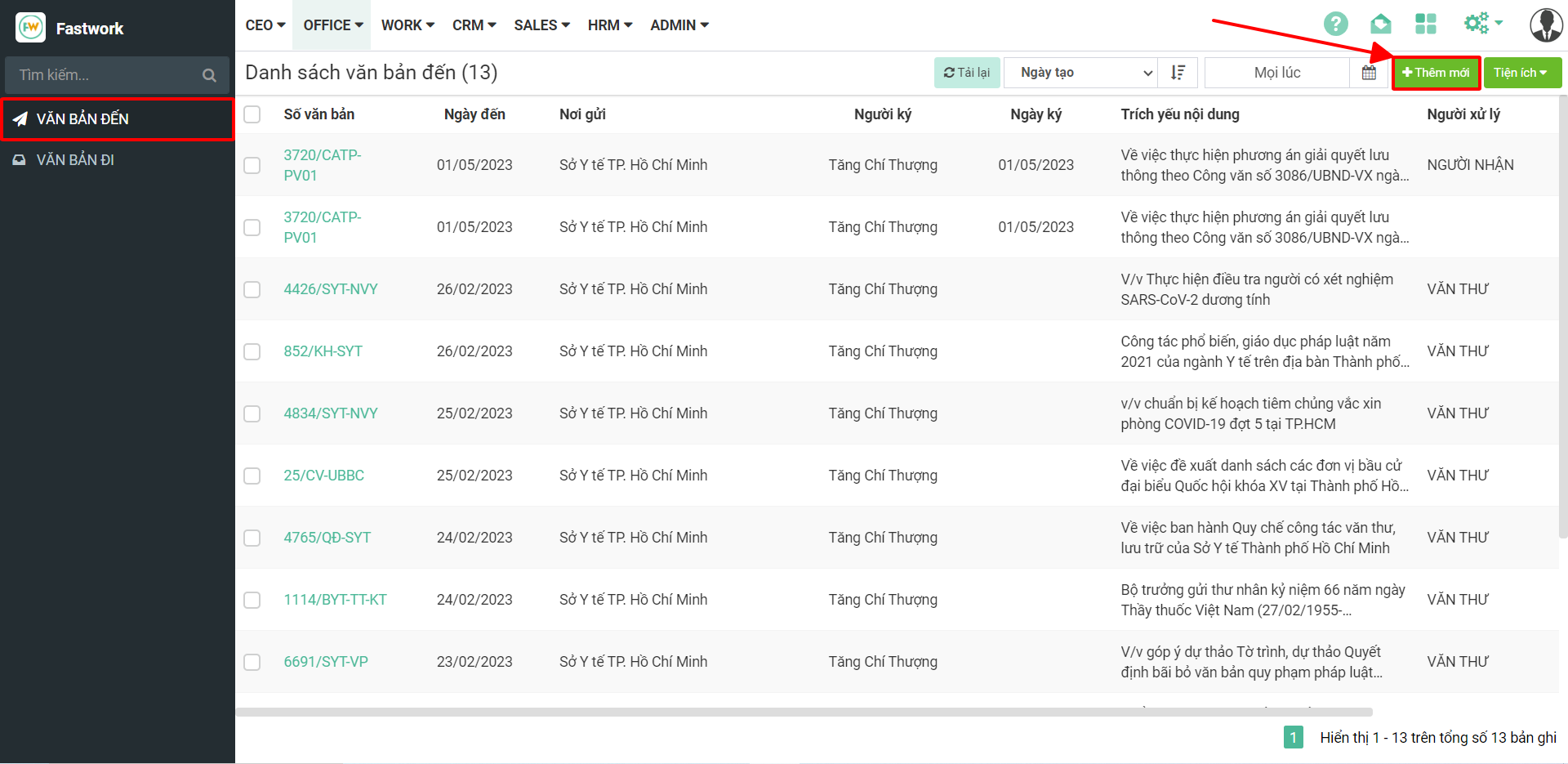
Bước 2: Trong giao diện của văn bản đến chọn **Thêm mới**
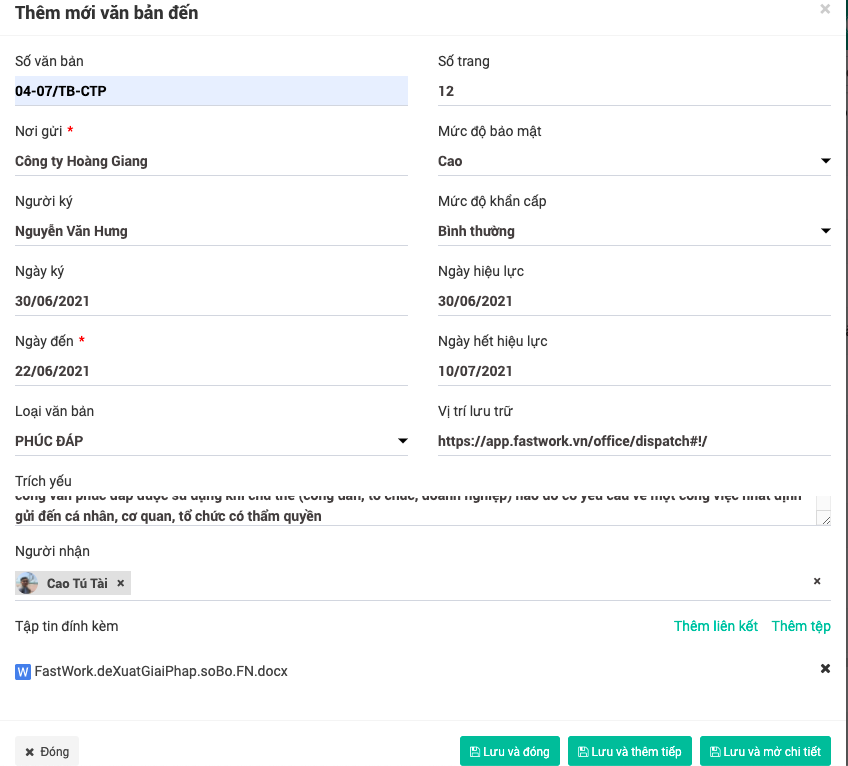
Bước 3: Điền đầy đủ các trường thông tin và ấn **Lưu**
{% hint style="info" %}
Những trường thông tin cần điền là những nội dung được thể hiện trong Văn bản đến (Từ bên ngoài gửi đến)
**\* Lưu ý :**
**\[ Lưu và đóng ]**: Lưu lại văn bản đến vừa tạo và thoát ra giao diện văn bản đến
**\[ Lưu và thêm tiếp]** : Lưu và tiếp tục thêm mới một văn bản đến
**\[ Lưu và mở chi tiết]**: Lưu và mở chi tiết văn bản để xử lý tiếp
{% endhint %}