> For the complete documentation index, see [llms.txt](https://help.fastwork.vn/fastwork-help-center/llms.txt). Markdown versions of documentation pages are available by appending `.md` to page URLs; this page is available as [Markdown](https://help.fastwork.vn/fastwork-help-center/huong-dan-s-dung-chi-tiet/fastwork-office/fastwork-dispatch/thao-tac-nguoi-dung/cach-thay-doi-trang-thai-van-ban-di.md).
# Cách thay đổi trạng thái văn bản đi
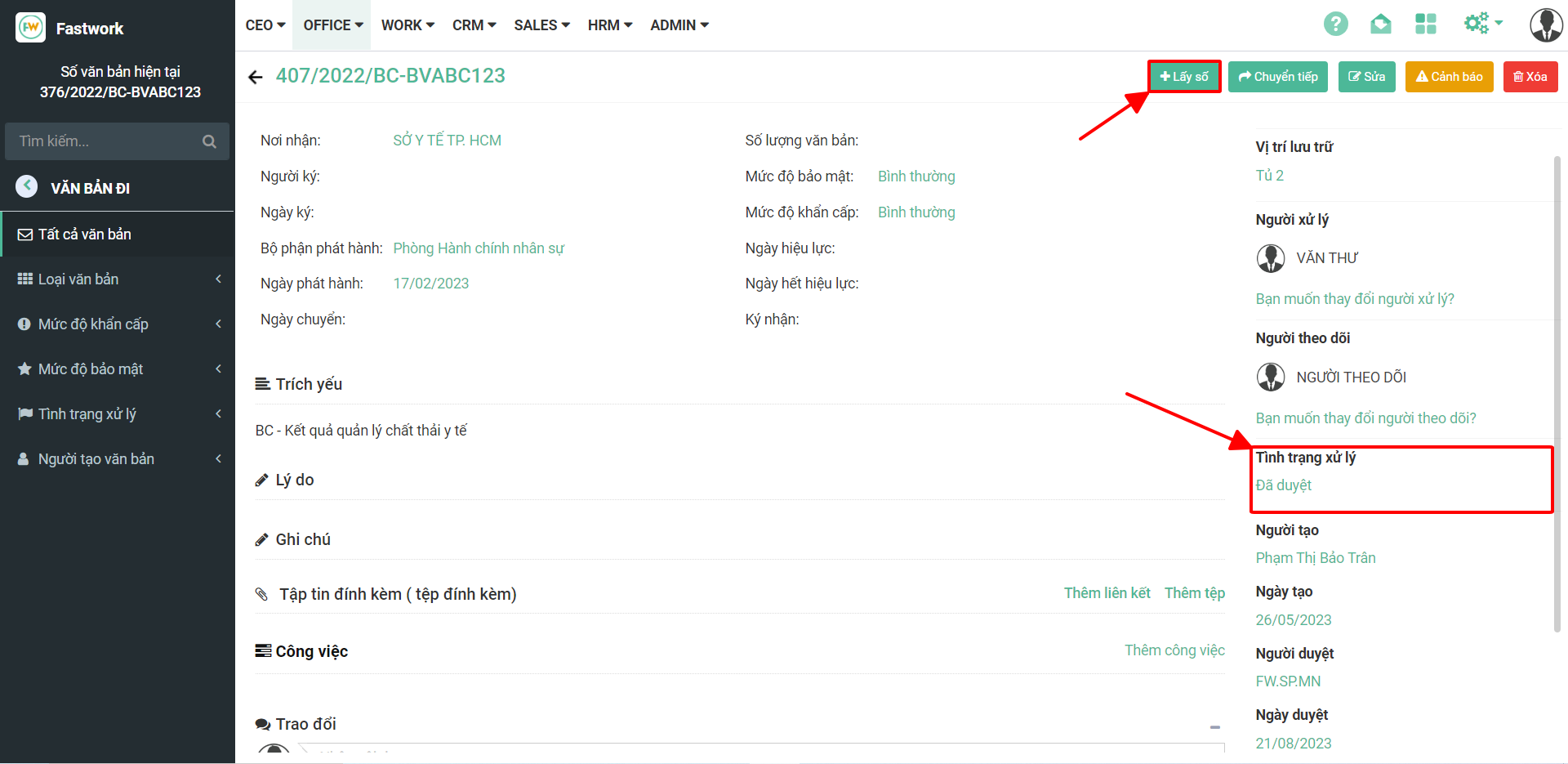
**Bước 1:** Tại giao diện văn bản đi sau khi phê duyệt và lấy số hợp đồng sẽ thấy phần trạng thái chuyển thành đã duyệt
**Bước 2:** Trong phần tình trạng xử lý bấm tích để chuyển trạng thái của văn bản đi theo đúng tình trạng thực tế ⇒ **Lưu thay đổi**