> For the complete documentation index, see [llms.txt](https://help.fastwork.vn/fastwork-help-center/llms.txt). Markdown versions of documentation pages are available by appending `.md` to page URLs; this page is available as [Markdown](https://help.fastwork.vn/fastwork-help-center/huong-dan-s-dung-chi-tiet/fastwork-office/fastwork-dispatch/thao-tac-nguoi-dung/cach-phe-duyet-mot-van-ban-di.md).
# Cách phê duyệt một văn bản đi
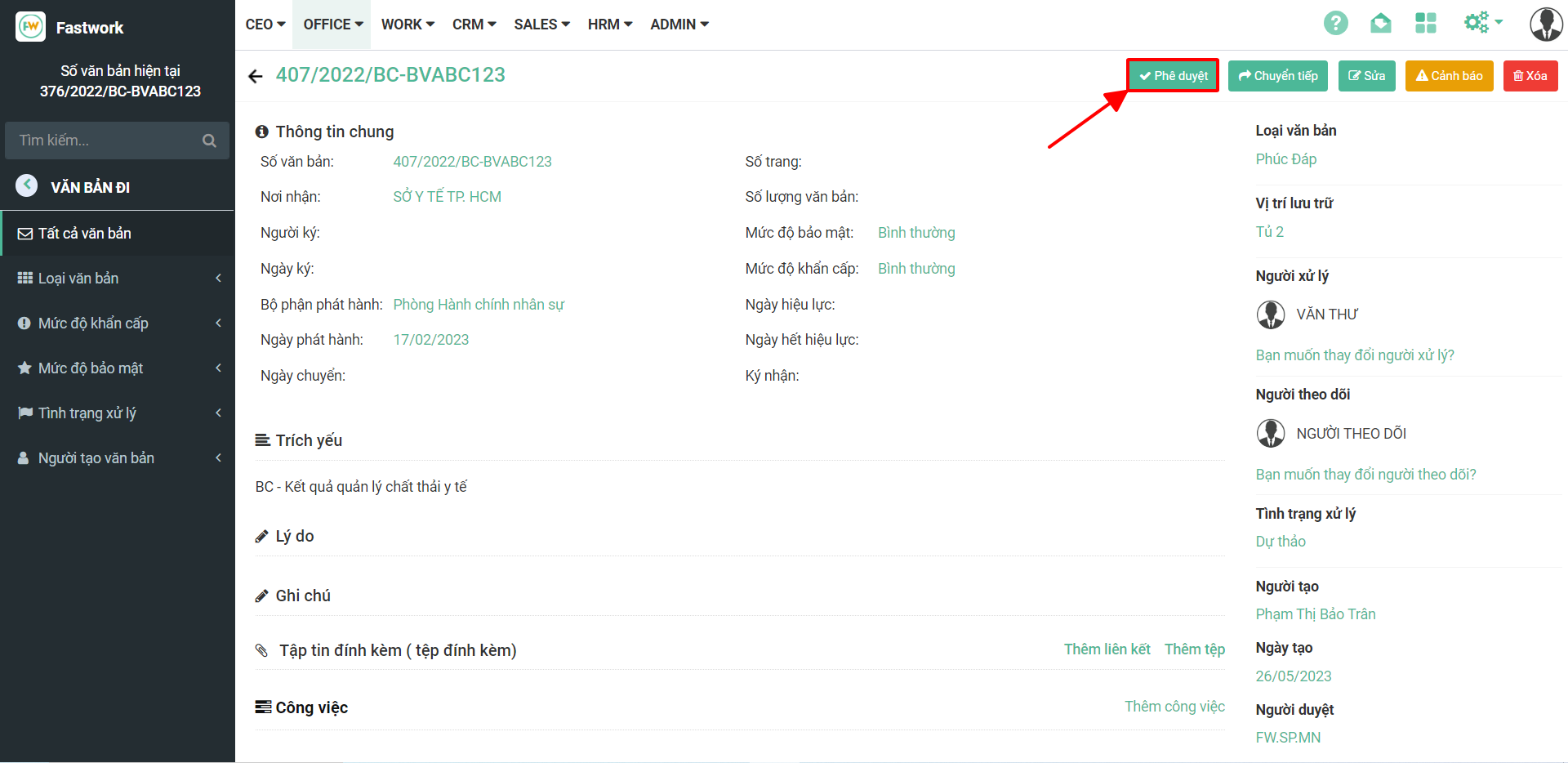
**Bước 1:** Trong giao diện văn bản đi
**Bước 2:** Sau khi đã kiểm tra tất cả các thông tin trong văn bản đi và xác nhận đã đầy đủ thông tin pháp lý ⇒ chọn **phê duyệt** để chuyển trạng thái văn bản đi
**Bước 3:** Sau khi phê duyệt xong sẽ có phần **lấy số** để lấy số tự động đã thiết lập ở cấu hình văn bản
**\*Lưu ý: Người ký** hoặc **người xử lý** văn bản đi có thể tạo cảnh báo Thời gian cho văn bản bằng cách.