> For the complete documentation index, see [llms.txt](https://help.fastwork.vn/fastwork-help-center/llms.txt). Markdown versions of documentation pages are available by appending `.md` to page URLs; this page is available as [Markdown](https://help.fastwork.vn/fastwork-help-center/huong-dan-s-dung-chi-tiet/fastwork-office/fastwork-dispatch/thao-tac-nguoi-dung/cach-dinh-kem-tai-lieu-trao-doi-va-tao-viec-trong-van-ban.md).
# Cách đính kèm tài liệu, trao đổi và tạo việc trong văn bản
**I. ĐÍNH KÈM TÀI LIỆU**
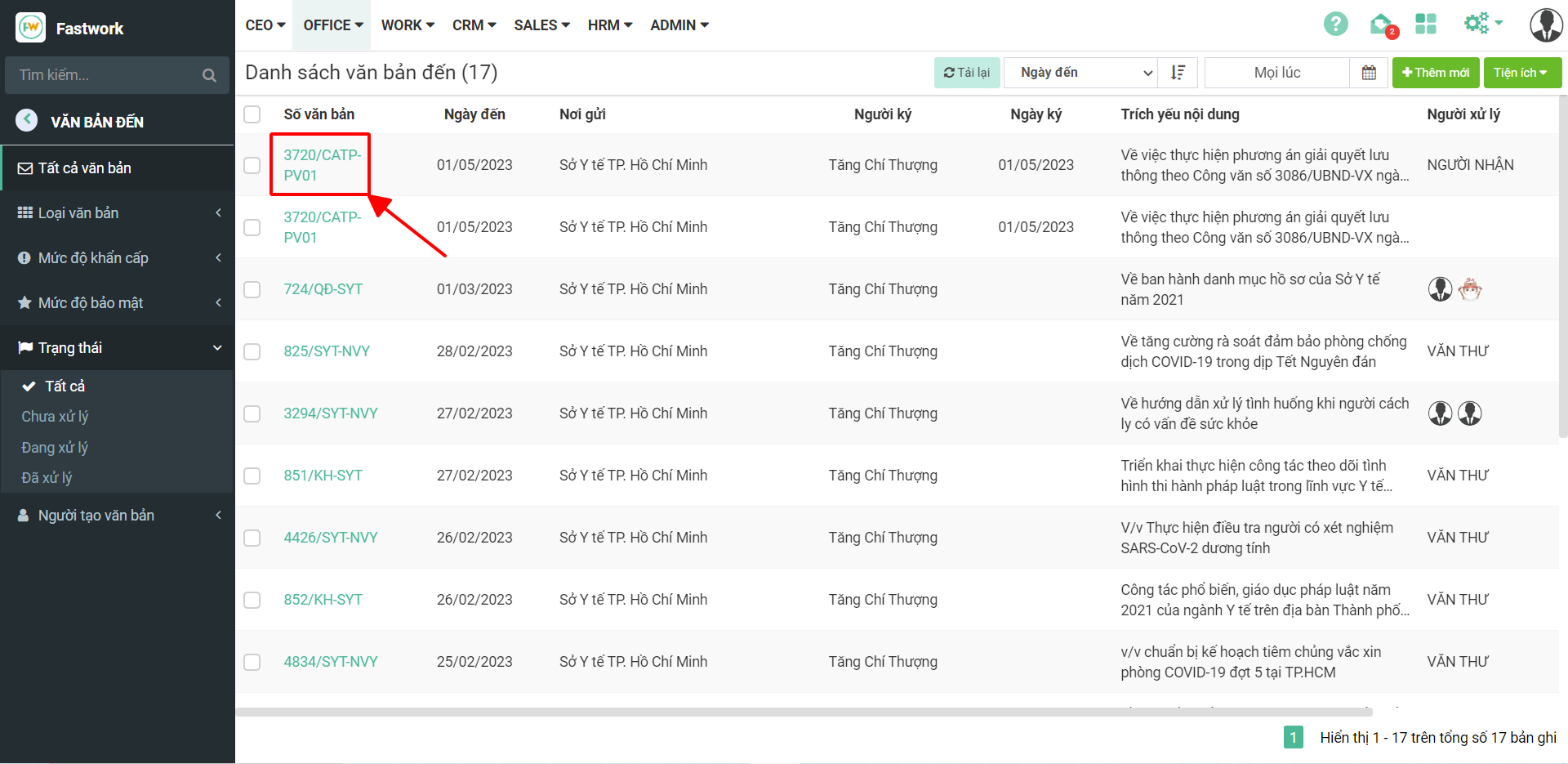
**Bước 1:** Tại giao diện văn bản đi- đến chọn Văn bản đến cần thao tác:
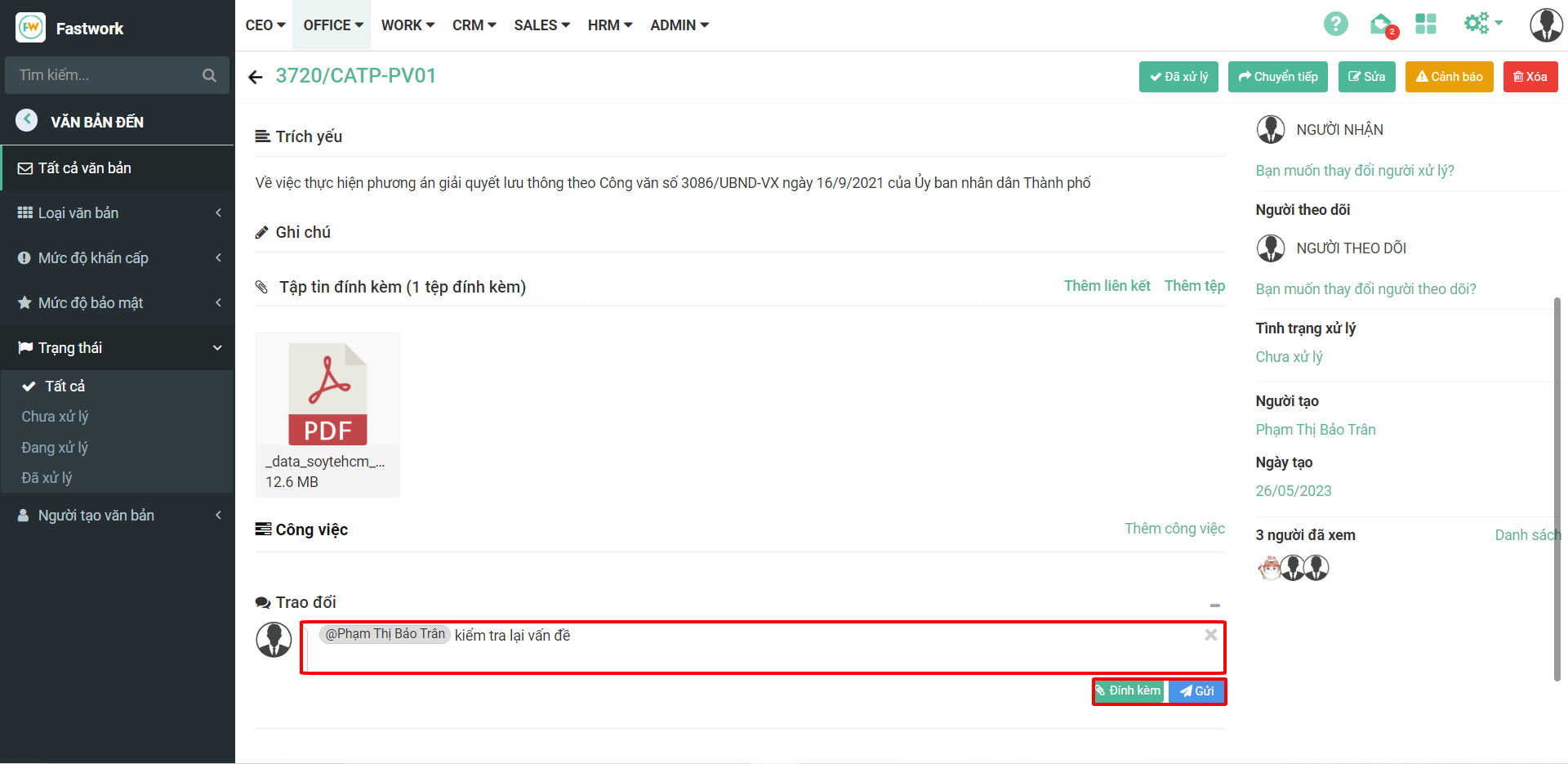
**Bước 2:** Trong mục tập tin đính kèm có thể chọn **thêm liên kết** hoặc **thêm tệp** gắn cùng với văn bản đang sử dụng
**Thêm liên kết:** Sẽ đính Link (Ví dụ Link Google Drive)
**Thêm tệp:** Sẽ đính file trực tiếp lên phần mềm (Ví dụ: File Docx, Excel, PDF,…)
**II. TRAO ĐỔI**
**Bước 1:** Trong mục trao đổi tag tên nhân viên cần trao đổi thông tin về văn bản bằng cách đánh dấu @, có thể đính kèm tệp trong phần trao đổi
**III. TẠO CÔNG VIỆC**
Sau khi xử lý xong văn bản, Anh/chị có thể thực hiện tạo công việc giao cho các nhân sự thực hiện theo nội dung văn bản quy định
Trong công việc có thể gắn thời gian thực hiện, Đánh giá công việc (Để có thể review lại Công việc đó người thực hiện hoàn thành như thế nào)