> For the complete documentation index, see [llms.txt](https://help.fastwork.vn/fastwork-help-center/llms.txt). Markdown versions of documentation pages are available by appending `.md` to page URLs; this page is available as [Markdown](https://help.fastwork.vn/fastwork-help-center/huong-dan-s-dung-chi-tiet/fastwork-office/fastwork-booking/thao-tac-quan-tri/phan-quyen-cho-mot-nguoi.md).
# Phân quyền cho một người
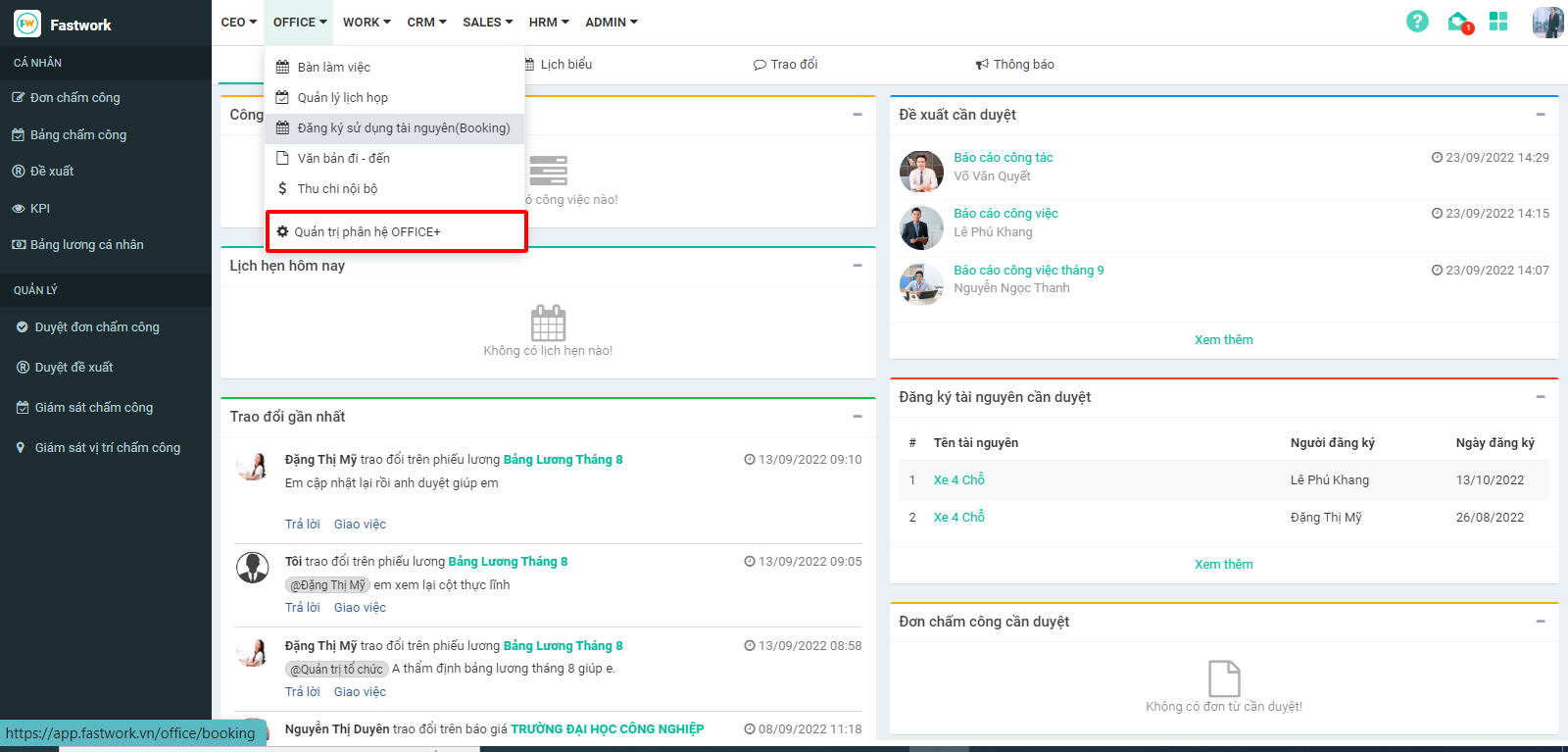
**Bước 1:** Từ giao diện chính chọn **OFFICE** ⟶ “**Quản trị phân hệ OFFICE+**”
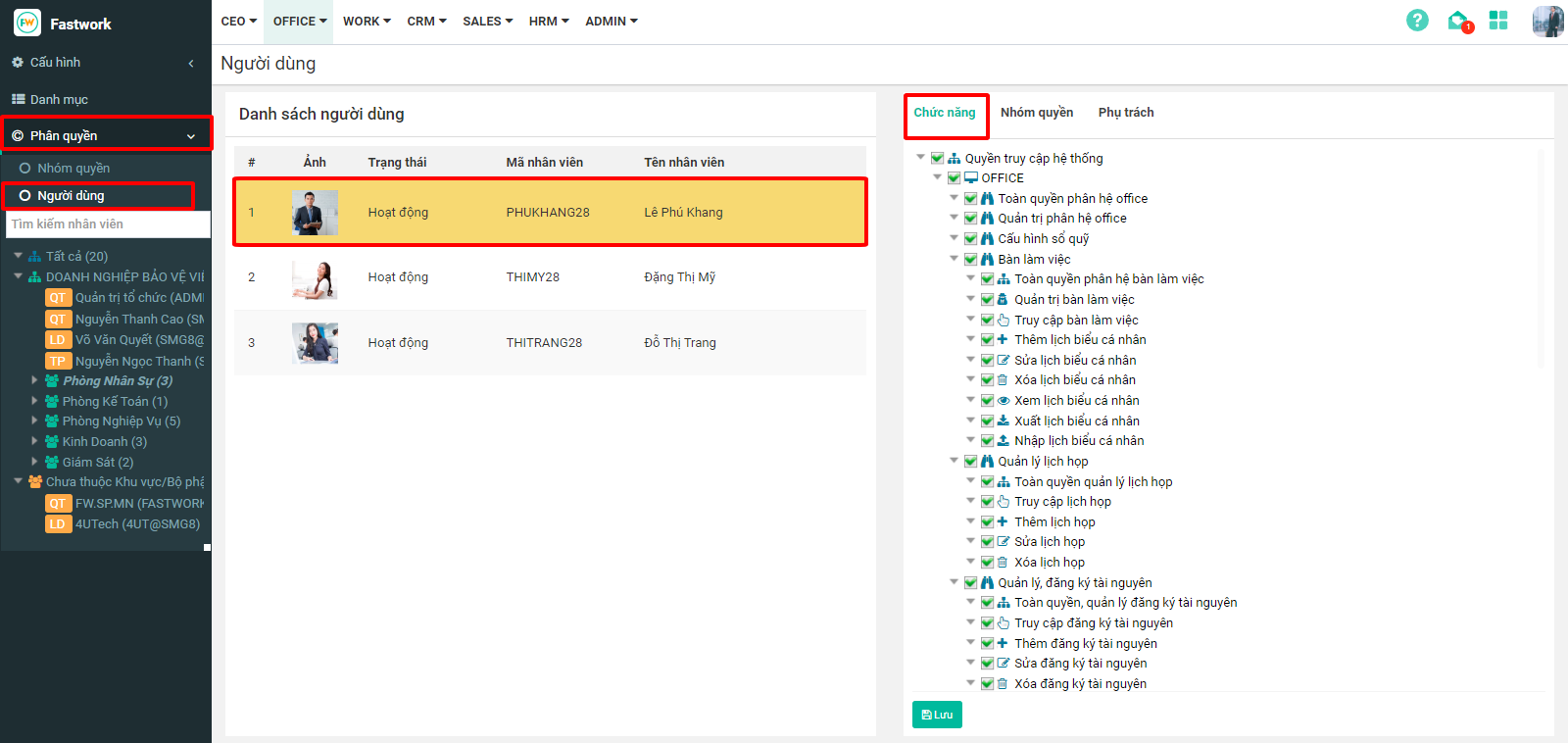
**Bước 2:** Chọn **“Phân quyền” → “Người dùng”**, chọn **tên người dùng** được cấp quyền Đăng ký sử dụng tài nguyên → chọn **“Chức năng”.**
**Bước 3:** Tích chọn vào dòng **“Quản lý đăng ký tài nguyên”**, kiểm tra lại 1 lượt các chức năng mà người dùng này được phép rồi ấn **“Lưu”**