> For the complete documentation index, see [llms.txt](https://help.fastwork.vn/fastwork-help-center/llms.txt). Markdown versions of documentation pages are available by appending `.md` to page URLs; this page is available as [Markdown](https://help.fastwork.vn/fastwork-help-center/huong-dan-s-dung-chi-tiet/fastwork-office/fastwork-booking/thao-tac-quan-tri/cach-xem-tai-nguyen-theo-phong-ban-quan-ly.md).

# Cách xem tài nguyên theo phòng ban quản lý

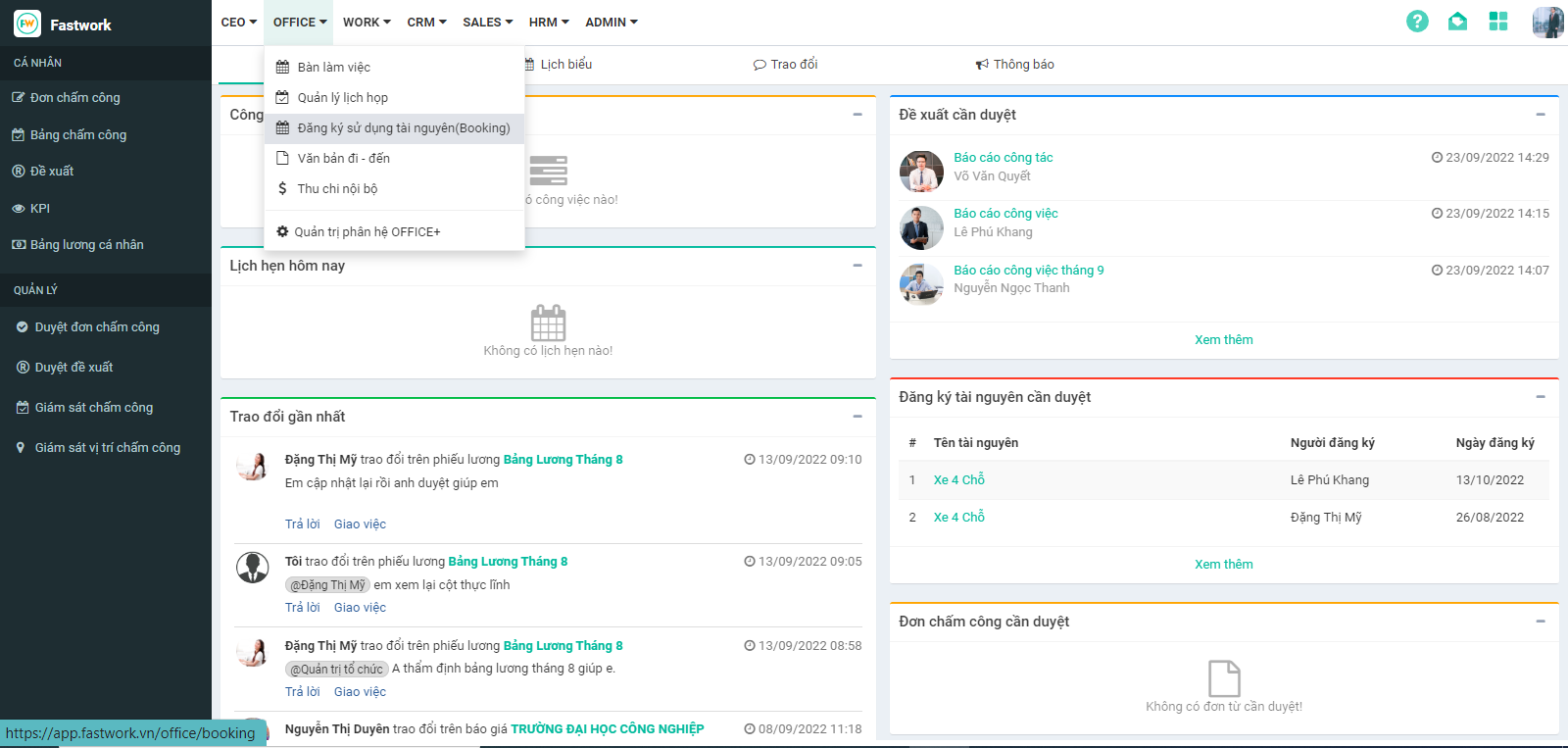
**Bước 1:** Từ Menu **OFFICE** chọn **Đăng ký sử dụng tài nguyên (Booking)**

<figure><img src="https://1934075284-files.gitbook.io/~/files/v0/b/gitbook-x-prod.appspot.com/o/spaces%2FSgjp5pKuJrPSuYtLZvBs%2Fuploads%2FSkgAdHHrNYv9HsF54ct7%2Fimage.png?alt=media&amp;token=845d4def-ba36-4da3-a682-6b402d340652" alt=""><figcaption></figcaption></figure>

**Bước 2 :** Chọn **Quản lý tài nguyên**

<figure><img src="https://1934075284-files.gitbook.io/~/files/v0/b/gitbook-x-prod.appspot.com/o/spaces%2FSgjp5pKuJrPSuYtLZvBs%2Fuploads%2FFas46mY0SlWk2Y1Ss62U%2Fimage.png?alt=media&amp;token=9035d5ad-afe6-4bc9-9858-e49d7f1427f4" alt=""><figcaption></figcaption></figure>

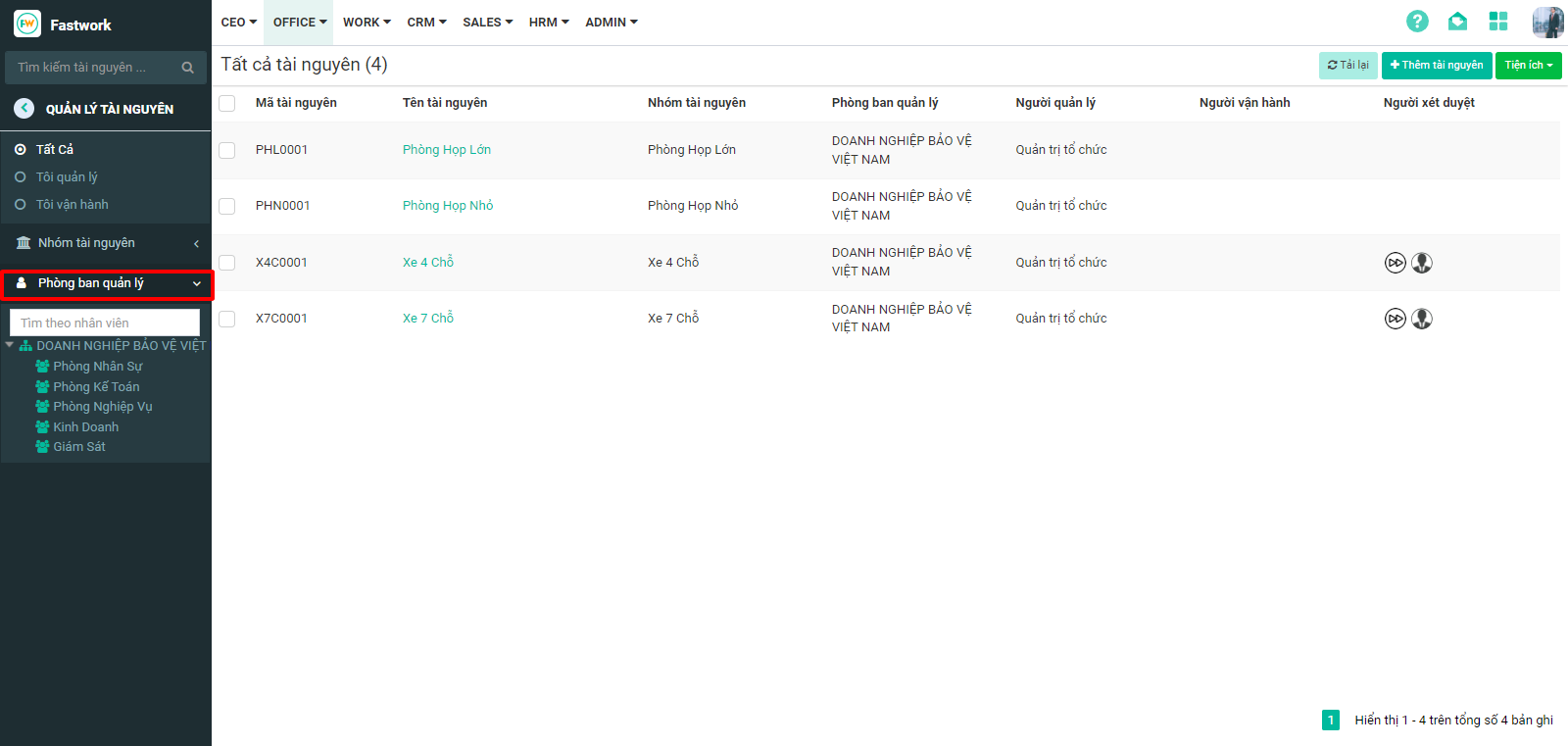
**Bước 3 :** Chọn **“ Phòng ban quản lý ”** để xem tài nguyên theo từng phòng ban
<figure><img src="https://1934075284-files.gitbook.io/~/files/v0/b/gitbook-x-prod.appspot.com/o/spaces%2FSgjp5pKuJrPSuYtLZvBs%2Fuploads%2FNrfbNBxS4DzN55nUzQA8%2Fimage.png?alt=media&amp;token=8b0b7883-0ff9-44a0-8baf-8f39a35442e0" alt=""><figcaption></figcaption></figure>