> For the complete documentation index, see [llms.txt](https://help.fastwork.vn/fastwork-help-center/llms.txt). Markdown versions of documentation pages are available by appending `.md` to page URLs; this page is available as [Markdown](https://help.fastwork.vn/fastwork-help-center/huong-dan-s-dung-chi-tiet/fastwork-office/fastwork-booking/thao-tac-quan-tri/cach-them-moi-mot-tai-nguyen.md).
# Cách thêm mới một tài nguyên
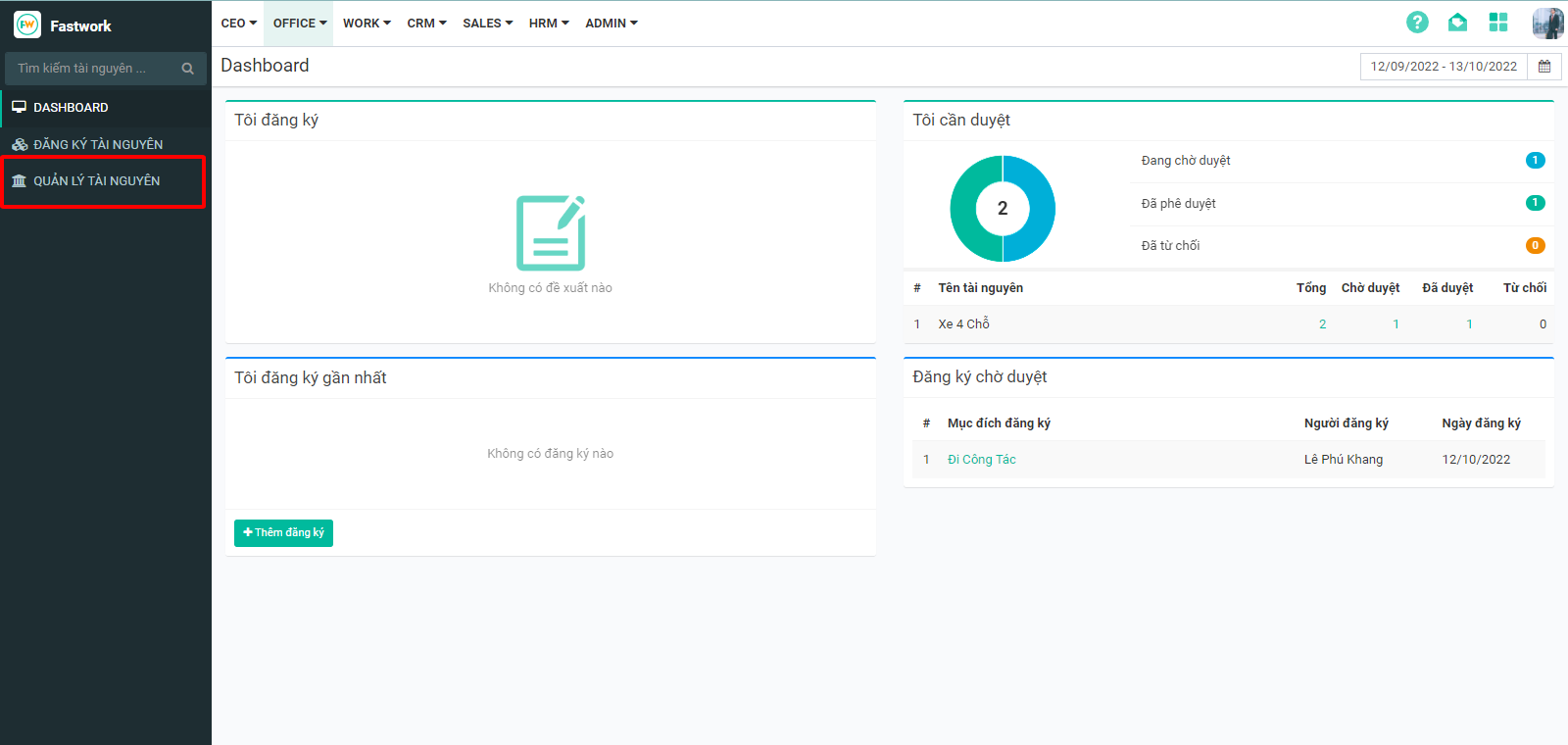
**Bước 1:** Từ Menu **OFFICE** chọn **Đăng ký sử dụng tài nguyên (Booking)**
**Bước 2:** Chọn **Quản lý tài nguyên**
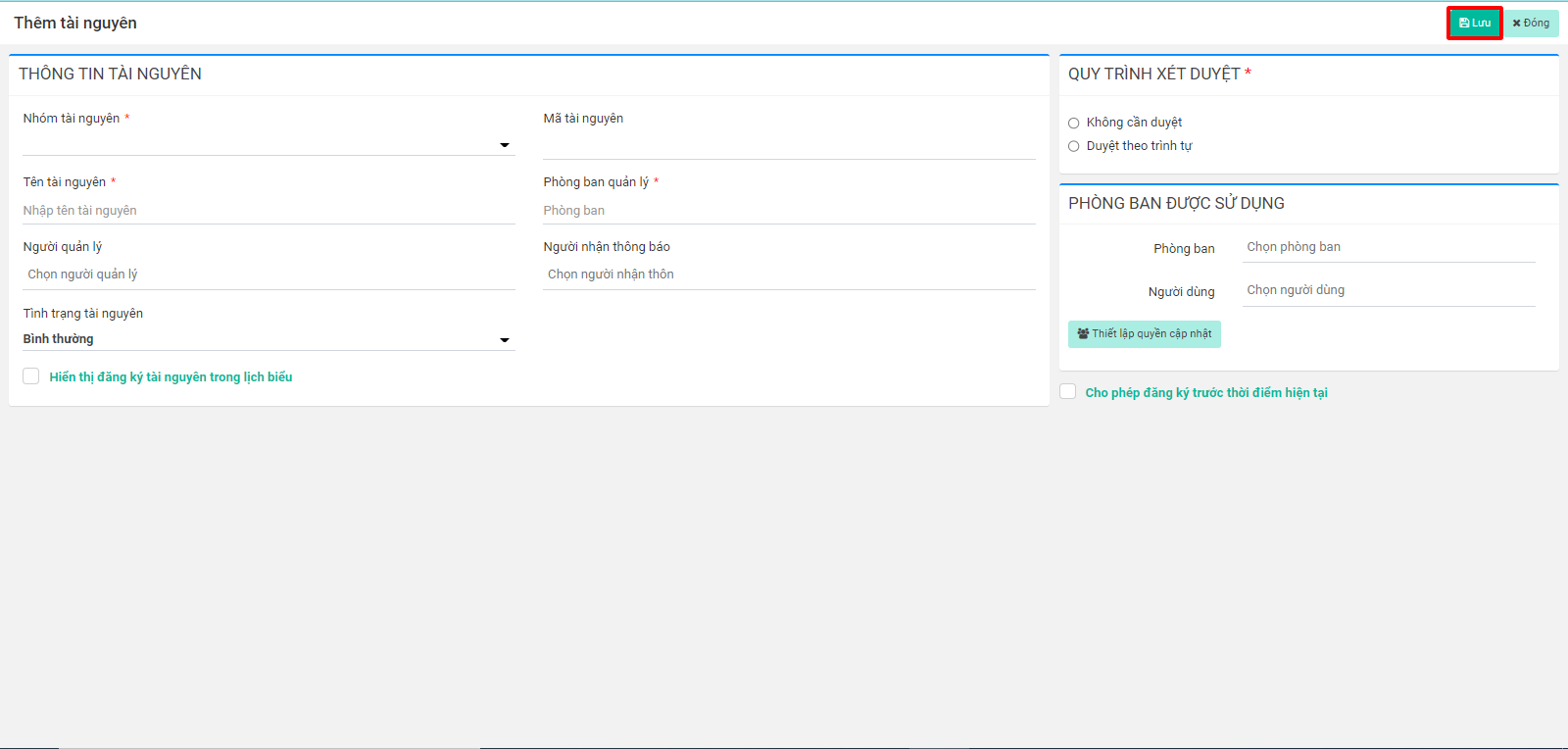
**Bước 3 :** Chọn **Thêm tài nguyên**
**Bước 4 :** Điền đầy đủ thông tin và ấn **Lưu** để hoàn tất
{% hint style="info" %}
**\*Lưu ý:**
\[Không cần duyệt] : Tài nguyên đăng ký xong mặc định là đã duyệt.
\[Duyệt theo trình tự] : duyệt tuần tự theo từng bước, cho phép thiết lập số lượng bước, người duyệt từng bước.
\[Phòng ban được sử dụng] : Cho phép phòng ban nào, người dùng nào được phép đăng ký.
{% endhint %}