> For the complete documentation index, see [llms.txt](https://help.fastwork.vn/fastwork-help-center/llms.txt). Markdown versions of documentation pages are available by appending `.md` to page URLs; this page is available as [Markdown](https://help.fastwork.vn/fastwork-help-center/huong-dan-s-dung-chi-tiet/fastwork-office/fastwork-booking/thao-tac-quan-tri/cach-phan-quyen-phu-trach-quan-ly-dang-ky-su-dung-tai-nguyen.md).
# Cách phân quyền phụ trách quản lý đăng ký sử dụng tài nguyên
**Mục đích:** để phân quyền phạm vi quyền hạn cho một số đối tượng đặc biệt (phòng tổ chức, kế toán …) có thể quản lý được tài nguyên của bộ phận khác hoặc toàn bộ công ty.
**Cách thực hiện:**
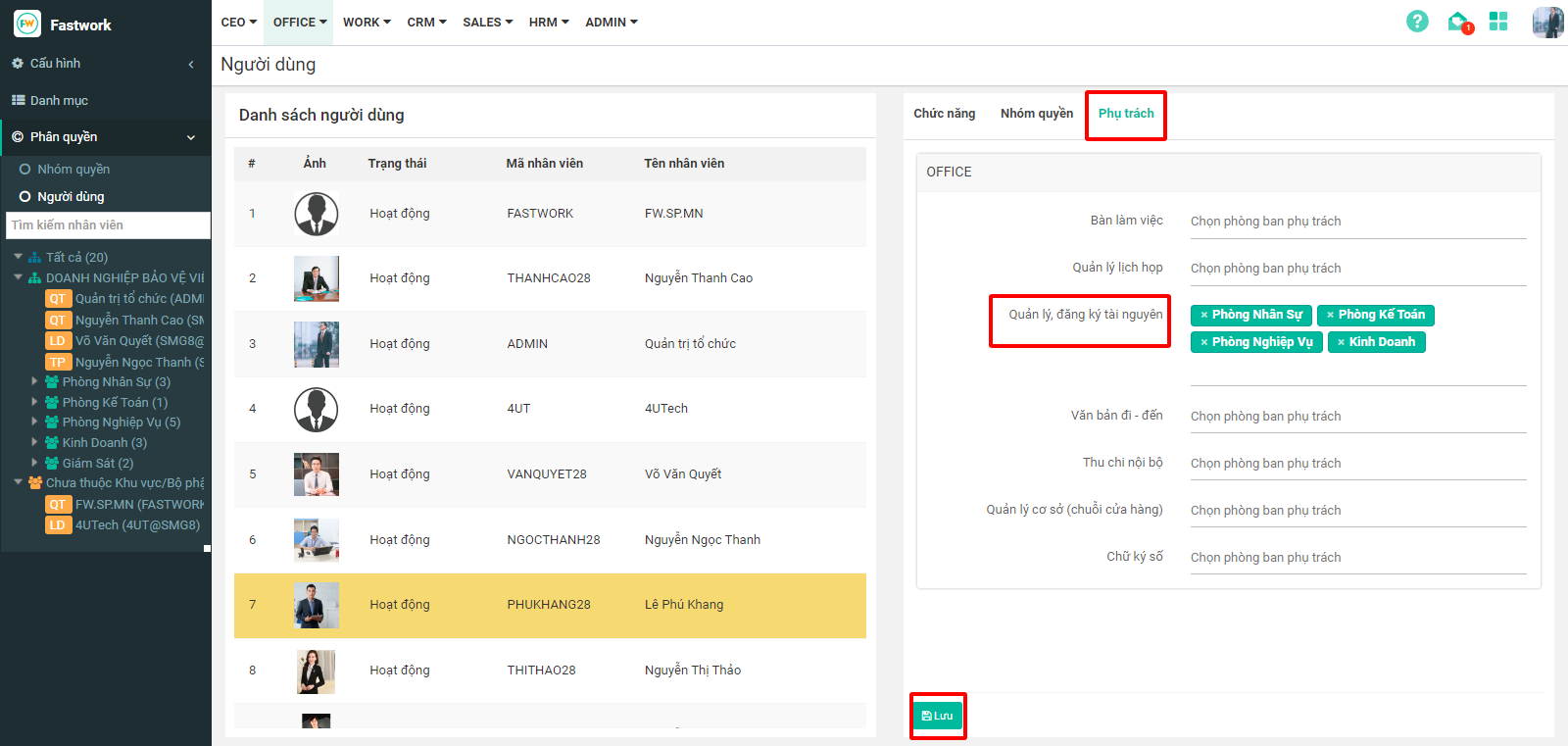
**Bước 1:** Từ giao diện chính chọn **OFFICE** ⟶ “**Quản trị phân hệ OFFICE+**”
**Bước 2:** Chọn **“Phân quyền”** → **“Người dùng”** → chọn **tên người dùng** có quyền quản lý tài nguyên (booking) của phòng ban khác
**Bước 3:** Chọn tab **“Phụ trách”**, dòng **“Quản lý, đăng ký tài nguyên ”** chọn thêm các phòng ban được quyền giám sát vị trí khác. Sau đó ấn **“Lưu”** đẻ hoàn tất