> For the complete documentation index, see [llms.txt](https://help.fastwork.vn/fastwork-help-center/llms.txt). Markdown versions of documentation pages are available by appending `.md` to page URLs; this page is available as [Markdown](https://help.fastwork.vn/fastwork-help-center/huong-dan-s-dung-chi-tiet/fastwork-office/fastwork-booking/thao-tac-nguoi-dung/cach-theo-doi-tong-quan-ve-su-dung-tai-nguyen.md).
# Cách theo dõi tổng quan về sử dụng tài nguyên
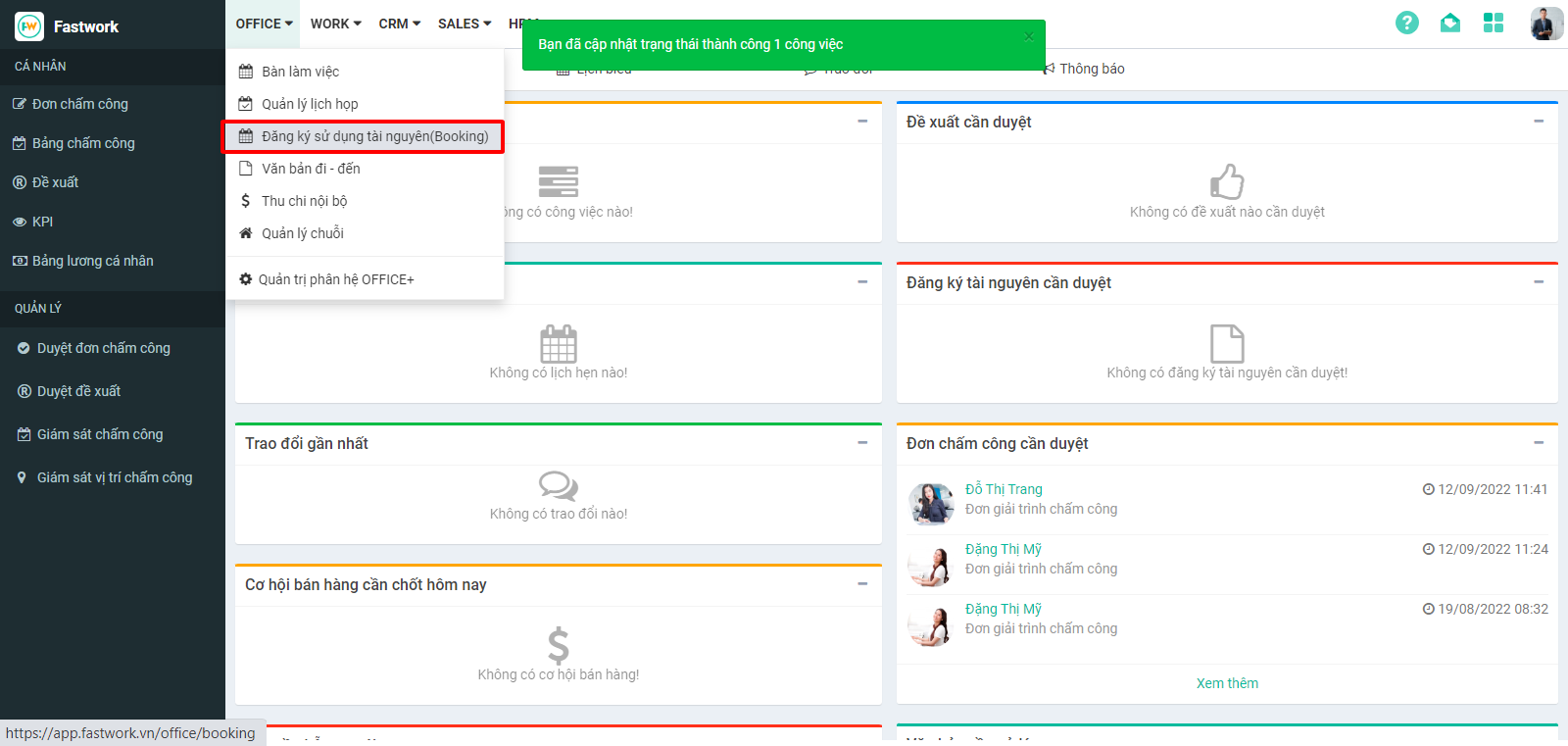
**Bước 1:** Từ Menu **OFFICE** chọn **Đăng ký sử dụng tài nguyên (Booking)**
**Bước 2 :** Tại giao diện **Dashboard,** Chọn **thời gian** để xem tổng quan sử dụng tài nguyên và nhấn áp dụng để liệt kê tất cả các đăng ký trong thời gian này