> For the complete documentation index, see [llms.txt](https://help.fastwork.vn/fastwork-help-center/llms.txt). Markdown versions of documentation pages are available by appending `.md` to page URLs; this page is available as [Markdown](https://help.fastwork.vn/fastwork-help-center/huong-dan-s-dung-chi-tiet/fastwork-office/fastwork-booking/thao-tac-nguoi-dung/cach-phe-duyet-dang-ky-tai-nguyen-tren-phan-mem.md).
# Cách phê duyệt đăng ký tài nguyên trên phần mềm
## Cách 1: Cách phê duyệt đăng ký tài nguyên trên web
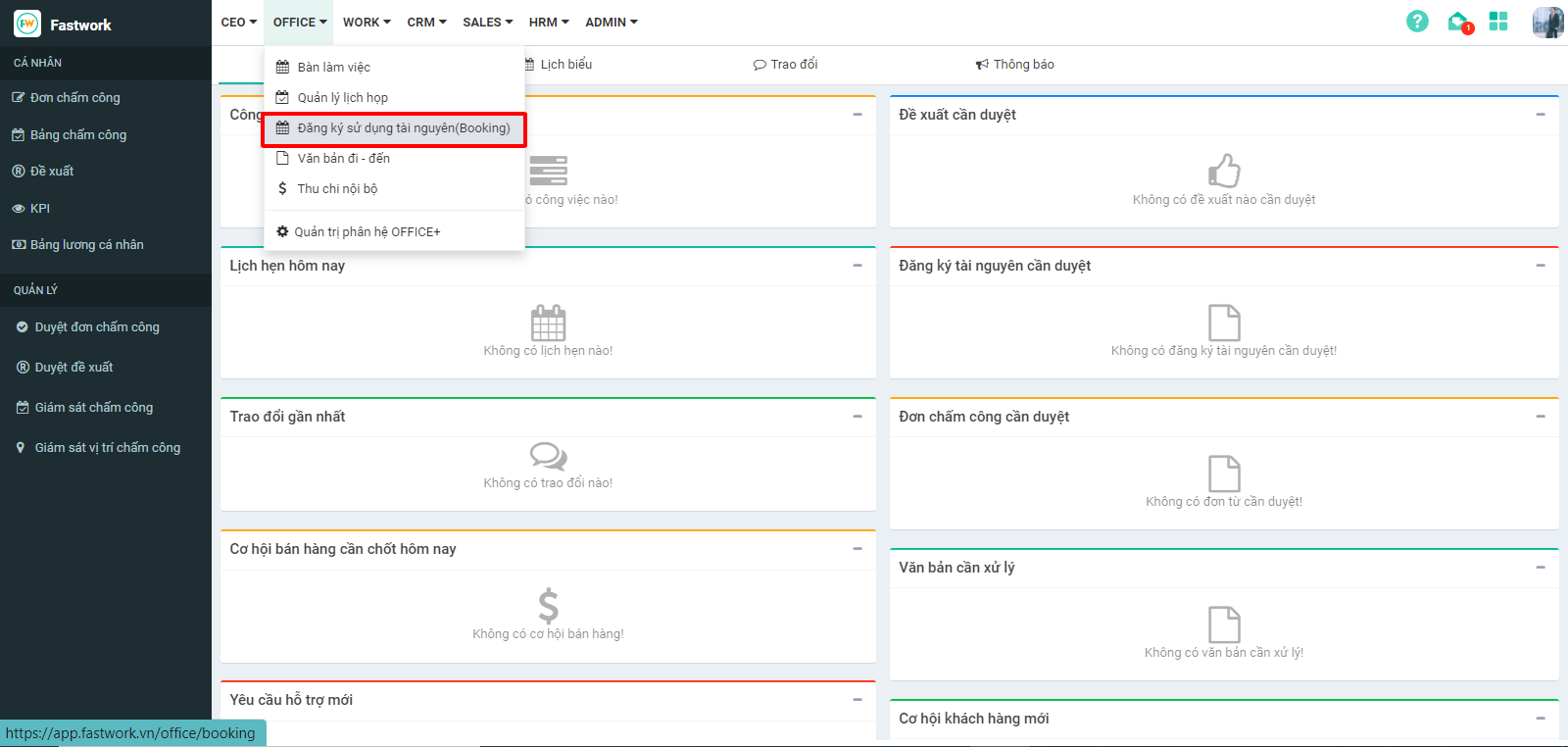
**Bước 1:** Từ Menu **OFFICE** chọn **Đăng ký sử dụng tài nguyên (Booking)**
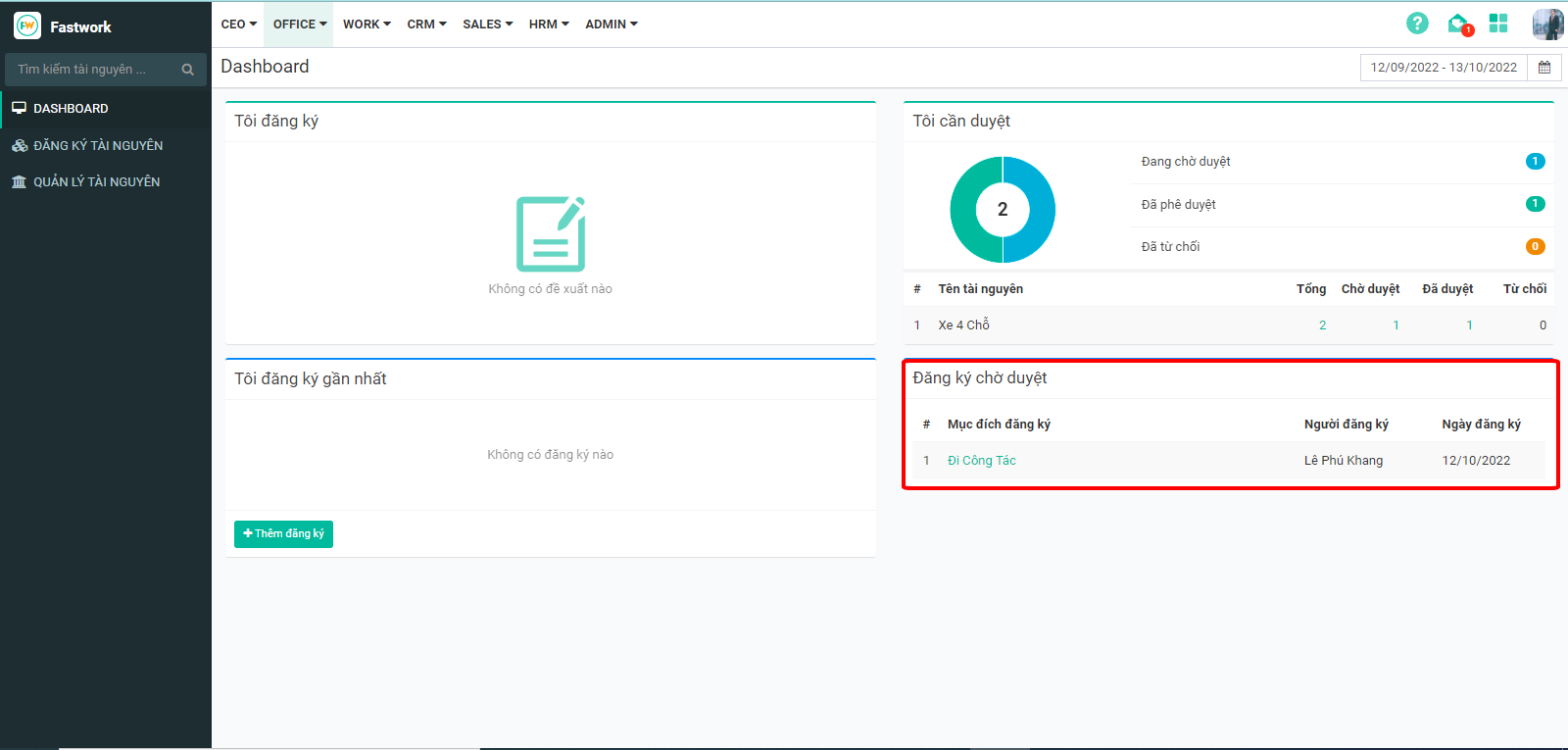
**Bước 2 :** Tại giao diện **Dashboard** Chọn **Đăng ký chờ duyệt**
Hoặc từ giao diện Bàn làm việc của **OFFICE** chọn vào **Đăng ký chờ duyệt**
**Bước 3 :** Tiến hành **phê duyệt**
{% hint style="info" %}
\*Lưu ý
\[Đồng ý]: Đồng ý đăng ký này
\[Từ chối]: Từ chối đăng ký này
\[Hủy]: Trường hợp đã đồng ý nhưng không sử dụng nữa
\[Trả lại]: Trường hợp sẽ đồng ý phê duyệt nhưng điền sai thông tin nào đó, trả lại để người đăng ký sửa lại
{% endhint %}
## Cách 2: Hướng dẫn phê duyệt đăng ký tài nguyên trên mobile