> For the complete documentation index, see [llms.txt](https://help.fastwork.vn/fastwork-help-center/llms.txt). Markdown versions of documentation pages are available by appending `.md` to page URLs; this page is available as [Markdown](https://help.fastwork.vn/fastwork-help-center/huong-dan-s-dung-chi-tiet/fastwork-hrm/fastwork-timesheet/thao-tac-nguoi-dung/bao-cao-cham-cong/cach-xem-bao-cao-thong-ke-so-luong-nhan-vien-lam-viec-theo-tung-ca-lam-viec.md).
# Cách xem báo cáo thống kê số lượng nhân viên làm việc theo từng ca làm việc
FastWork hỗ trợ anh/ chị thống kê ra số lượng nhân viên làm việc trong từng ca làm việc theo từng ngày, từng tuần, từng tháng để tính toán phần ăn cho nhân viên, phân bổ nhân lực làm việc cho phù hợp
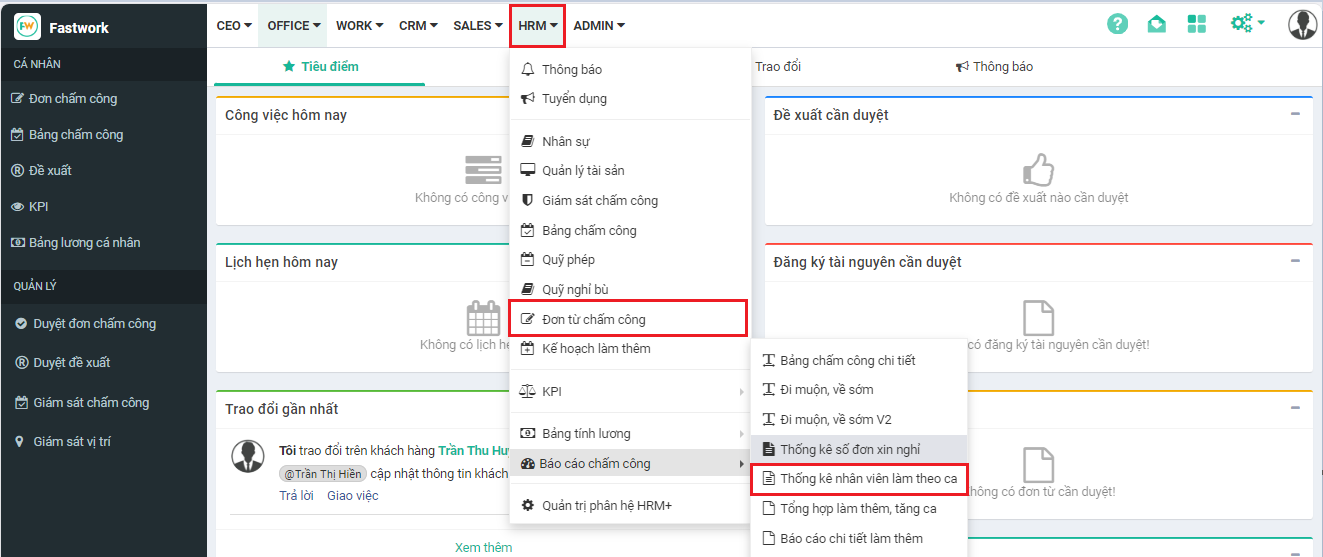
**Bước 1: Chọn HRM** -> chọn **Báo cáo chấm công** -> chọn **Thống kê nhân viên làm theo ca**
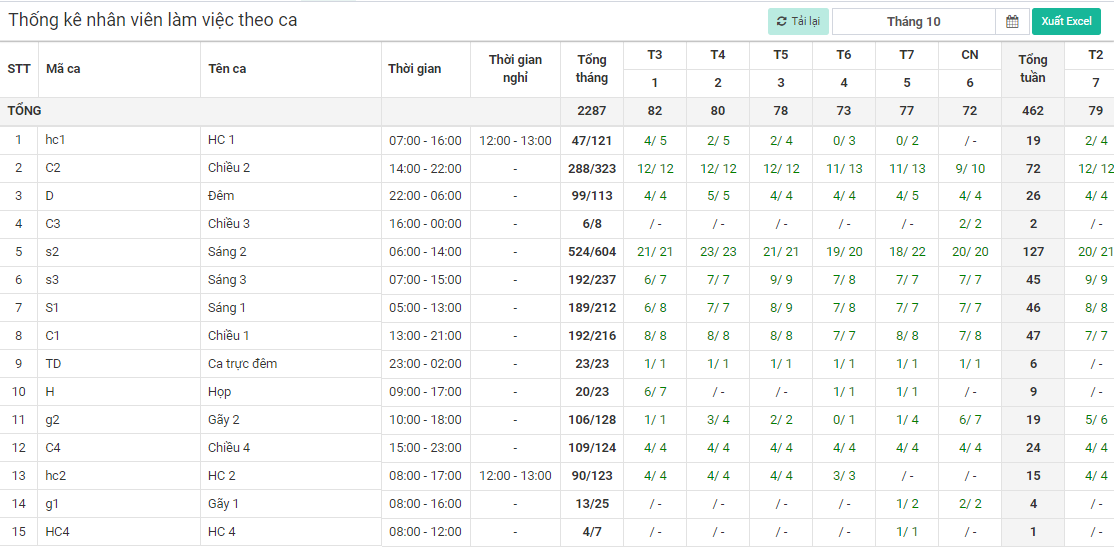
**Bước 2:** Từ giao diện thống kê số lượng nhân viên theo ca -> chọn khoảng thời gian cần xem dữ liệu sau đó chọn **Tìm kiếm**
Ở giao diện này anh/chị sẽ thấy được số lượng nhân viên được phân công vào ca làm việc tương ứng với từng ngày và số lượng nhân viên đã chấm công thực tế theo ca được phân đó. *Ví dụ: Ca hành chính 1 (HC1) ngày 1/10 có chỉ số 4/5 có nghĩa có 5 nhân viên được phân ca HC1 nhưng chỉ có 4 nhân viên thực hiện chấm công vào ca HC 1 trong ngày này*
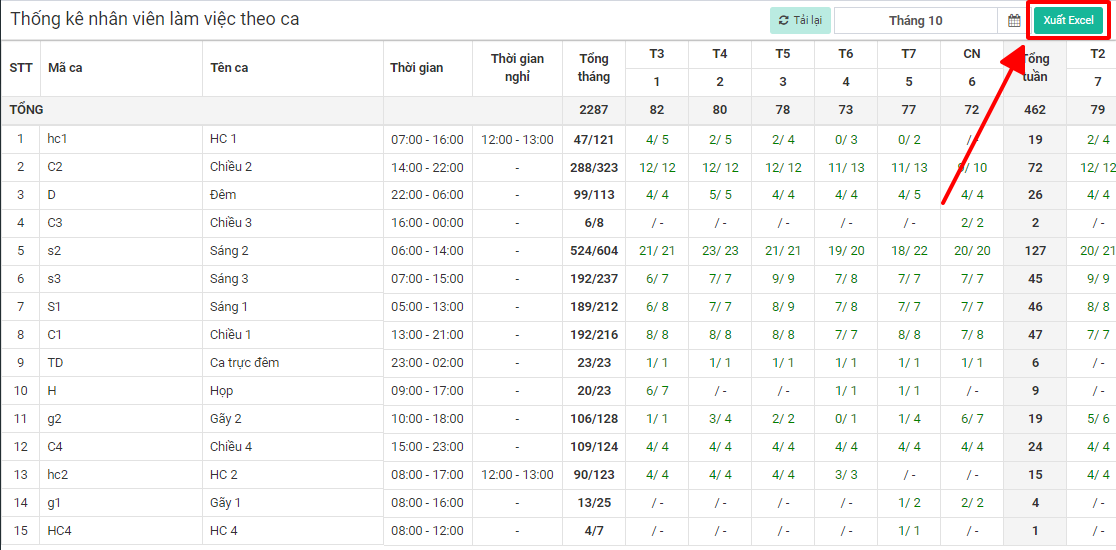
**Bước 3:** Để xuất dữ liệu anh/chị chọn **Xuất excel**