> For the complete documentation index, see [llms.txt](https://help.fastwork.vn/fastwork-help-center/llms.txt). Markdown versions of documentation pages are available by appending `.md` to page URLs; this page is available as [Markdown](https://help.fastwork.vn/fastwork-help-center/huong-dan-s-dung-chi-tiet/fastwork-hrm/fastwork-staff/thao-tac-nguoi-dung/cach-xuat-thong-tin-ho-so-nhan-su-ve-excel.md).
# Cách xuất thông tin hồ sơ nhân sự về excel
Hướng dẫn cách xuất dữ liệu hồ sơ nhân sự về file excel
Với hồ sơ nhân sự đã lưu trên hệ thống, nếu anh/chị cần xuất dữ liệu để làm báo cáo phần mềm sẽ hỗ trợ anh/chị xuất về file excel. Để thực hiện anh/chị làm như sau
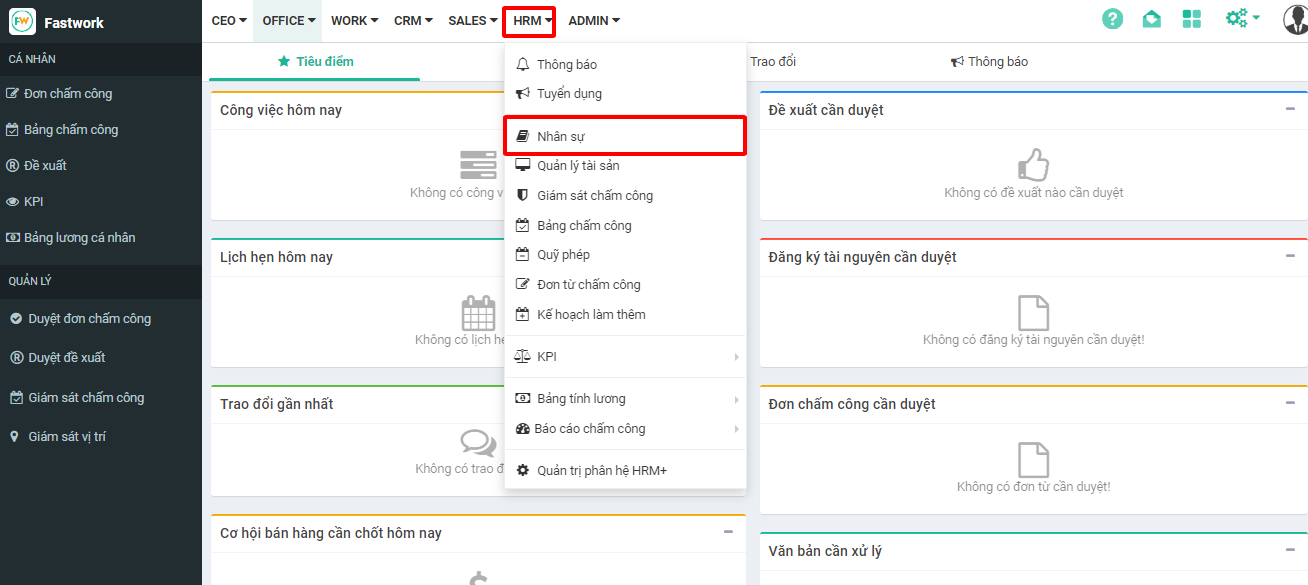
**Bước 1:** Từ menu **HRM** -> chọn **Nhân sự**
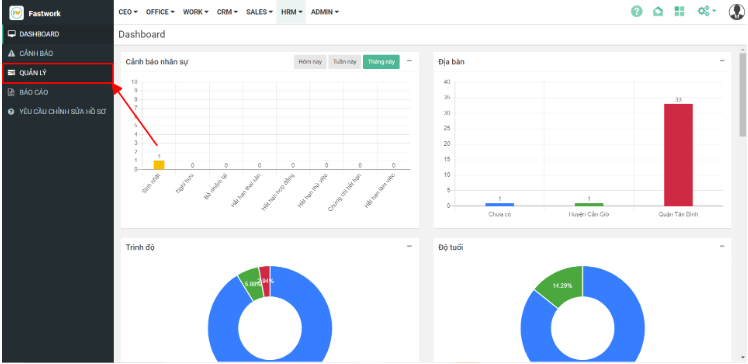
**Bước 2:** Từ giao diện Nhân sự chọn **Quản lý**
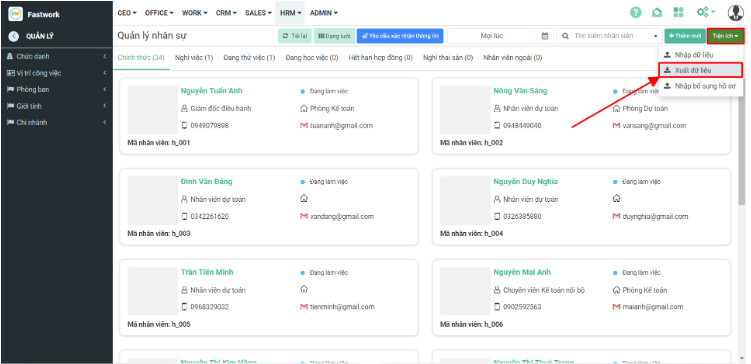
**Bước 3:** Ở giao diện **Quản lý** chọn “**Tiện ích**” ➝ chọn “**Xuất dữ liệu**”
Toàn bộ dữ liệu hồ sơ nhân viên sẽ được xuất ra theo file excel và lưu trữ trên máy tính của anh/chị