> For the complete documentation index, see [llms.txt](https://help.fastwork.vn/fastwork-help-center/llms.txt). Markdown versions of documentation pages are available by appending `.md` to page URLs; this page is available as [Markdown](https://help.fastwork.vn/fastwork-help-center/huong-dan-s-dung-chi-tiet/fastwork-hrm/fastwork-staff/thao-tac-nguoi-dung/cach-tim-kiem-tra-cuu-nhanh-chong-thong-tin-cua-nhan-su.md).
# Cách tìm kiếm, tra cứu nhanh chóng thông tin của nhân sự
Hướng dẫn cách tra cứu/tìm kiếm nhanh thông tin của một nhân sự nào đó trên hệ thống
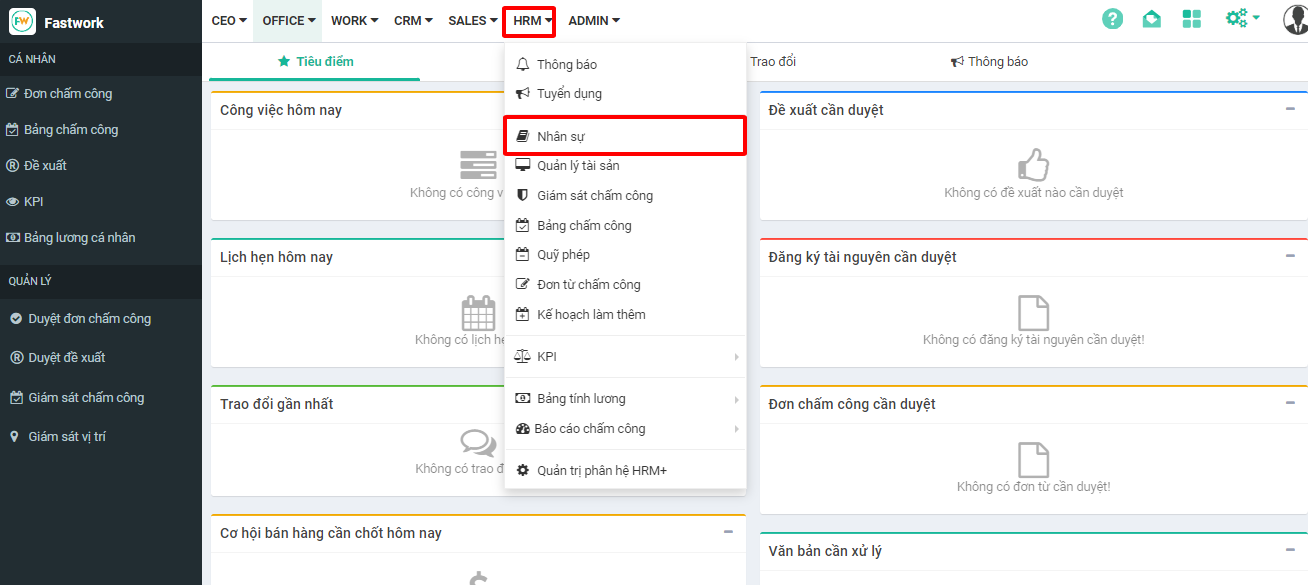
**Bước 1:** Từ menu **HRM** -> chọn **Nhân sự**
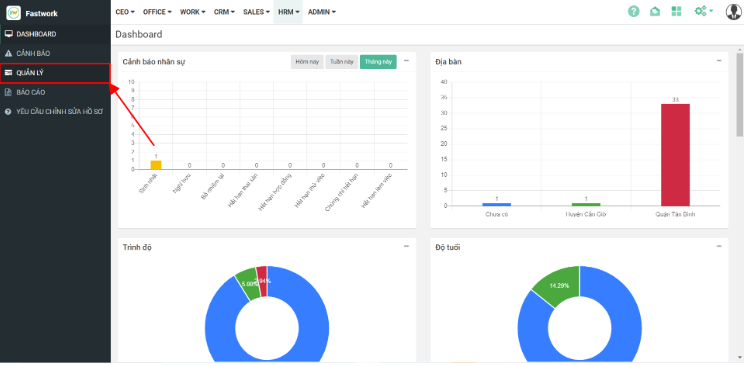
Bước 2: Ở giao diện hiện ra -> chọn **Quản lý**
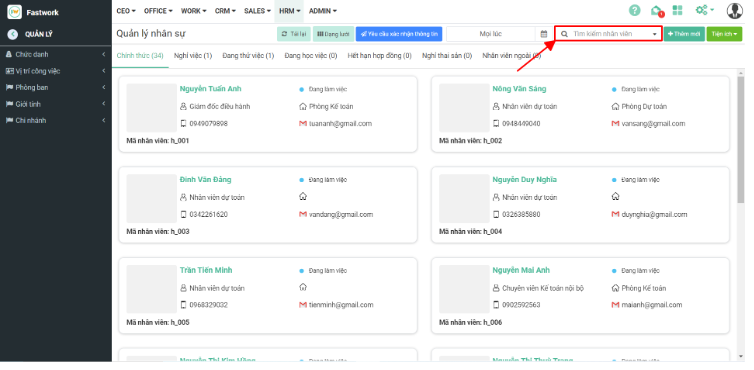
Bước 3: Tại giao diện Quản lý sẽ có thông tin tất cả các nhân viên. Nhập thông tin nhân viên cần tìm vào ô **Tìm kiếm nhân viên**
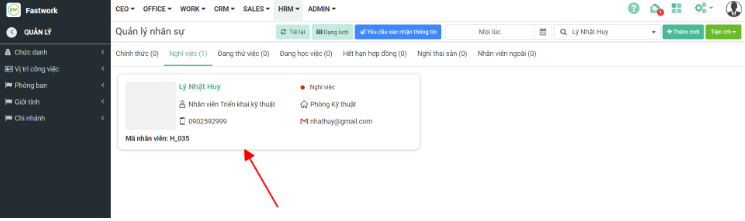
Bước 4: Phần mềm sẽ lọc ra thông tin nhân viên -> Tìm xem ở Tab tương ứng
Bước 5: Click vào nhân viên để xem thông tin chi tiết