> For the complete documentation index, see [llms.txt](https://help.fastwork.vn/fastwork-help-center/llms.txt). Markdown versions of documentation pages are available by appending `.md` to page URLs; this page is available as [Markdown](https://help.fastwork.vn/fastwork-help-center/huong-dan-s-dung-chi-tiet/fastwork-hrm/fastwork-staff/thao-tac-nguoi-dung/cach-them-moi-ho-so-nhan-su-len-he-thong-bang-file-excel.md).
# Cách thêm mới hồ sơ nhân sự lên hệ thống bằng file excel
Nếu bạn đang quản lý hồ sơ nhân bằng file excel, bạn có thể thực hiện nhập dữ liệu hồ sơ nhân sự bằng file excel
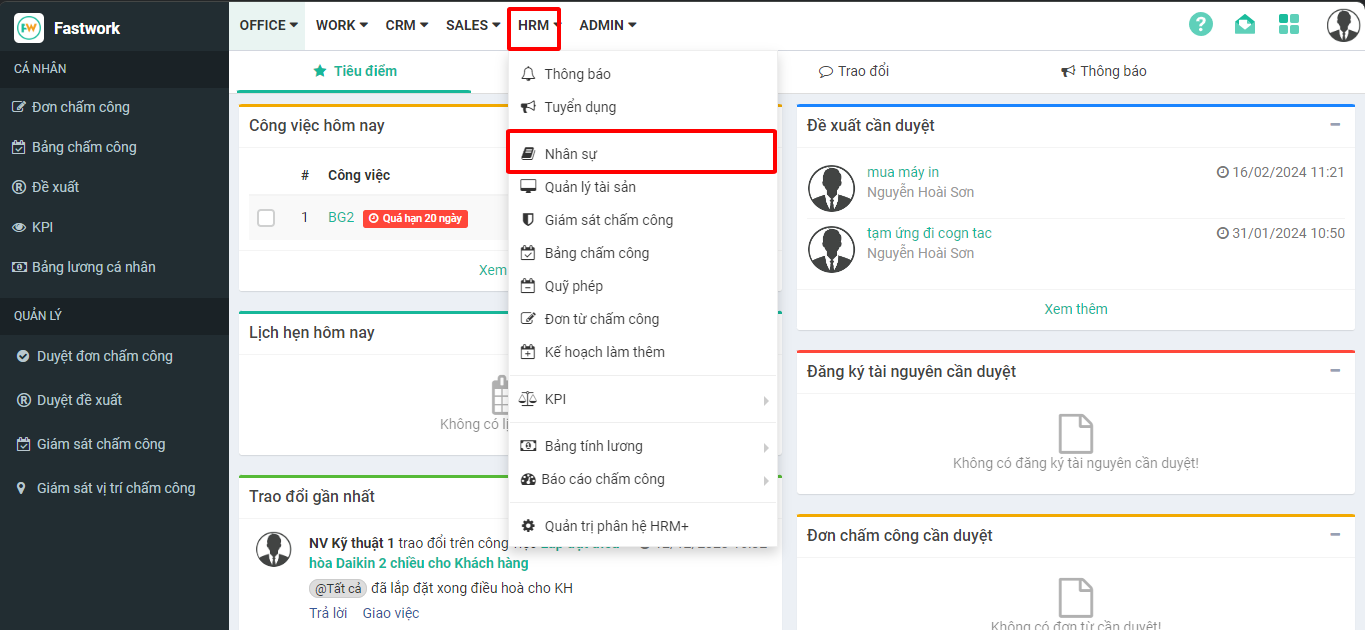
**Bước 1:** Từ menu **HRM** -> chọn **Nhân sự**
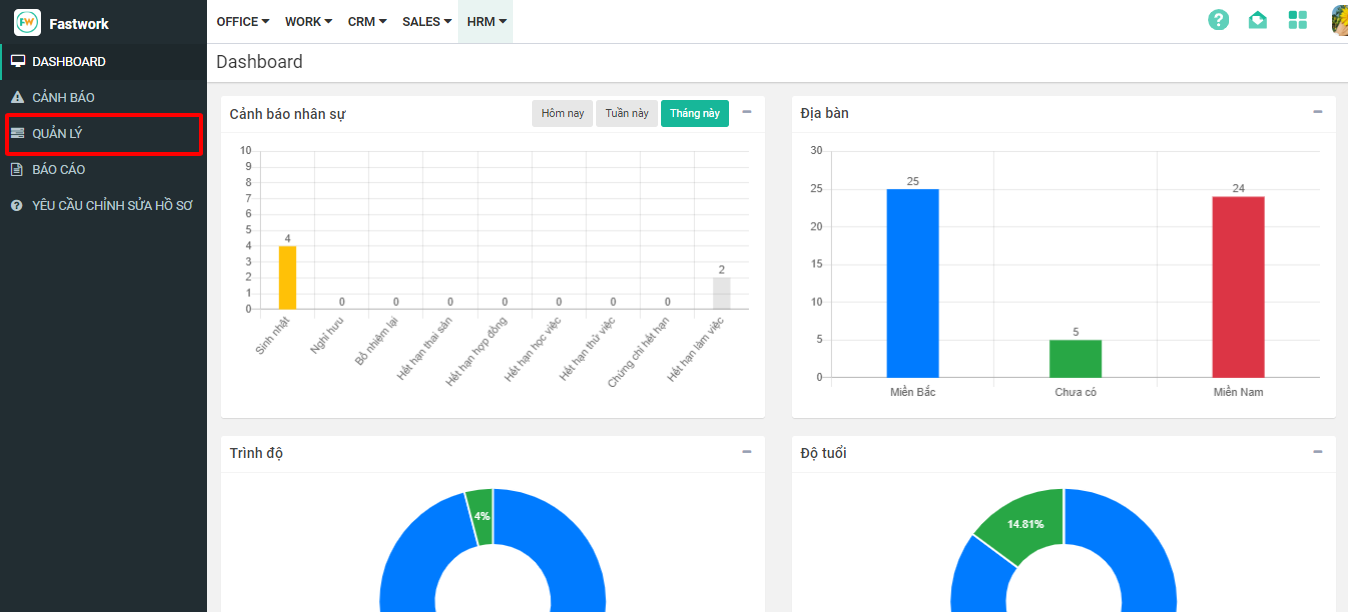
**Bước 2:** Từ giao diện nhân sự chọn **Quản lý**
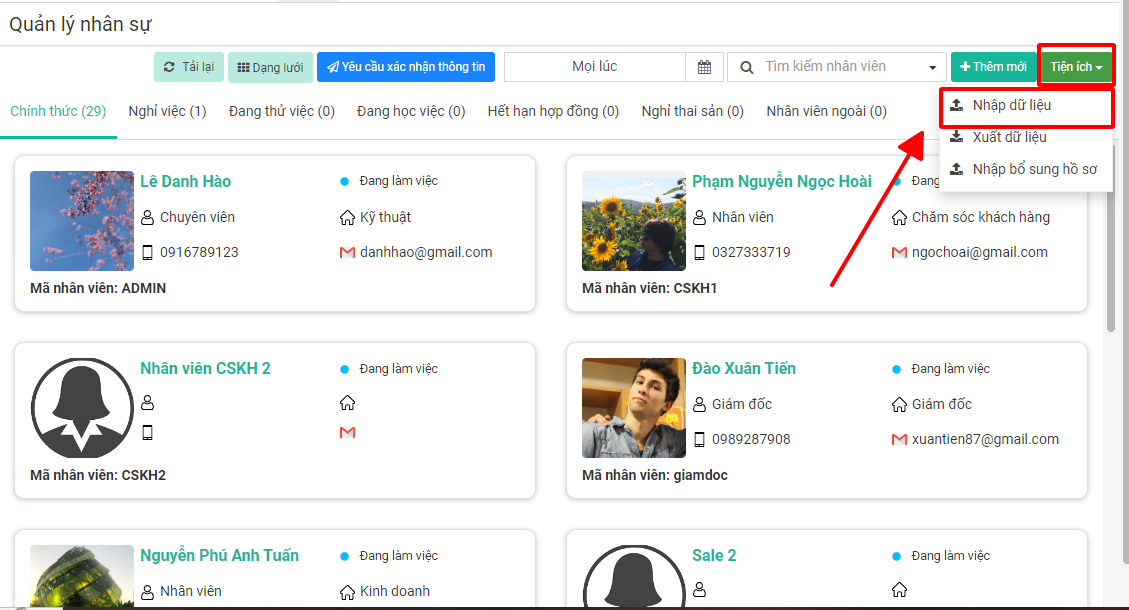
**Bước 3:** Từ giao diện **Quản lý** chọn **Tiện ích** -> chọn **Nhập dữ liệu**
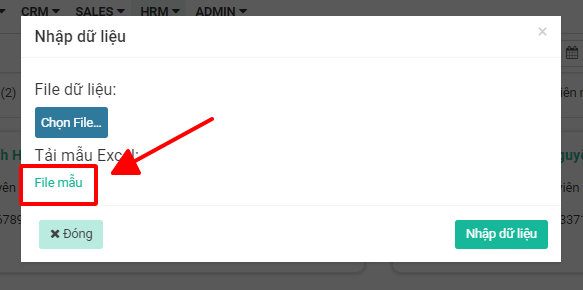
**Bước 4:** Để nhập được dữ liệu cần đảm bảo nhập theo đúng quy định của phần mềm. Chọn **File mẫu**… để lấy file mẫu theo quy định của hệ thống phần mềm
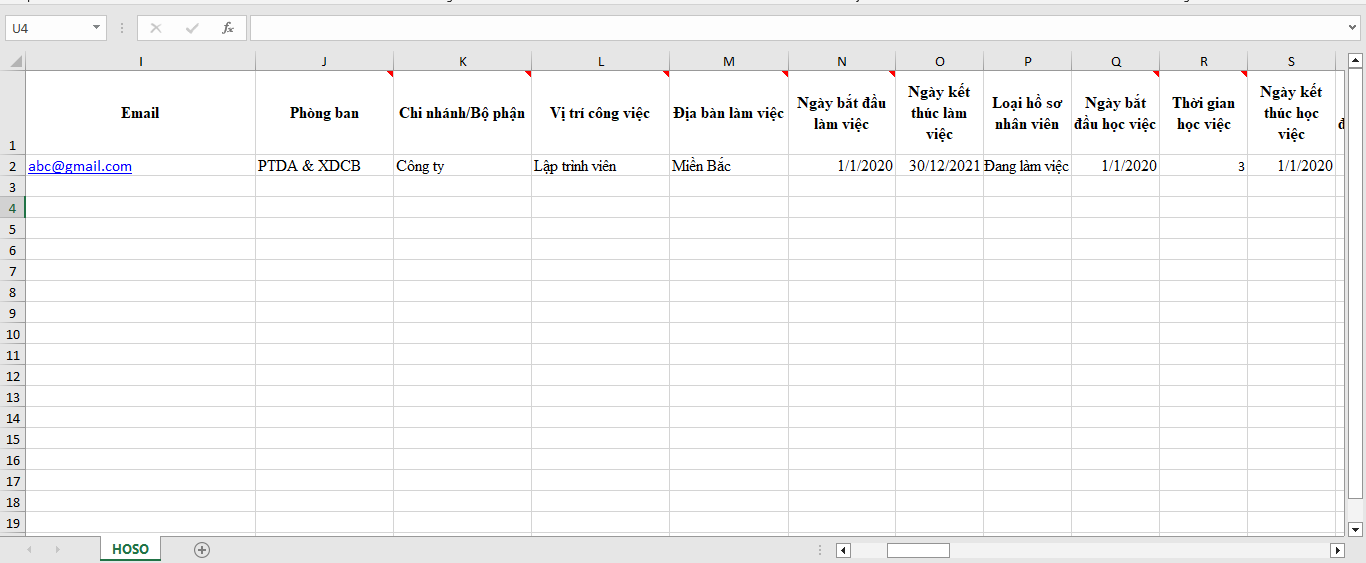
**Bước 5:** Thực hiện nhập dữ liệu hồ sơ nhân sự cần thêm mới vào file mẫu vừa tải về theo quy định
**Bước 6:** Thực hiện nhập dữ liệu lên phần mềm
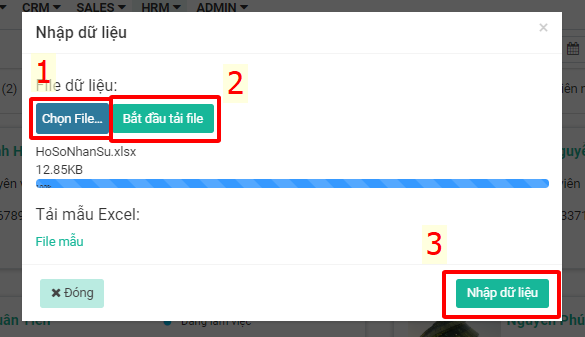
Ấn “**Chọn File…**” -> chọn file dữ liệu vừa chuẩn hóa -> chọn “**Bắt đầu tải File”** đợi dữ liệu tải lên được 100% sẽ hiển thị chữ Nhập dữ liệu -> chọn “**Nhập dữ liệu**” để hoàn tất việc nhập hồ sơ nhân sự lên hệ thống