> For the complete documentation index, see [llms.txt](https://help.fastwork.vn/fastwork-help-center/llms.txt). Markdown versions of documentation pages are available by appending `.md` to page URLs; this page is available as [Markdown](https://help.fastwork.vn/fastwork-help-center/huong-dan-s-dung-chi-tiet/fastwork-hrm/faststore/thao-tac-quan-tri/cach-them-moi-danh-sach-co-so-trong-quan-ly-chuoi.md).
# Cách thêm mới danh sách cơ sở trong quản lý chuỗi
Để thực hiện thêm mới danh sách các cơ sở (cửa hàng) trong một chuỗi thực hiện như sau:
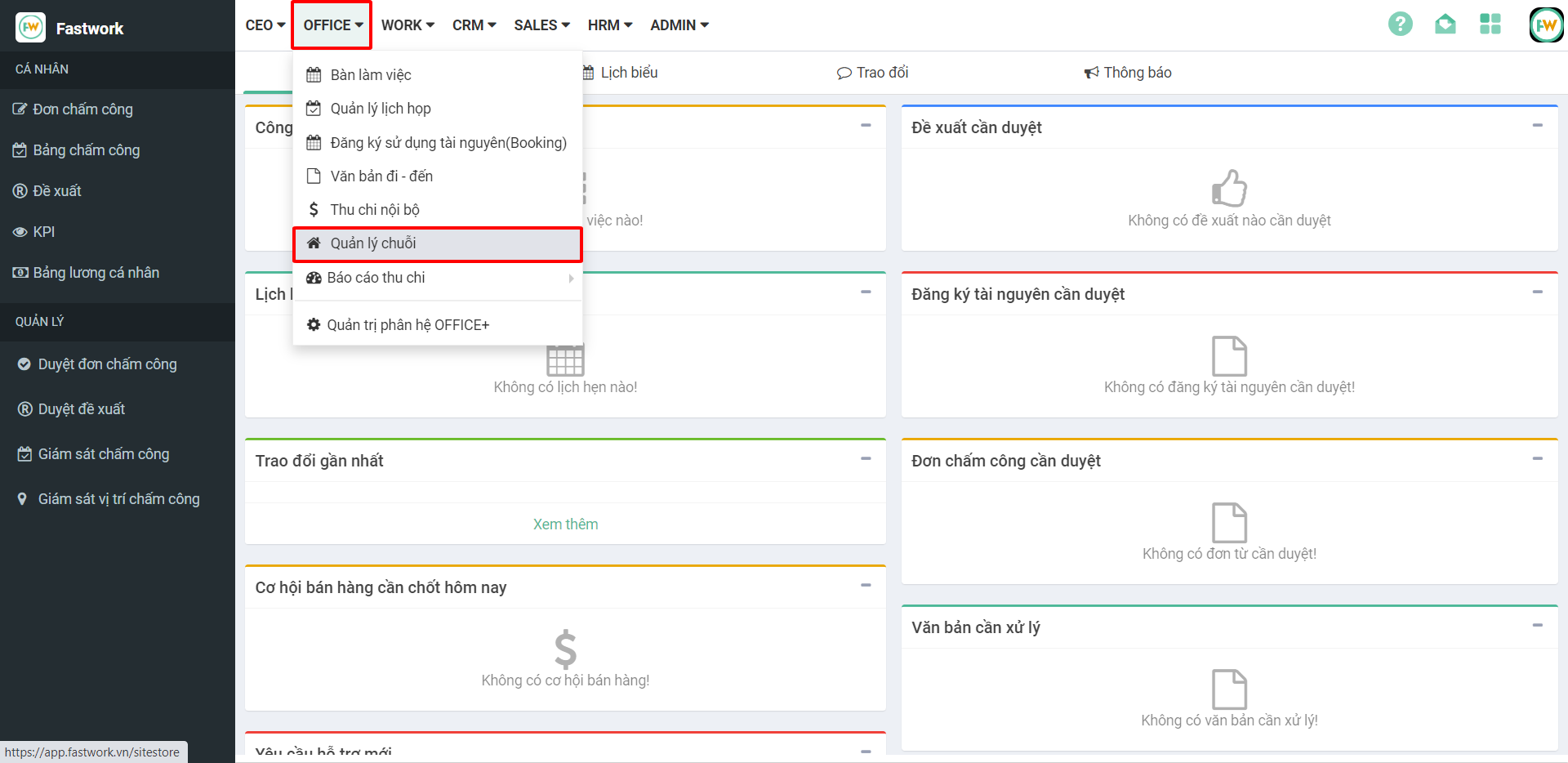
**Bước 1:** Từ menu **OFFICE** **→** chọn **Quản lý chuỗi**
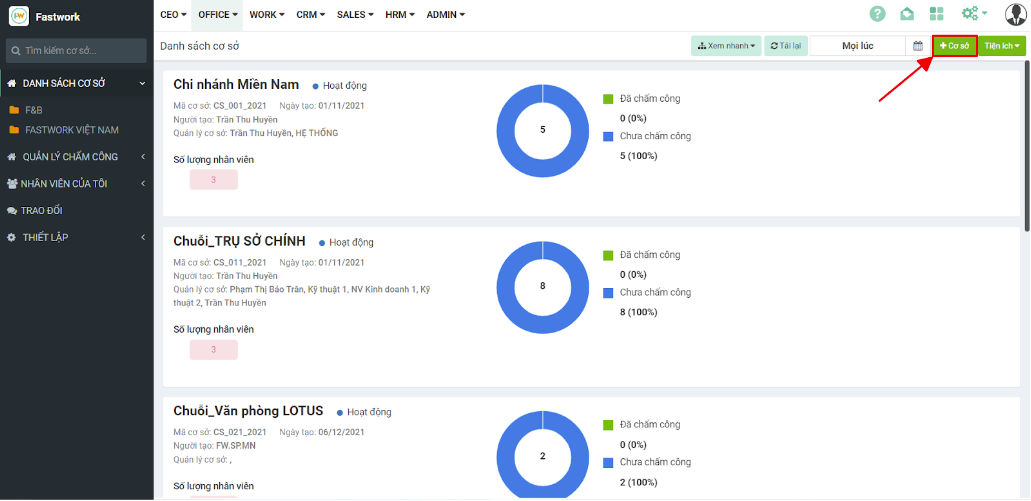
**Bước 2:** Chọn **+Cơ sở**
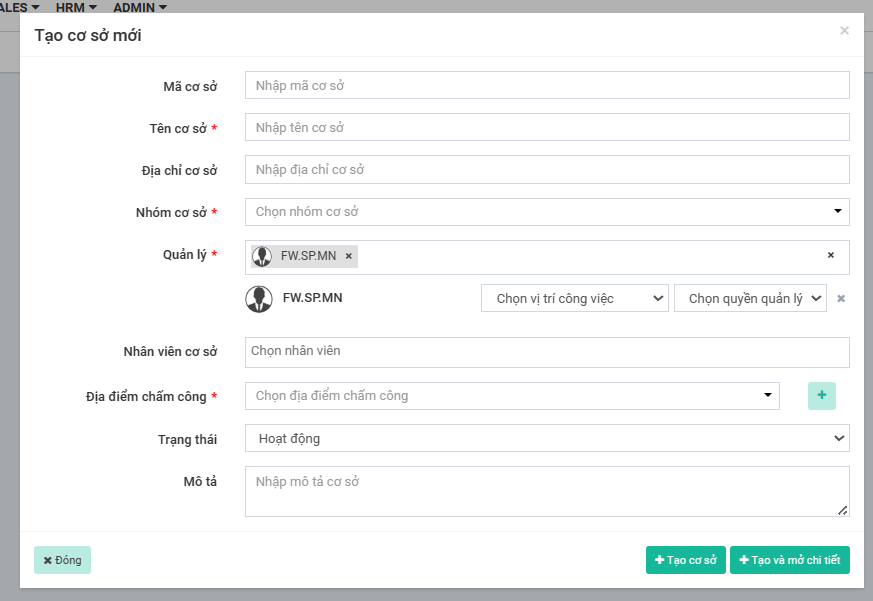
**Bước 3:** Nhập thông tin cho cơ sở cần tạo mới:
* **Mã cơ sở:** nhập mã cho cơ sở cần tạo
* **Tên cơ sở:** Tên của cơ sở (cửa hàng)
* **Địa chỉ cơ sở:** Nhập thông tin địa chỉ của cơ sở cần tạo
* **Nhóm cơ sở:** Lựa chọn nhóm cơ sở tương ứng (nếu có)
* **Quản lý:** Lựa chọn các quản lý của cơ sở này. Với mỗi đối tượng được đưa vào bạn có thể lựa chọn luôn vị trí công việc và quyền tương ứng cho từng quản lý
* **Nhân viên cơ sở:** Lựa chọn các nhân viên sẽ làm việc chính thức tại cơ sở này
* **Địa điểm chấm công:** Lựa chọn địa điểm chấm công tương ứng với cơ sở để nhân viên thực hiện chấm công khi vào cơ sở làm việc (nếu đã tạo trong quản trị phân hệ OFFICE)
* Trong trường hợp chưa có các địa điểm chấm công, bạn có thể thêm trực tiếp địa điểm chấm công tại đây. Nhập xong thông tin chọn **dấu (+)** để thêm địa điểm chấm công
* **Trạng thái:**
* **Mô tả:** Mô tả thêm thông tin về cơ sở
* Sau khi điền đủ thông tin chọn **+Tạo cơ sở** hoặc **+Tạo và mở chi tiết**
{% hint style="info" %}
***\****** Lưu ý:***Với các tài khoản Quản trị tổ chức (admin) mặc định sẽ thấy được các cơ sở và có toàn quyền chỉnh sửa trong cơ sở nên không cần thêm Quản trị vào trong các cơ sở*
{% endhint %}