> For the complete documentation index, see [llms.txt](https://help.fastwork.vn/fastwork-help-center/llms.txt). Markdown versions of documentation pages are available by appending `.md` to page URLs; this page is available as [Markdown](https://help.fastwork.vn/fastwork-help-center/huong-dan-s-dung-chi-tiet/fastwork-hrm/faststore/thao-tac-nguoi-dung/cach-xoay-ca-theo-tuan-cho-nhan-vien-trong-quan-ly-chuoi.md).
# Cách xoay ca theo tuần cho nhân viên trong Quản lý chuỗi
Để thực hiện xoay ca làm việc từ tuần này sang tuần khác cho nhân viên trong mô hình Quản lý chuỗi thực hiện như sau:
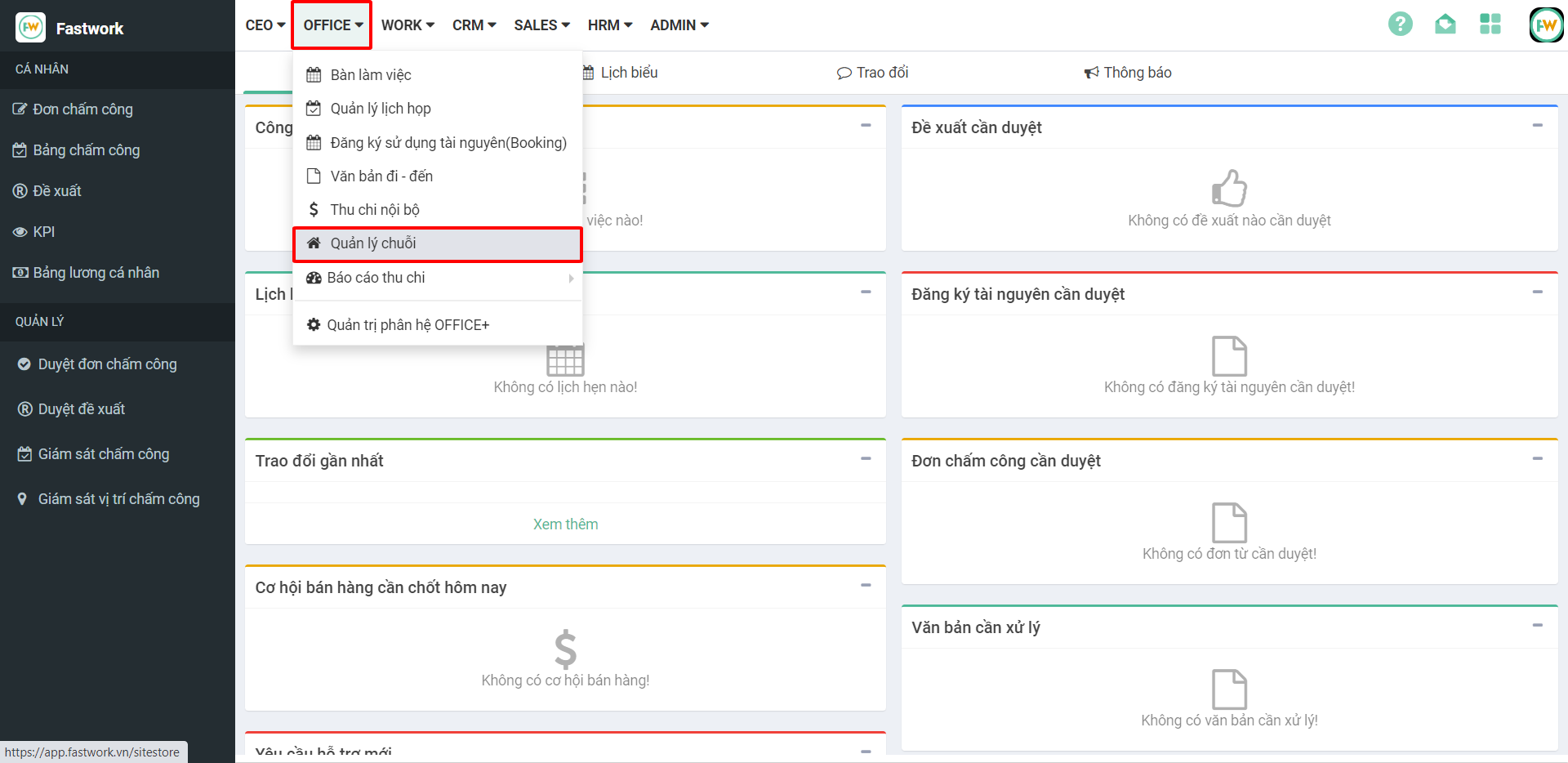
**Bước 1:** Từ menu **OFFICE** **⇒** chọn **Quản lý chuỗi**
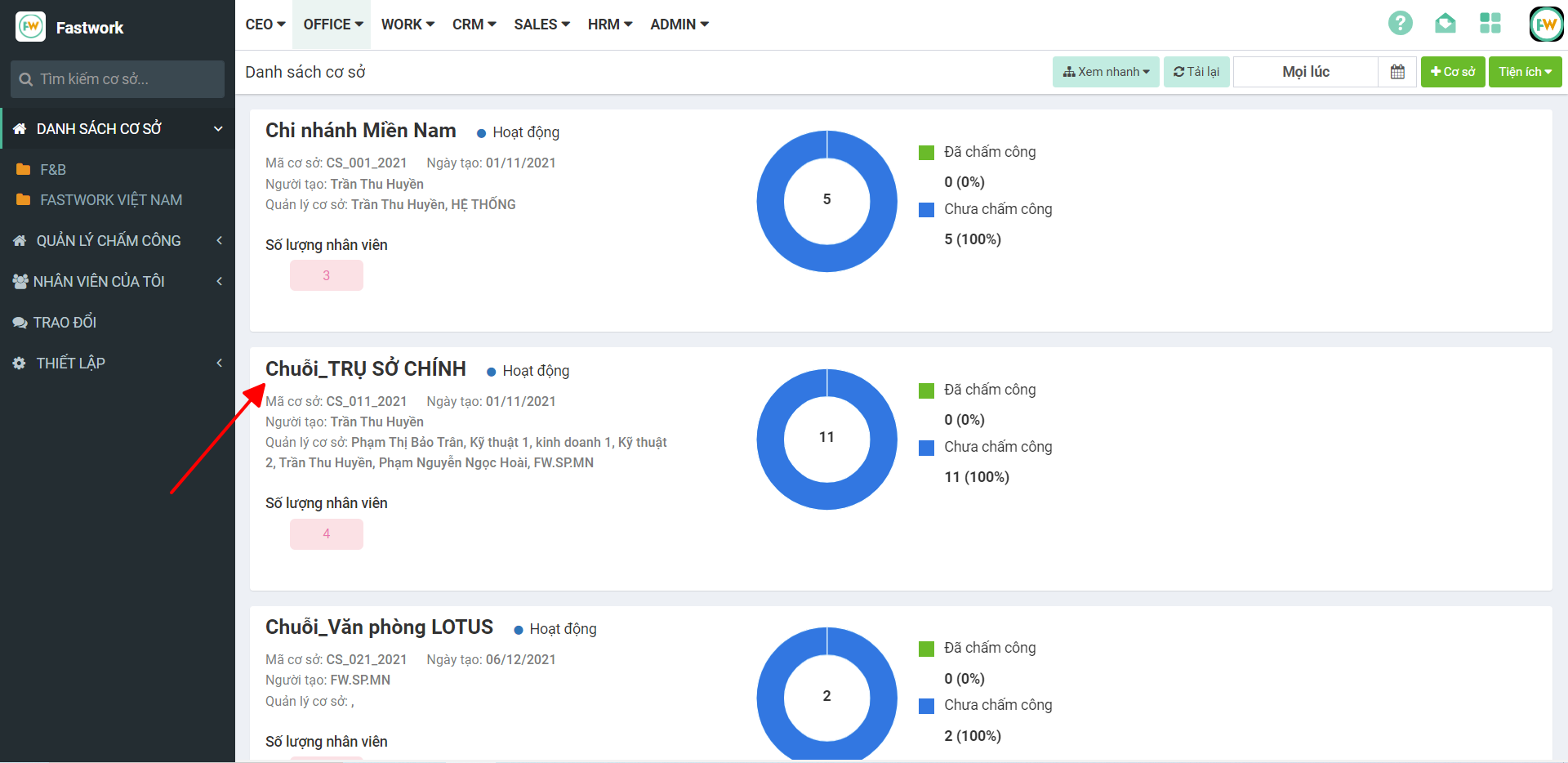
**Bước 2:** Chọn **cơ sở** nhân viên làm việc cần phân ca cho nhân viên
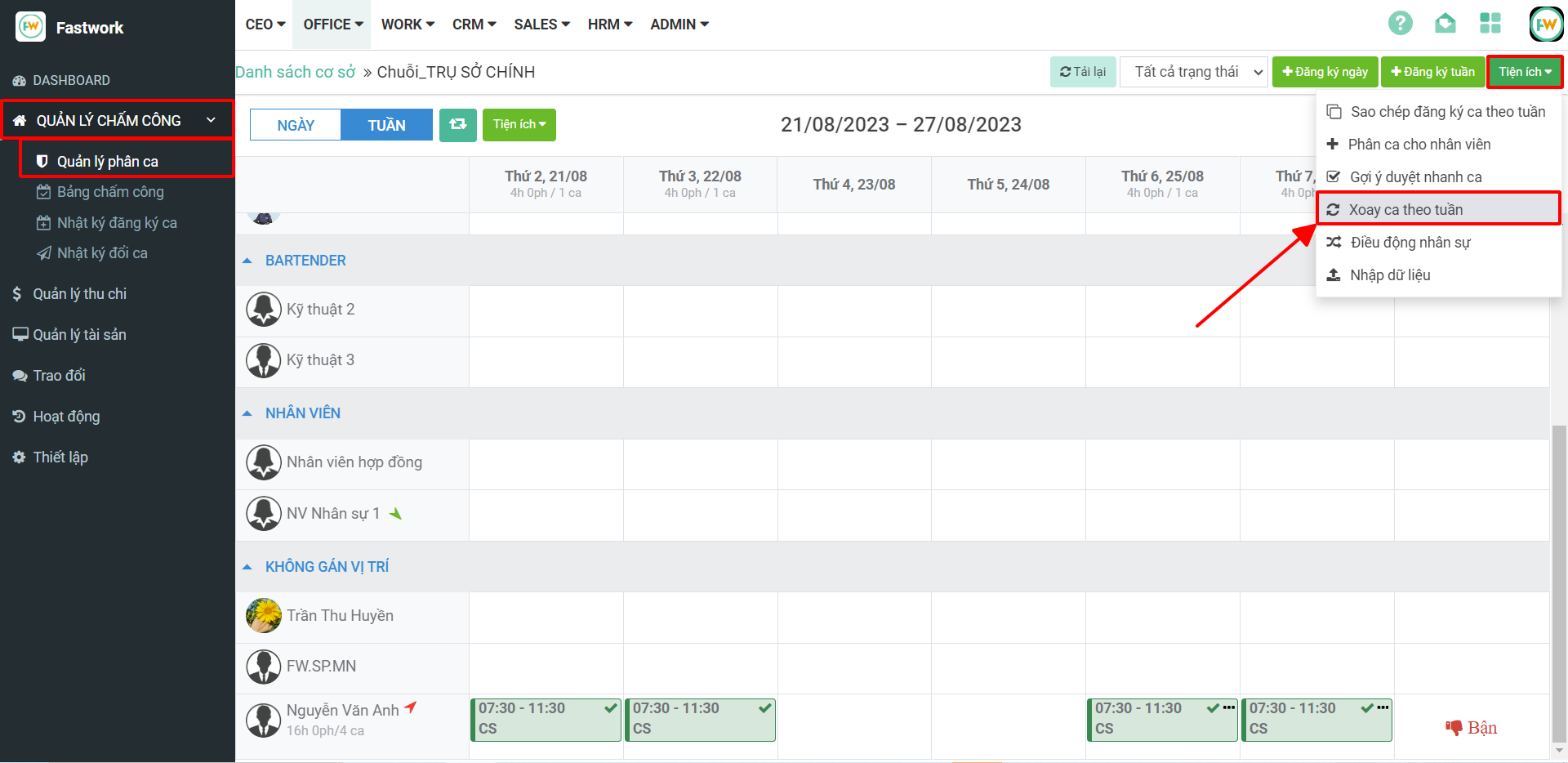
**Bước 3: Chọn Quản lý chấm công ⇒ chọn Quản lý phân ca ⇒ chọn Tiện ích ⇒ chọn Xoay ca theo tuần**
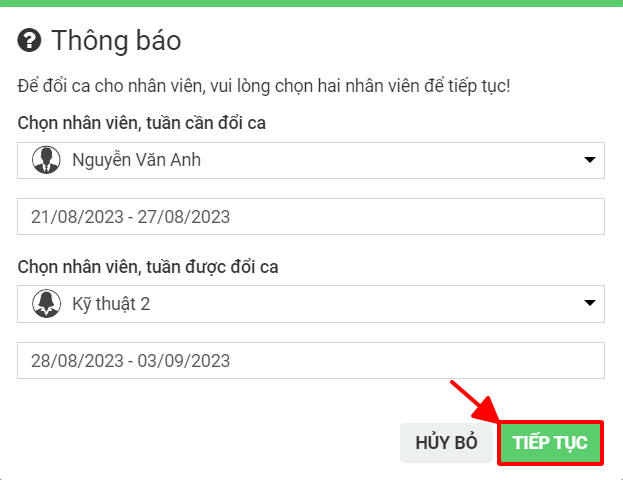
**Bước 4:** Thực hiện lựa chọn thông tin xoay ca:
**– Chọn nhân viên, tuần cần đổi ca:** lựa chọn nhân viên cần lấy bảng phân ca đã có. Tuần có ca làm việc cần lấy thông tin.
**– Chọn nhân viên, tuần được đổi ca:** lựa chọn nhân viên sẽ thực hiện theo bảng phân ca đã chọn. Lựa chọn khoảng thời gian tuần làm việc sẽ phân ca
Sau đó chọn nút **Tiếp tục**