> For the complete documentation index, see [llms.txt](https://help.fastwork.vn/fastwork-help-center/llms.txt). Markdown versions of documentation pages are available by appending `.md` to page URLs; this page is available as [Markdown](https://help.fastwork.vn/fastwork-help-center/huong-dan-s-dung-chi-tiet/fastwork-hrm/faststore/thao-tac-nguoi-dung/cach-xem-nhat-ky-dieu-dong-va-ket-thuc-dieu-dong-nhan-su-giua-cac-co-so-trong-quan-ly-chuoi.md).
# Cách xem Nhật ký điều động và kết thúc điều động nhân sự giữa các cơ sở trong Quản lý chuỗi
Để xem lại nhật ký điều động nhân sự giữa các cửa hàng hoặc thực hiện kết thúc điều động cho một nhân viên thực hiện như sau:
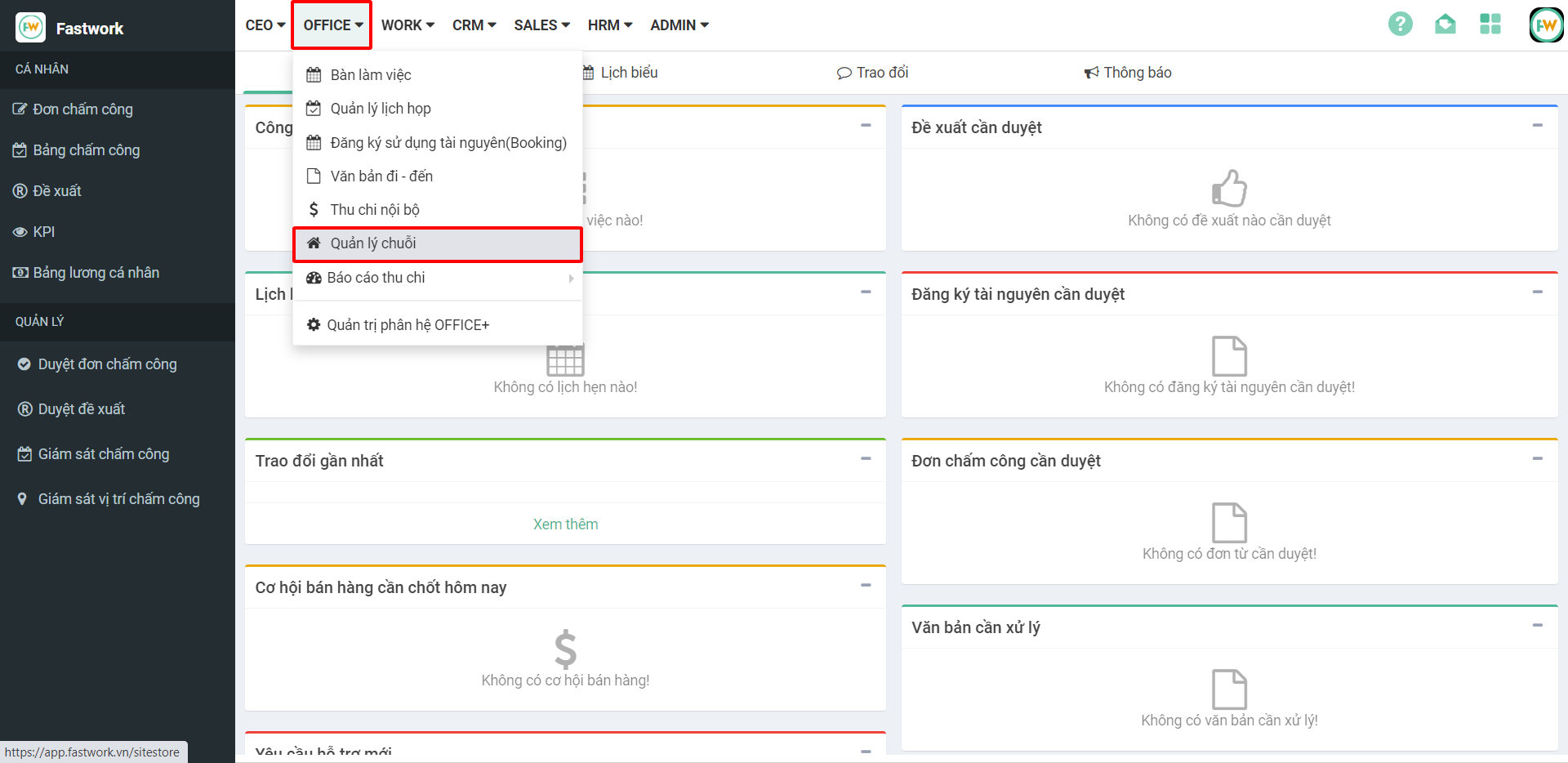
**Bước 1:** Từ menu **OFFICE** ⇒ chọn **Quản lý chuỗi**
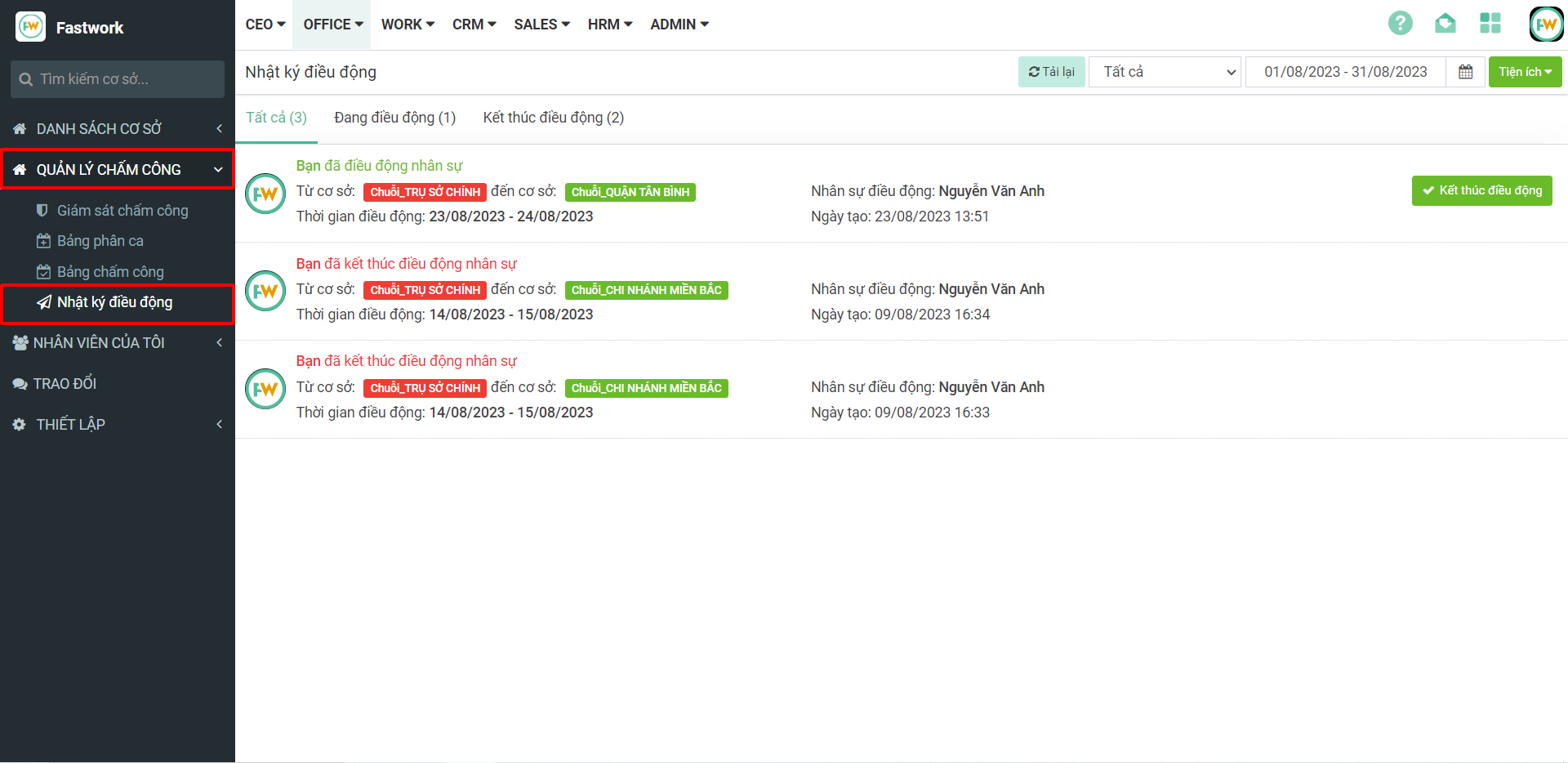
**Bước 2:** Chọn **Quản lý chấm công ⇒** chọn **Nhật ký điều động**
Tại đây sẽ có thông tin các nhân viên được điều động
– Tất cả hoạt động điều động
– Danh sách nhân viên đang điều động
– Danh sách nhân viên đã kết thúc điều động
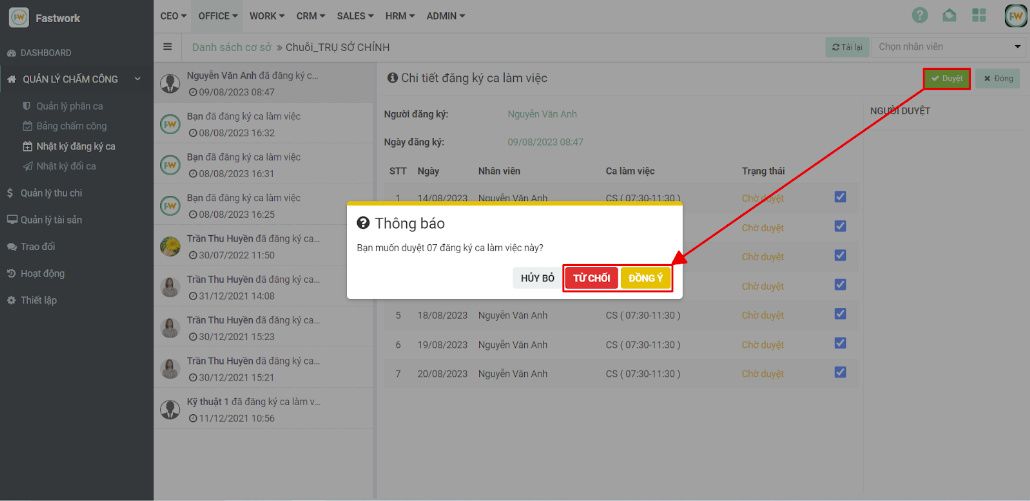
**Bước 3:** Với các nhân viên đang điều động hoặc đã điều động xong nếu muốn kết thúc điều động từ giao diện nhật ký điều động chọn nút **Kết thúc điều động** **⇒** chọn **Đồng ý** để xác nhận kết thúc điều động