> For the complete documentation index, see [llms.txt](https://help.fastwork.vn/fastwork-help-center/llms.txt). Markdown versions of documentation pages are available by appending `.md` to page URLs; this page is available as [Markdown](https://help.fastwork.vn/fastwork-help-center/huong-dan-s-dung-chi-tiet/fastwork-hrm/faststore/thao-tac-nguoi-dung/cach-thuc-hien-duyet-dong-thoi-nhieu-dang-ky-ca-trong-quan-ly-chuoi.md).
# Cách thực hiện duyệt đồng thời nhiều đăng ký ca trong quản lý chuỗi
Khi nhân viên thực hiện đăng ký ca làm việc, người quản lý sẽ phải phê duyệt nhiều thông tin đăng ký ca cùng lúc. Phần mềm hỗ trợ tính năng duyệt nhanh tất cả các lịch đăng ký. Để thực hiện duyệt nhiều đăng ký thực hiện như sau:
* **Thực hiện duyệt nhiều đăng ký ca cùng lúc trên web**
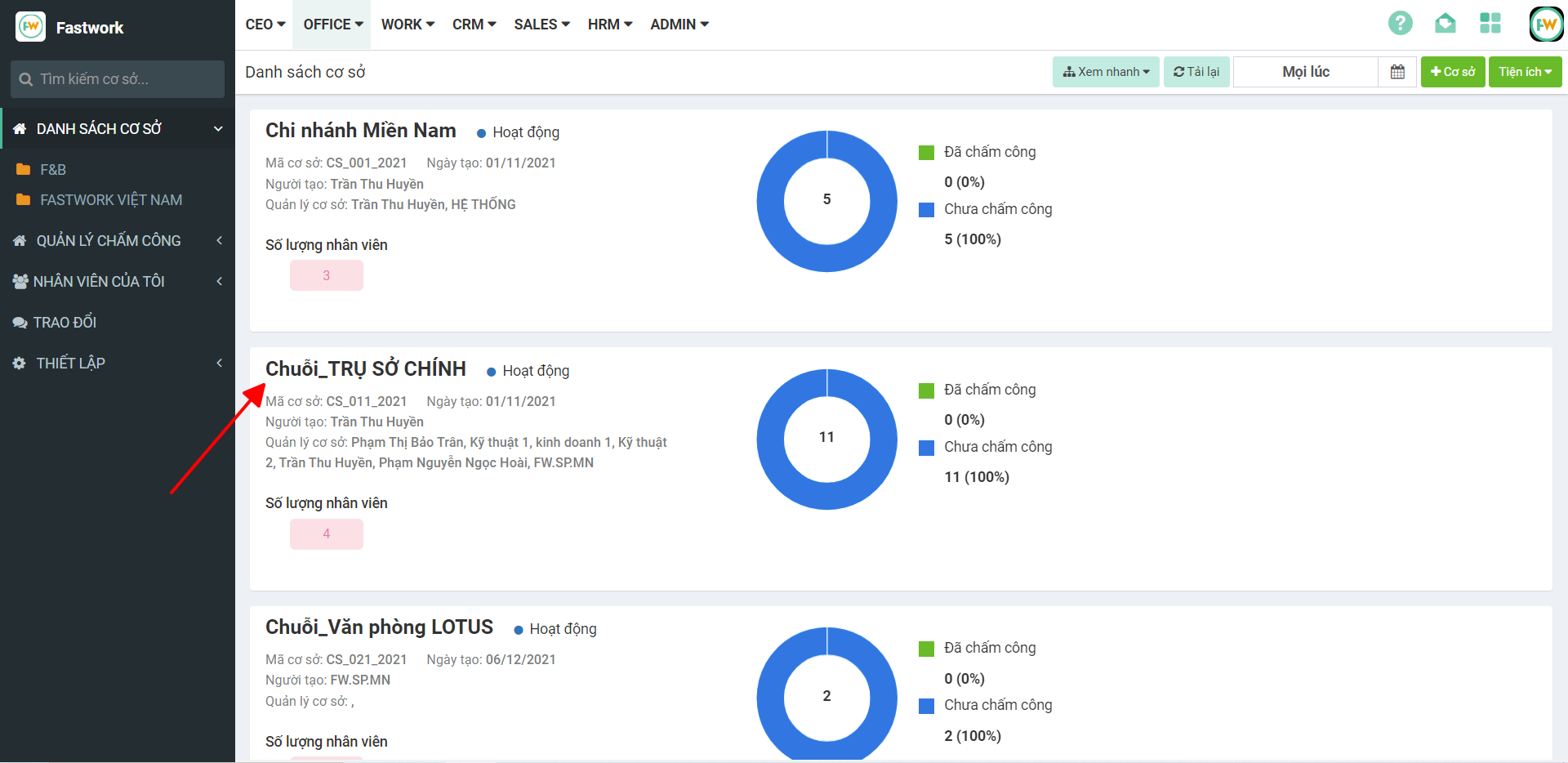
**Bước 1:** Từ menu **OFFICE** ⇒ chọn **Quản lý chuỗi**
**Bước 2:** Chọn **Cơ sở cần duyệt đăng ký ca làm việc**
**Bước 3:** Chọn **Quản lý chấm công ⇒** chọn **Quản lý phân ca** **⇒** chọn Tiện ích **⇒** chọn Duyệt nhiều
**Bước 4:** Chọn **Đồng ý** để xác nhận duyệt nhiều
* **Thực hiện duyệt nhiều đăng ký ca cùng lúc trên di động**
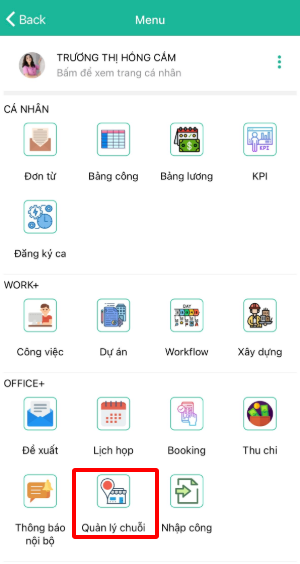
**Bước 1:** Từ giao diện chính chọn **3 gạch ngang**
**Bước 2:** Chọn **Quản lý chuỗi**
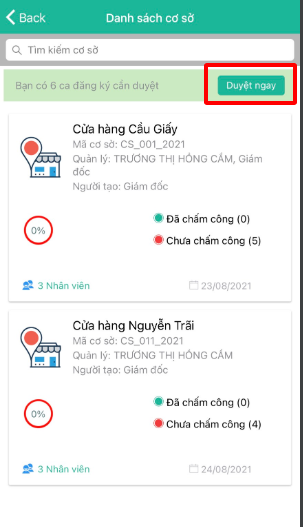
**Bước 3:** Tại đây phần mềm sẽ hiển thị số lượng các đăng ký ca đang chờ duyệt **⇒** chọn nút **Duyệt ngay** để thực hiện duyệt tất cả các đăng ký
**Bước 4:** Chọn **ký hiệu chữ V** góc màn hình **⇒** chọn **Đồng ý** hoặc **Từ chối** để xác nhận việc phê duyệt