> For the complete documentation index, see [llms.txt](https://help.fastwork.vn/fastwork-help-center/llms.txt). Markdown versions of documentation pages are available by appending `.md` to page URLs; this page is available as [Markdown](https://help.fastwork.vn/fastwork-help-center/huong-dan-s-dung-chi-tiet/fastwork-crm/fastwork-sale/thao-tac-quan-tri/huong-dan-cau-hinh-nguoi-duyet-don-dat-hang.md).
# Hướng dẫn cấu hình người duyệt đơn đặt hàng
**Bước 1:** Từ menu **CRM** ⇒ chọn **Quản trị phân hệ CRM+**
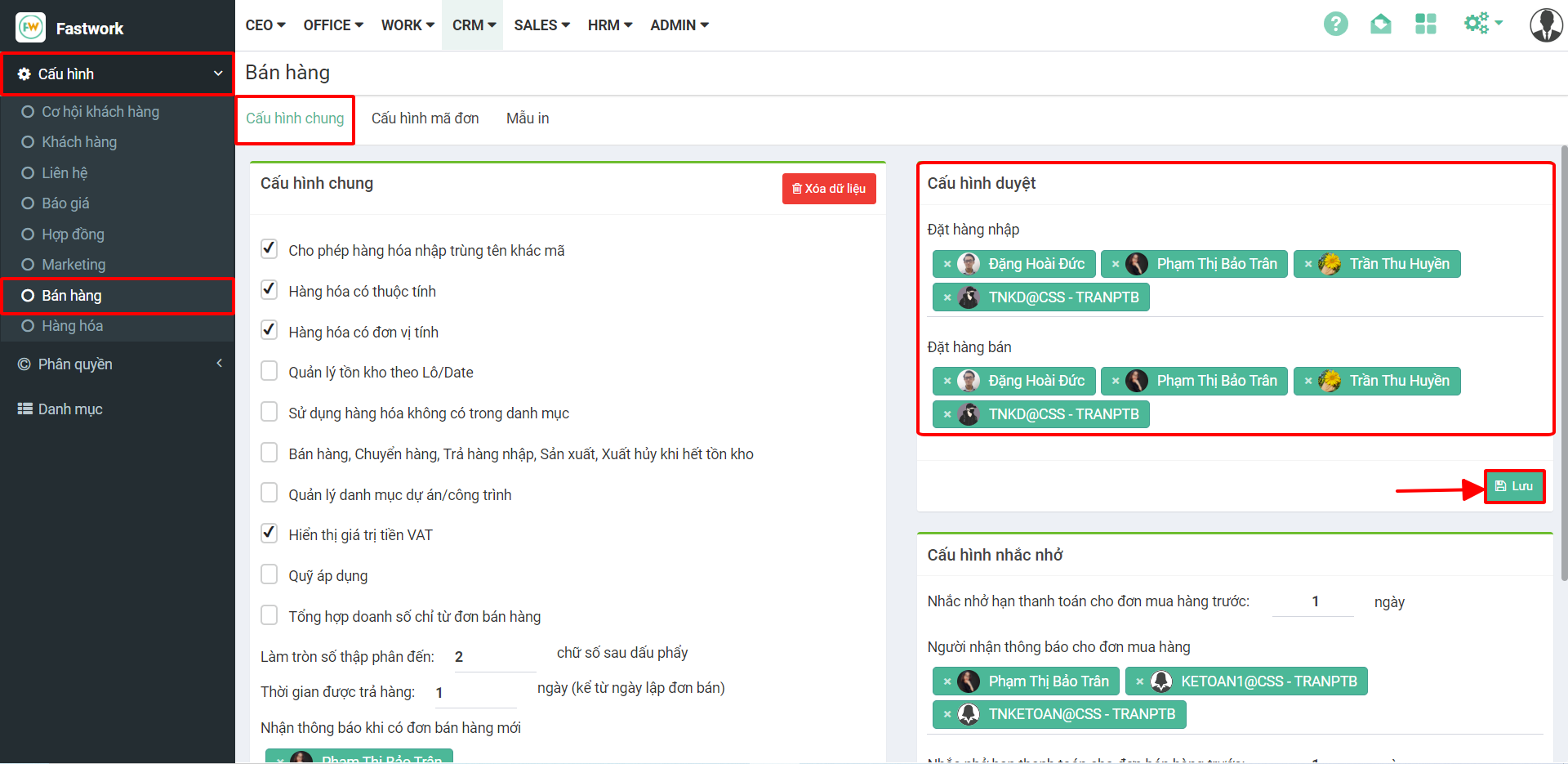
**Bước 2:** Chọn Cấu hình ⇒ chọn Bán hàng ⇒ chọn tab **Cấu hình chung**. Chọn tài khoản sẽ duyệt các đơn **Đặt hàng nhập** và **Đặt hàng bán** ⇒ sau đó ấn Lưu