> For the complete documentation index, see [llms.txt](https://help.fastwork.vn/fastwork-help-center/llms.txt). Markdown versions of documentation pages are available by appending `.md` to page URLs; this page is available as [Markdown](https://help.fastwork.vn/fastwork-help-center/huong-dan-s-dung-chi-tiet/fastwork-crm/fastwork-sale/thao-tac-nguoi-dung/quan-ly-ban-hang/huong-dan-thanh-toan-don-ban-hang.md).
# Hướng dẫn thanh toán đơn bán hàng
## Giao diện Web
### Cách 1: Thanh toán trên từng đơn
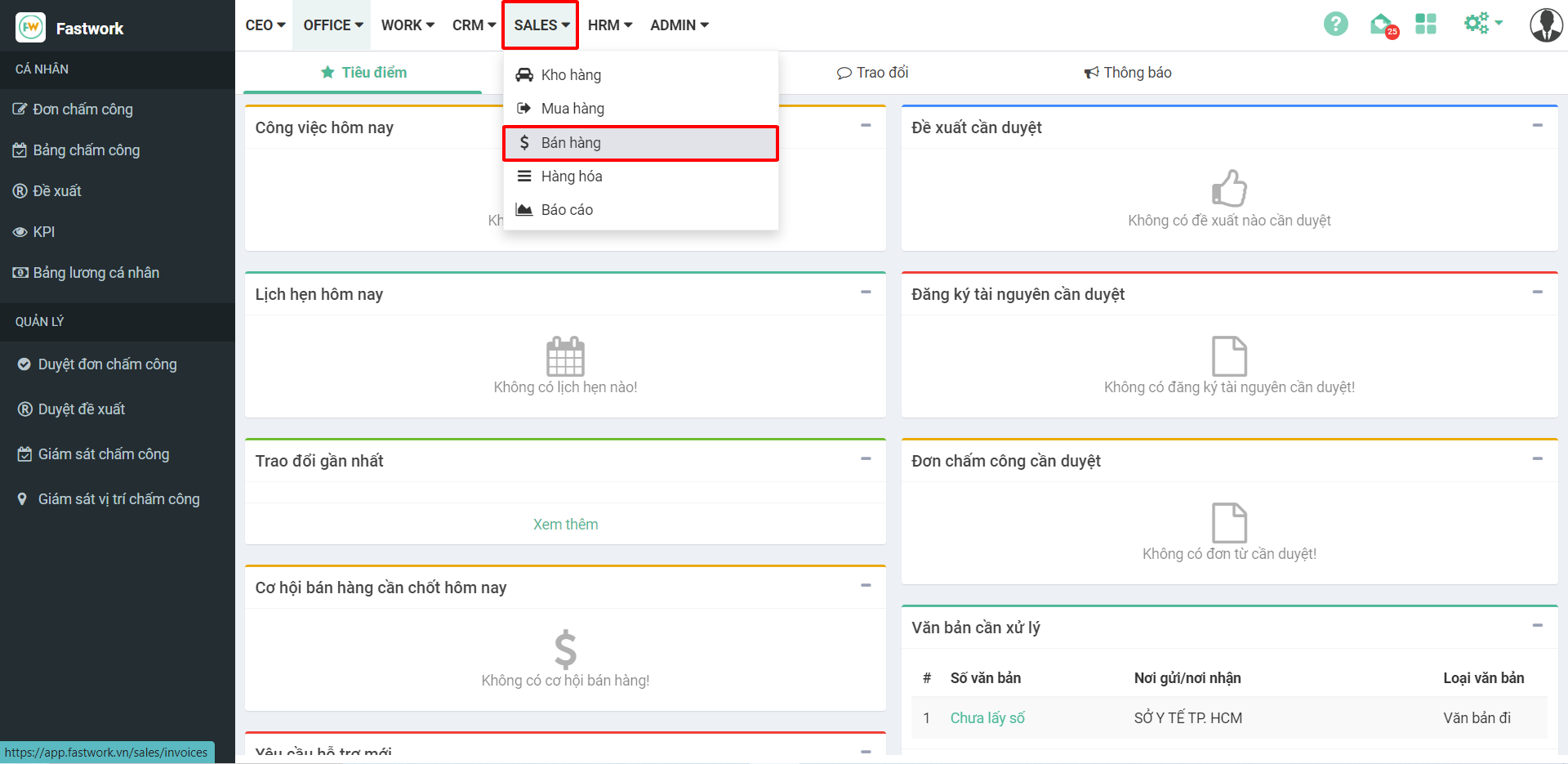
**Bước 1:** Từ menu **SALE** ⇒ chọn **Bán hàng**
**Bước 2:** Chọn **Mã đơn bán** cần thanh toán
**Bước 3:** Chọn icon **ATM** để thanh toán
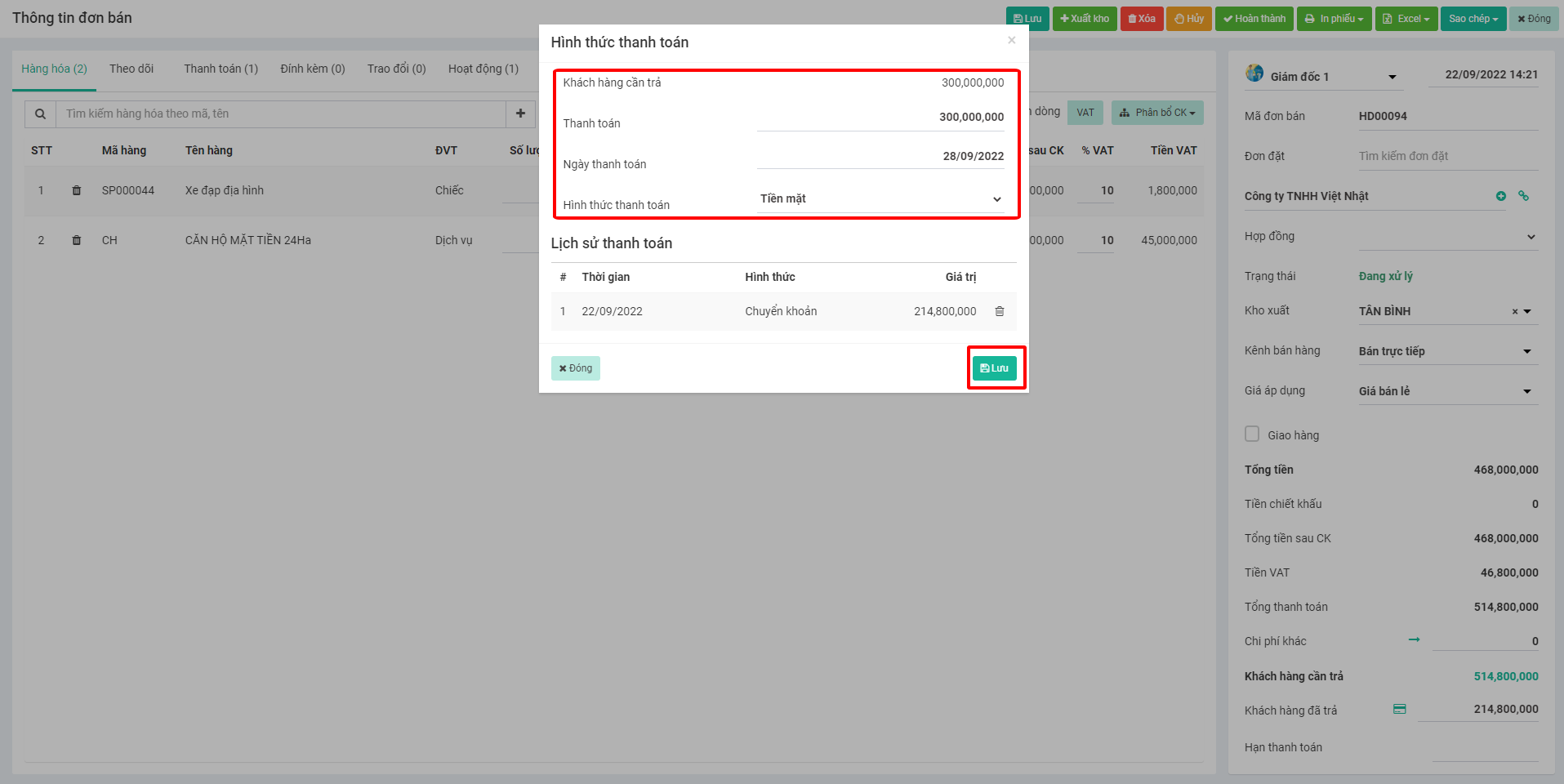
**Bước 4:** Điền thông tin thanh toán, sau đó ấn **Lưu**
### Cách 2: Thanh toán nhiều đơn
Để thanh toán cho nhiều đơn thì các đơn phải cùng 1 Khách hàng
**Bước 1:** Từ menu **SALE** ⇒ chọn **Bán hàng**
**Bước 2:** Tick chọn vào các đơn mua cần trả ⇒ chọn **Thu nợ**
**Bước 3:** Nhập giá trị thanh toán ⇒ sau đó phân bổ cho các đơn bán
## Giao diện Mobile
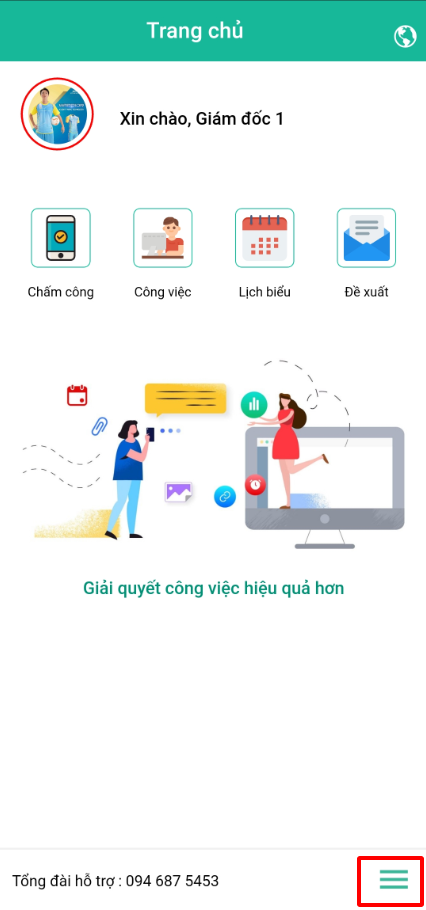
**Bước 1:** Từ giao diện chính chọn **dấu 3 gạch**
**Bước 2:** Trong mục **Sale+ ⇒** chọn **Bán hàng**
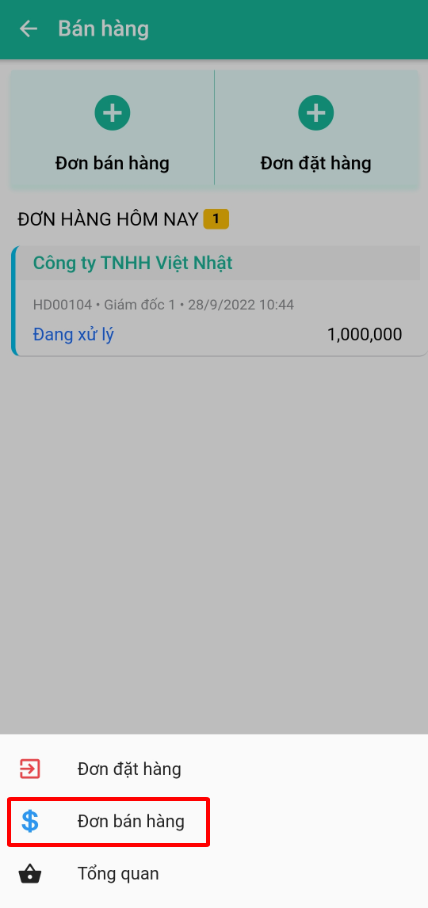
**Bước 3:** Chọn vào **dấu 4 gạch**
**Bước 4:** Chọn vào **Đơn bán hàng**
**Bước 5:** Chọn đơn bán hàng cần thanh toán
**Bước 6:** Chuyển sang tab **Thanh toán ⇒** bấm nút dấu **+** để tạo mới thanh toán
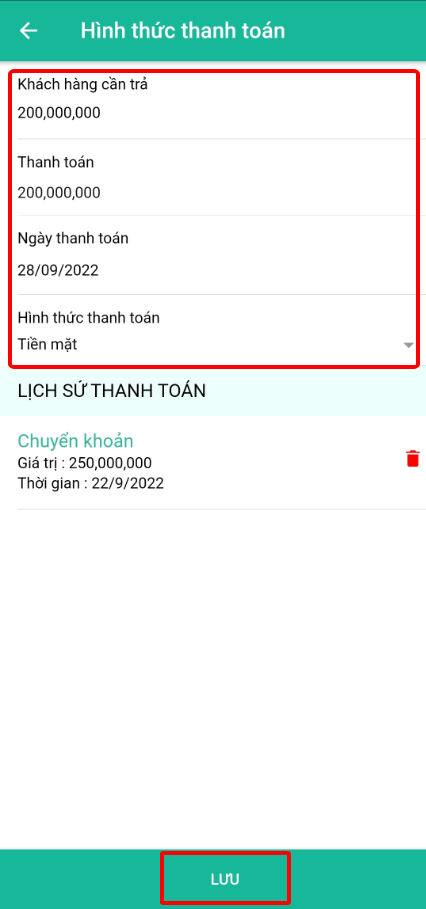
**Bước 7:** Nhập thông tin thanh toán, sau đó ấn **Lưu**