> For the complete documentation index, see [llms.txt](https://help.fastwork.vn/fastwork-help-center/llms.txt). Markdown versions of documentation pages are available by appending `.md` to page URLs; this page is available as [Markdown](https://help.fastwork.vn/fastwork-help-center/huong-dan-s-dung-chi-tiet/fastwork-crm/fastwork-sale/thao-tac-nguoi-dung/he-thong-bao-cao-sale/huong-dan-xem-cong-no-phai-thu.md).
# Hướng dẫn xem Công nợ phải thu
Từ menu SALES → chọn Báo cáo
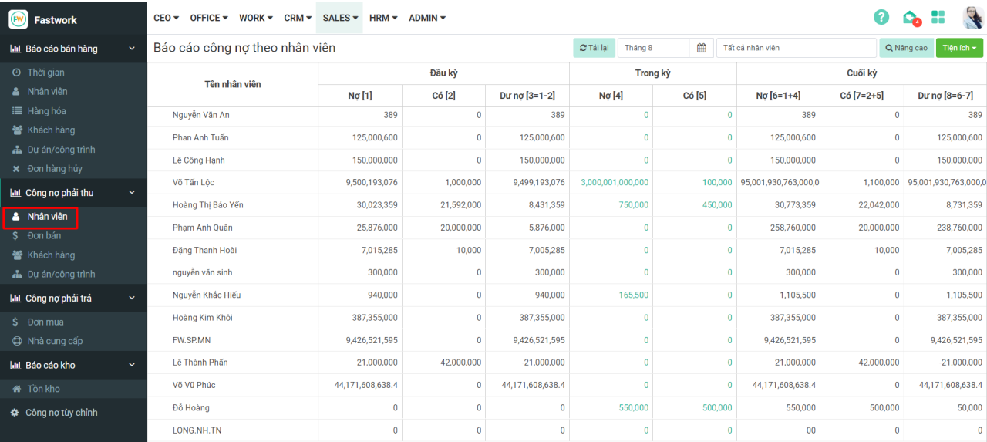
## Theo dõi báo cáo công nợ Khách hàng theo nhân viên
Tại Công nợ phải thu 🡪 chọn Nhân viên để xem báo cáo theo từng nhân viên
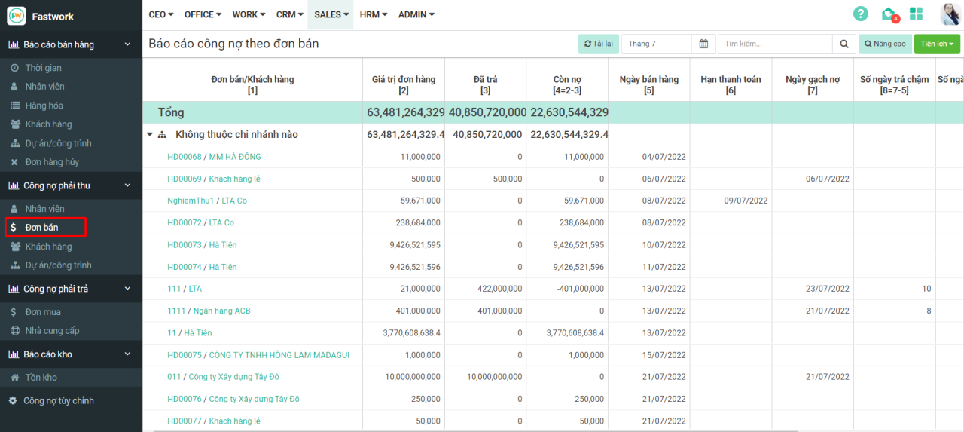
## Theo dõi báo cáo công nợ Khách hàng theo đơn bán
Tại Công nợ phải thu 🡪 chọn Đơn bán để xem báo cáo theo từng đơn bán hàng
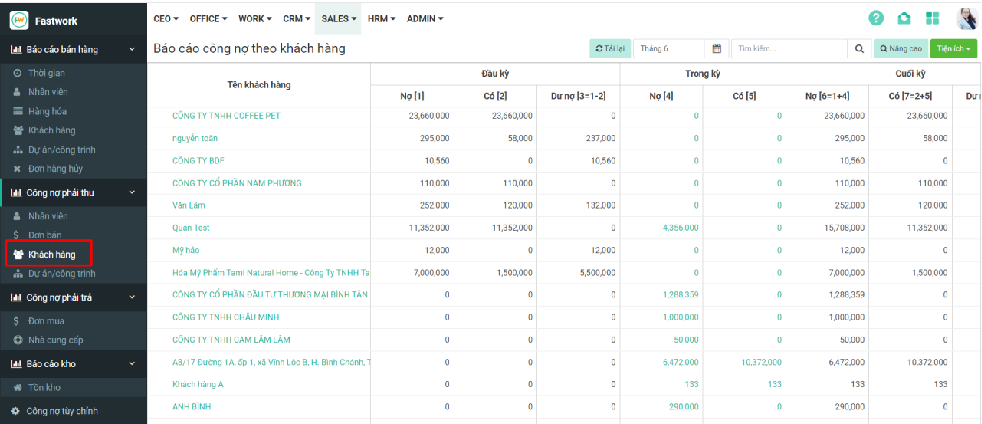
## Theo dõi báo cáo công nợ Khách hàng theo tên Khách hàng
Tại Công nợ phải thu 🡪 chọn Đơn bán để xem báo cáo theo từng Khách hàng