> For the complete documentation index, see [llms.txt](https://help.fastwork.vn/fastwork-help-center/llms.txt). Markdown versions of documentation pages are available by appending `.md` to page URLs; this page is available as [Markdown](https://help.fastwork.vn/fastwork-help-center/cap-nhat-tinh-nang/fastwork-hrm/cap-nhat-thang-9-2024/cach-phan-quyen-cho-nhan-vien-duoc-phep-phan-ca-lam-viec-ma-khong-can-truy-cap-quan-tri-phan-he-hrm.md).
# Cách phân quyền cho nhân viên được phép phân ca làm việc mà không cần truy cập Quản trị phân hệ HRM
Hướng dẫn cách kích hoạt tính năng cho phép 1 nhân sự được phép phân ca làm việc cho nhân viên mà không cần phải truy cập vào Quản trị phân hệ HRM
Trong thực tế khi áp dụng phần mềm Fastwork để quản lý ngày công làm việc, có rất nhiều doanh nghiệp cho phép người quản lý trực tiếp phụ trách việc phân ca làm việc cho nhân viên. Tuy nhiên, các nhân sự này không được phép truy cập Quản trị phân hệ HRM vì khi truy cập vào Quản trị phân hệ ngoài việc phân ca cho nhân viên, họ có thể điều chỉnh các cấu hình khác. Việc này sẽ gây ảnh hưởng rất lớn tới cả tổ chức. Chính vì vậy, Fastwork đã nâng cấp tính năng cho phép phân quyền cho nhân viên chỉ có thể vào phân ca làm việc mà không cần truy cập quản trị phân hệ HRM.
## 1. Phân quyền chức năng cho phép nhân viên được phân ca làm việc
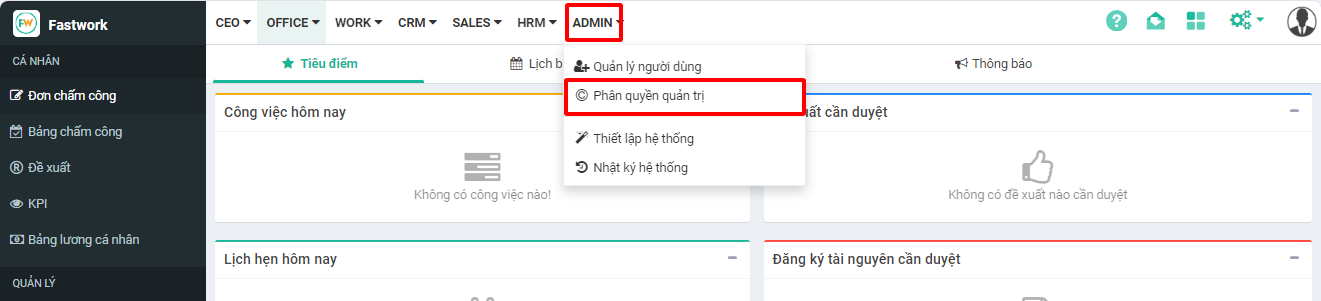
Từ menu **ADMIN** -> chọn **Phân quyền quản trị**
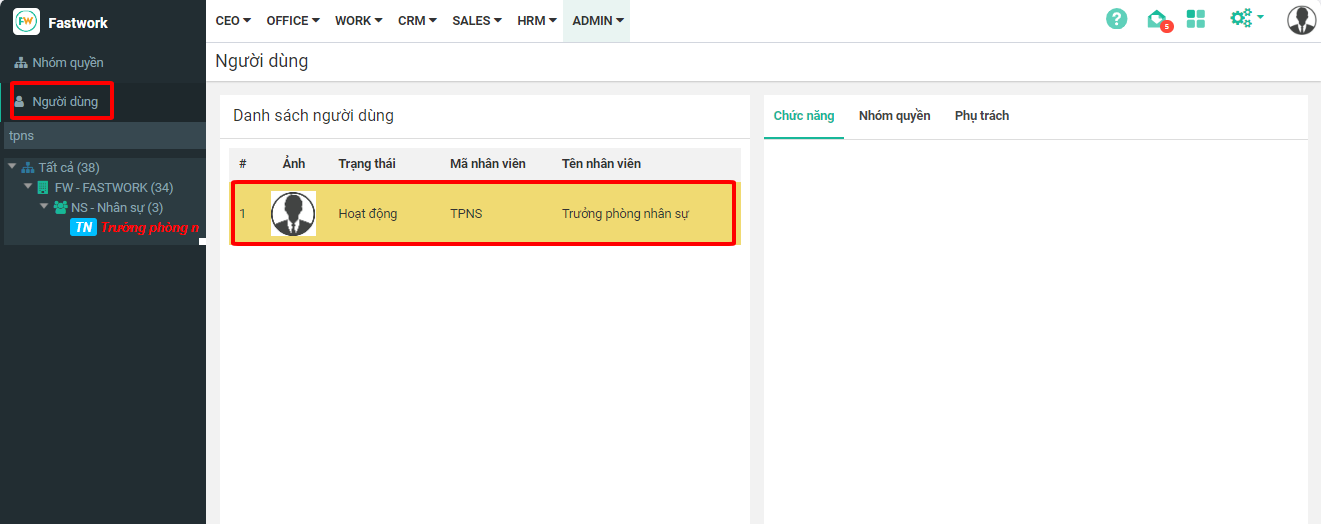
Ở mục **Người dùng** -> chọn **Tài khoản cần phân quyền chức năng**
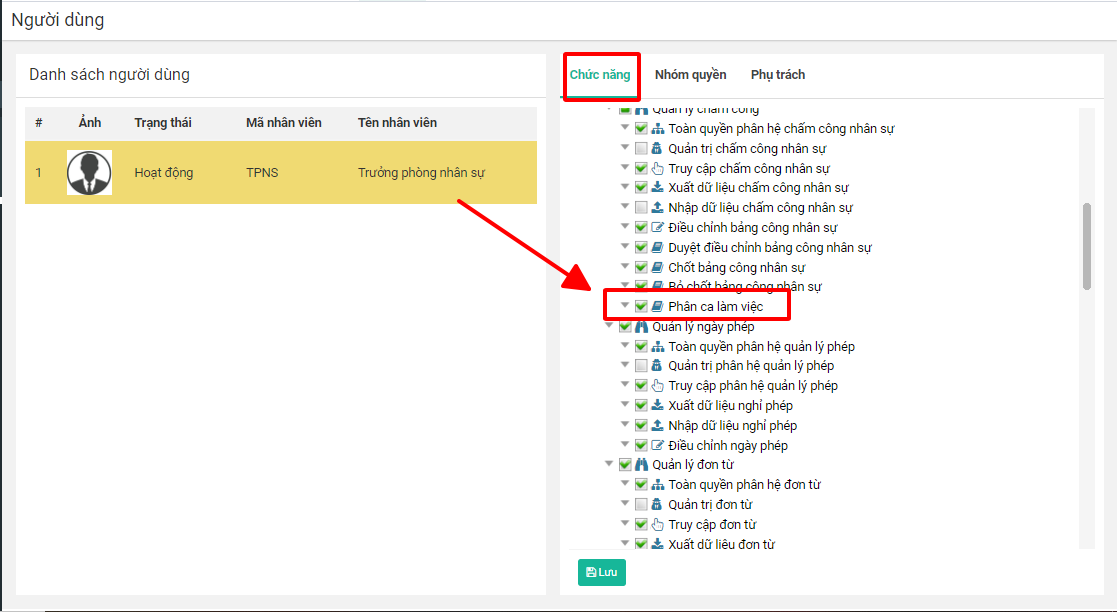
Ở tab **Chức năng** -> chọn **phân hệ HRM** -> tích chọn cho phép **Phân ca làm việc** và ấn Lưu phân quyền
Sau khi được phân quyền chức năng, tài khoản này sẽ có quyền được phân ca làm việc cho nhân viên.
## 2. Thực hiện phân ca làm việc cho nhân viên tại Bảng chấm công
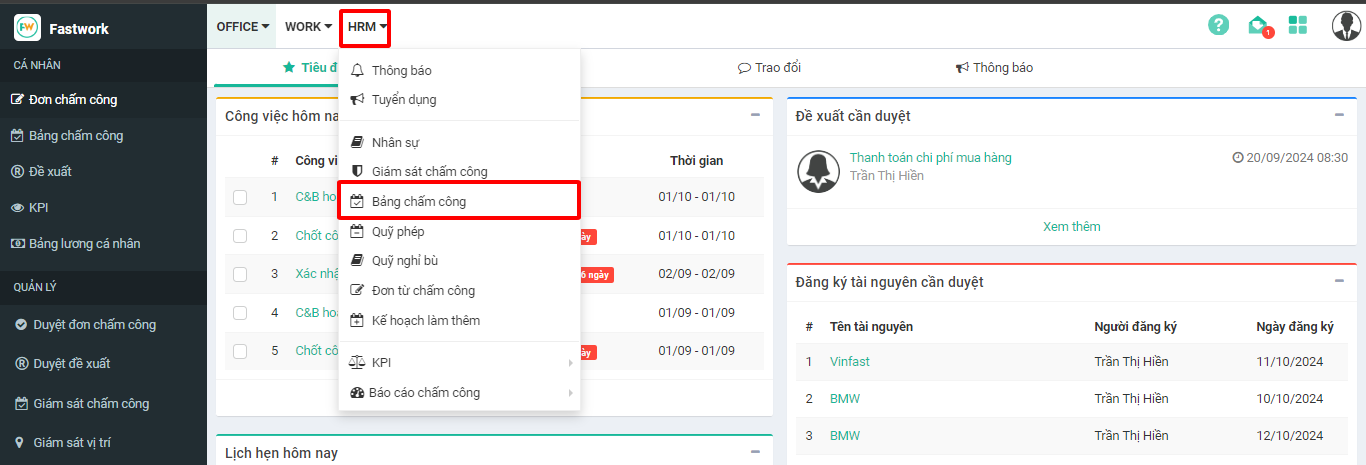
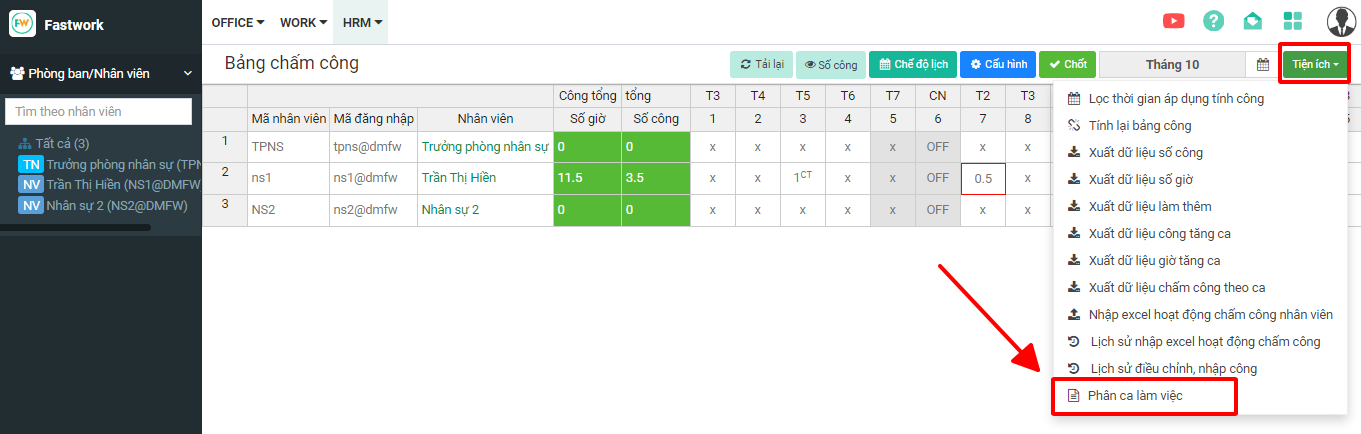
Tài khoản được phép phân ca làm việc truy cập **HRM** -> chọn **Bảng chấm công**
Chọn **Tiện ích** -> chọn **Phân ca làm việc**
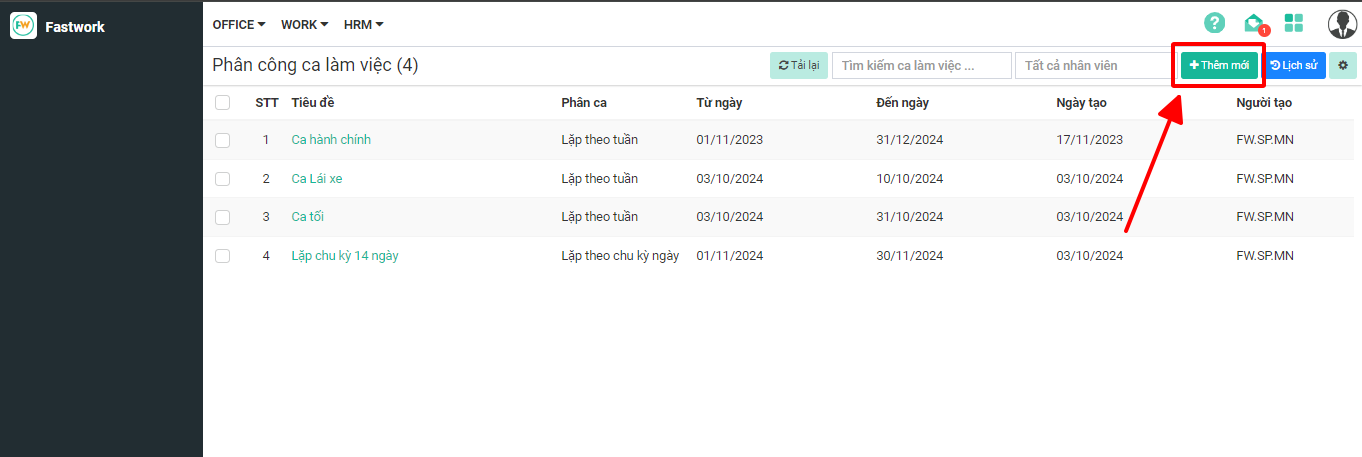
Chọn **Thêm mới** để tiến hành thêm mới phân ca làm việc cho nhân viên